Python下使用Trackbar實(shí)現(xiàn)繪圖板
本次實(shí)驗(yàn)利用到了cv2中的createTrackbar和getTrackbarPos函數(shù)實(shí)現(xiàn)一個(gè)繪圖板的功能,用戶可以選擇矩形或是畫(huà)筆模式,并設(shè)置調(diào)色板中的值來(lái)選擇顏色,再選擇畫(huà)筆大小,進(jìn)行繪圖。除此之外,還可以用橡皮擦進(jìn)行擦除,模式同樣也分為矩形和畫(huà)筆。
下面是具體的代碼:
import cv2import numpy as npdrawing = Falsemode = Trueix, iy = -1, -1def nothing(x): passdef draw_circle(event,x,y,flags,param): r = cv2.getTrackbarPos(’R’,’image’) g = cv2.getTrackbarPos(’G’,’image’) b = cv2.getTrackbarPos(’B’,’image’) color = (b,g,r) s = cv2.getTrackbarPos(’eraser’,’image’) if s == 1: color = (255,255,255) thin = cv2.getTrackbarPos(’thin’,’image’) global ix,iy,drawing,mode if event == cv2.EVENT_LBUTTONDOWN: drawing = True ix,iy = x,y elif event == cv2.EVENT_MOUSEMOVE and flags == cv2.EVENT_FLAG_LBUTTON: if drawing == True: if mode == True: cv2.rectangle(img, (ix,iy),(x,y),color,-1) else: cv2.circle(img,(x,y),thin,color,-1) elif event == cv2.EVENT_LBUTTONUP: drawing == Falseimg = np.zeros((512,512,3), np.uint8)img[:] = 255cv2.namedWindow(’image’)cv2.createTrackbar(’R’,’image’,0,255,nothing)cv2.createTrackbar(’G’,’image’,0,255,nothing)cv2.createTrackbar(’B’,’image’,0,255,nothing)cv2.createTrackbar(’eraser’,’image’,0,1,nothing)cv2.createTrackbar(’thin’,’image’,1,50,nothing)cv2.setMouseCallback(’image’, draw_circle)while(1): cv2.imshow(’image’,img) k = cv2.waitKey(1) & 0xFF if k == ord(’m’): mode = not mode elif k == 27: break
下面是運(yùn)行的結(jié)果:
1.運(yùn)行初始界面
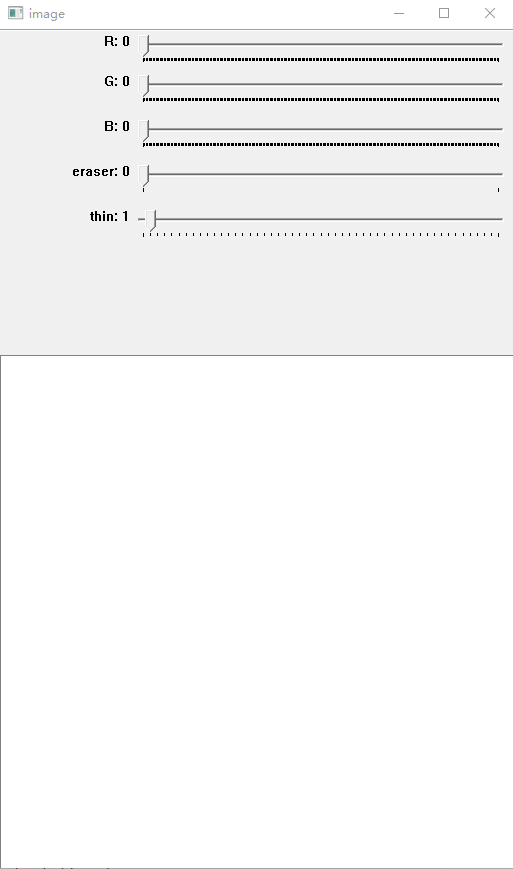
2.選擇顏色分別進(jìn)行矩形繪圖和畫(huà)筆繪圖,此圖中的畫(huà)筆的大小為1
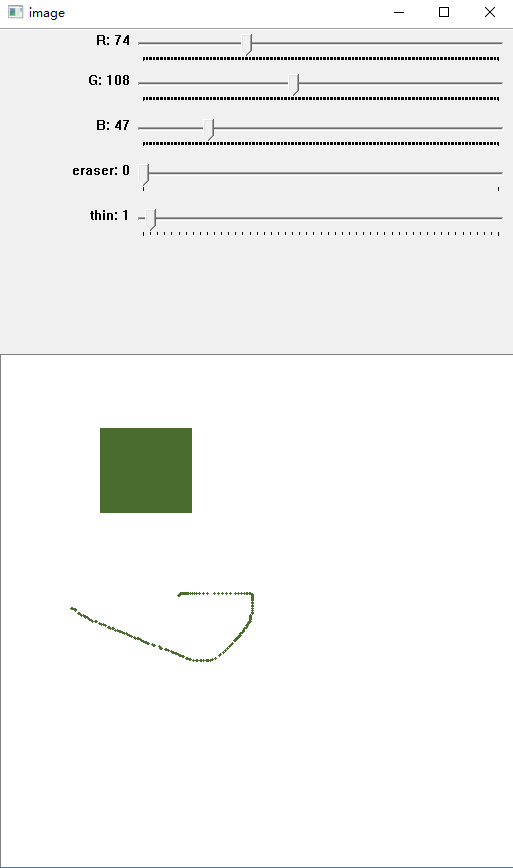
3.此時(shí)的畫(huà)筆大小為15
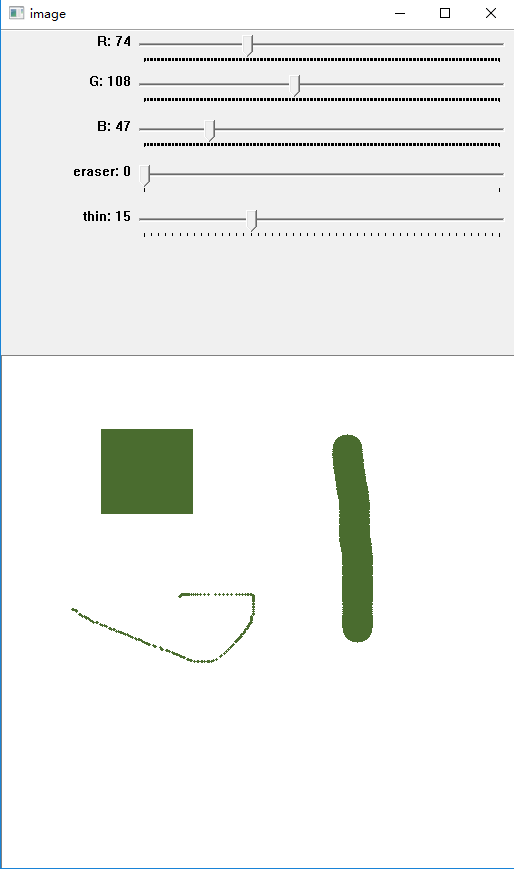
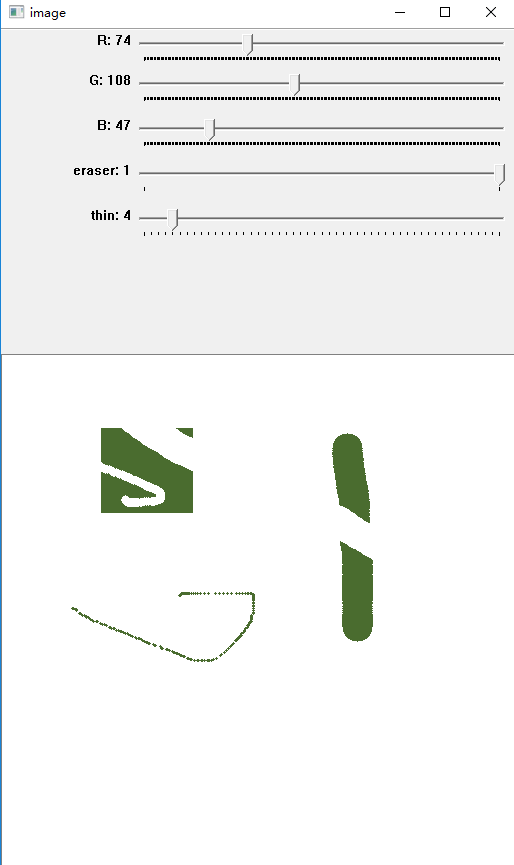
4.使用大小為15的橡皮擦擦除面板(選擇了畫(huà)筆模式的橡皮擦)
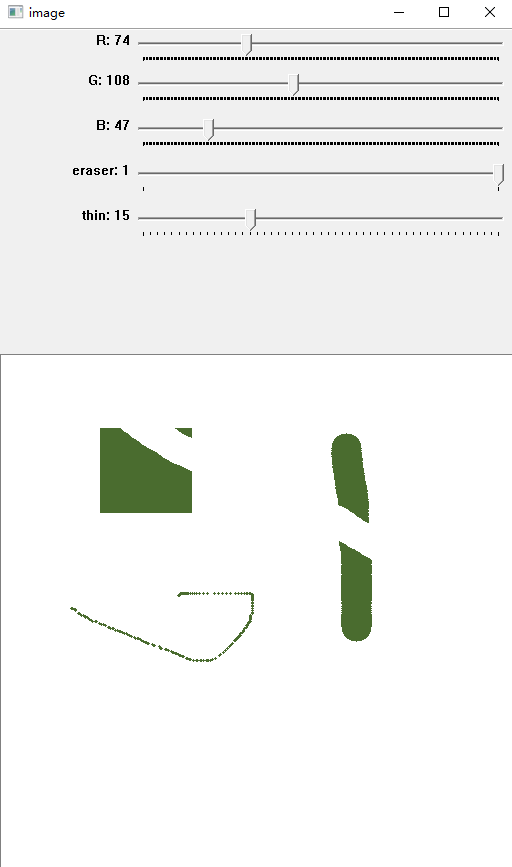
5.使用大小為4的橡皮擦擦除面板(選擇了畫(huà)筆模式的橡皮擦)
以上就是本文的全部?jī)?nèi)容,希望對(duì)大家的學(xué)習(xí)有所幫助,也希望大家多多支持好吧啦網(wǎng)。
相關(guān)文章:
1. PHP基礎(chǔ)之生成器4——比較生成器和迭代器對(duì)象2. Docker 啟動(dòng)Redis 并設(shè)置密碼的操作3. ASP新手必備的基礎(chǔ)知識(shí)4. CentOS郵箱服務(wù)器搭建系列——SMTP服務(wù)器的構(gòu)建( Postfix )5. asp文件用什么軟件編輯6. python 爬取豆瓣網(wǎng)頁(yè)的示例7. python 實(shí)現(xiàn)有道翻譯功能8. JS中6個(gè)對(duì)象數(shù)組去重的方法9. vue限制輸入數(shù)字或者保留兩位小數(shù)實(shí)現(xiàn)10. 利用CSS制作3D動(dòng)畫(huà)

 網(wǎng)公網(wǎng)安備