Android Studio 3.5格式化布局代碼時錯位、錯亂bug的解決
更新到3.5版本后,格式化布局文件代碼,會自動給排序元素,導致界面布局錯亂
解決辦法:
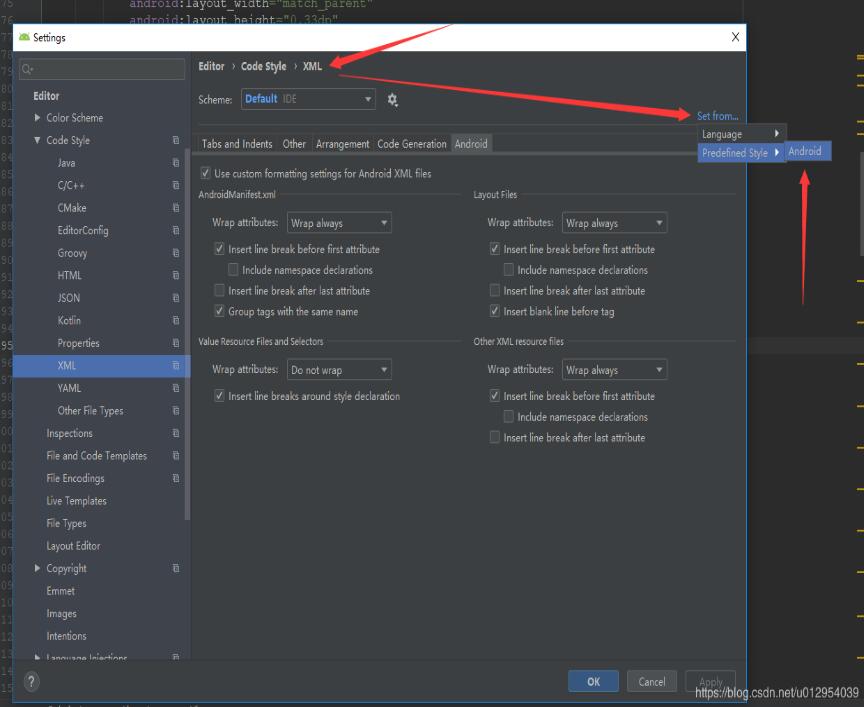
設置 > code style > XML 右上角 Set from然后選擇Predefined Style...>Android即可
補充知識:Android Studio:Reformat Code格式化Xml布局代碼后控件順序錯亂
Android Studio升級3.5之后,遇到個奇葩問題,在布局xml文件中格式化代碼后,控件的順序都變了,這不是我們想要的結果,網上搜了一下,確實是AS3.5的鍋,每次升級都會遇到不同的問題,先記錄一下吧,以后有時間再研究為什么做的調整。
<?xml version='1.0' encoding='utf-8'?><LinearLayout xmlns:android='http://schemas.android.com/apk/res/android' xmlns:tools='http://schemas.android.com/tools' android:layout_width='match_parent' android:layout_height='match_parent' android:orientation='vertical' android:padding='16dp' tools:context='sun.geoffery.mvpdemo.MainActivity'> <TextView android: android:layout_width='match_parent' android:layout_height='0dp' android:layout_weight='1' android:text='點擊按鈕獲取網絡數據' /> <Button android: android:layout_width='match_parent' android:layout_height='wrap_content' android:text='獲取數據【成功】' /> <Button android: android:layout_width='match_parent' android:layout_height='wrap_content' android:text='獲取數據【失敗】' /> <Button android: android:layout_width='match_parent' android:layout_height='wrap_content' android:text='獲取數據【異常】' /></LinearLayout>
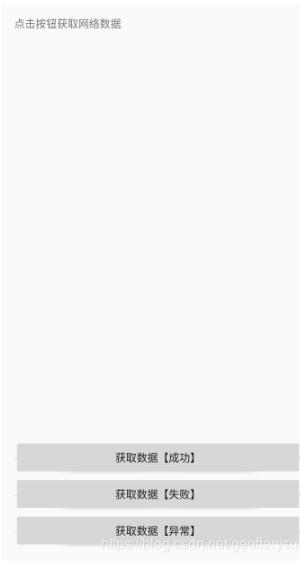
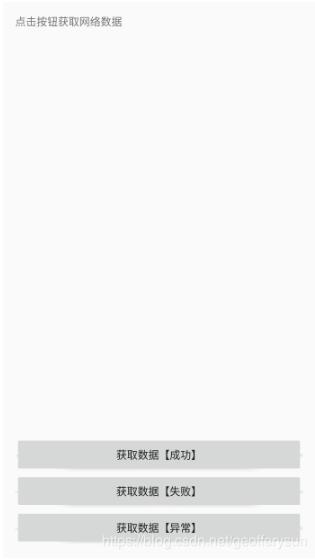
這個簡單的布局界面大致如下圖所示:
走你,Ctrl+Shift+F,格式化一把,再看我們的代碼:
<?xml version='1.0' encoding='utf-8'?><LinearLayout xmlns:android='http://schemas.android.com/apk/res/android' xmlns:tools='http://schemas.android.com/tools' android:layout_width='match_parent' android:layout_height='match_parent' android:orientation='vertical' android:padding='16dp' tools:context='sun.geoffery.mvpdemo.MainActivity'> <Button android: android:layout_width='match_parent' android:layout_height='wrap_content' android:text='獲取數據【成功】' /> <Button android: android:layout_width='match_parent' android:layout_height='wrap_content' android:text='獲取數據【失敗】' /> <Button android: android:layout_width='match_parent' android:layout_height='wrap_content' android:text='獲取數據【異常】' /> <TextView android: android:layout_width='match_parent' android:layout_height='0dp' android:layout_weight='1' android:text='點擊按鈕獲取網絡數據' /></LinearLayout>
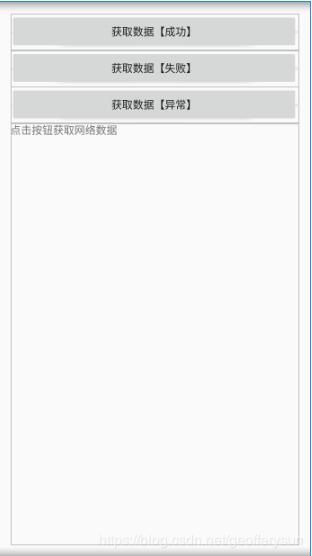
原本最頂部的TextView被格式化到了最下面,一臉懵逼,界面如下:
具體解決方法如下:
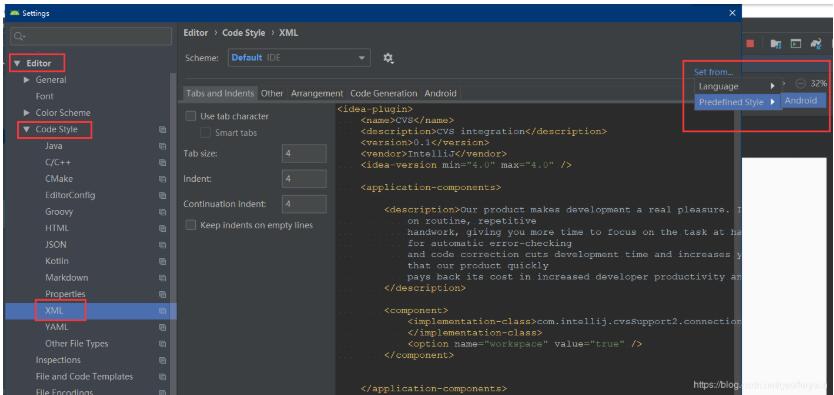
Settings?>Editor?> Code Style?>XML
點擊右上角的Set from->Predefined Style選擇Android后點擊OK保存,Perfect!
再格式化代碼,就是我們想要的效果了
以上這篇Android Studio 3.5格式化布局代碼時錯位、錯亂bug的解決就是小編分享給大家的全部內容了,希望能給大家一個參考,也希望大家多多支持好吧啦網。
相關文章:

 網公網安備
網公網安備