vue Nprogress進度條功能實現常見問題
NProgress是頁面跳轉是出現在瀏覽器頂部的進度條官網:http://ricostacruz.com/nprogress/github:https://github.com/rstacruz/nprogress
下圖中的這種頂部進度條是非常常見的,在vue項目中有對應的插件。Nprogress
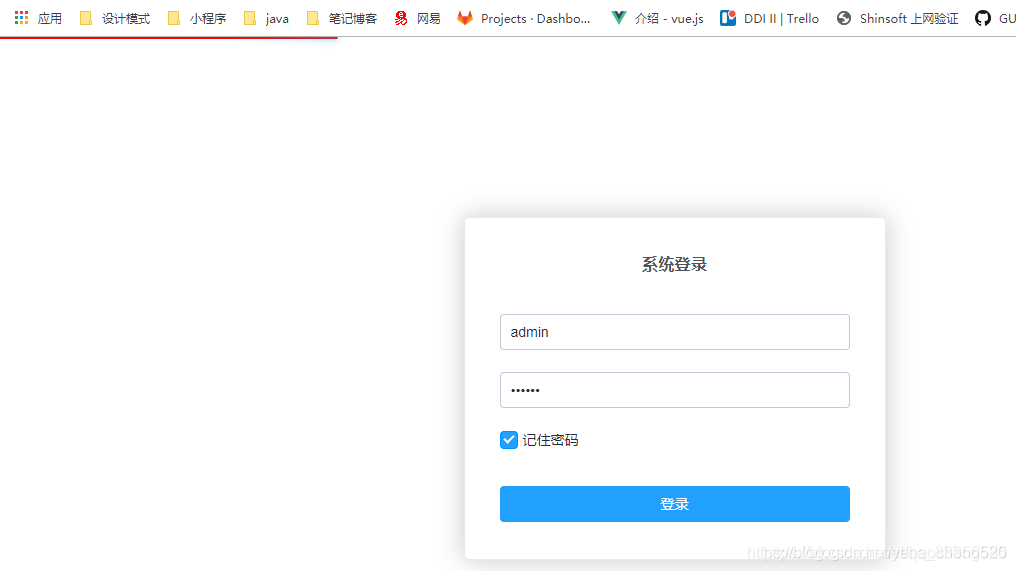
Nprogress進度條的使用方法如下:
1.安裝nprogress插件
npm install --save nprogress注意此處的--save等同于-s,就是將插件的名稱及版本號保存到package.json文件中的dependencies中,這樣其他人克隆項目后,可以通過npm install就可以下載下來所有的插件到node_modules中了。
2.nprogress插件的使用
此處進度條主要用于頁面路由的跳轉過程中,因此可以直接在router/index.js中使用:
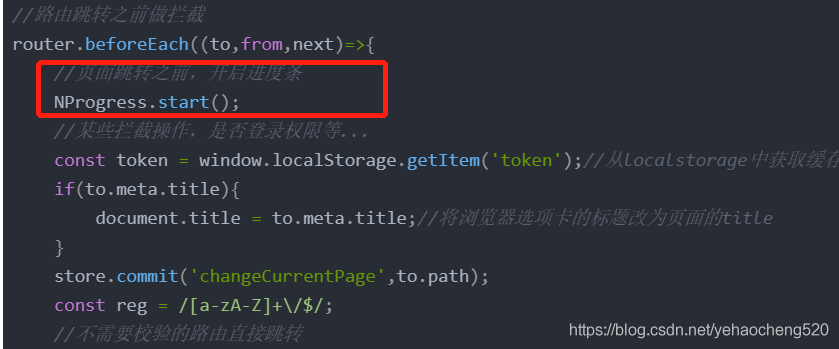
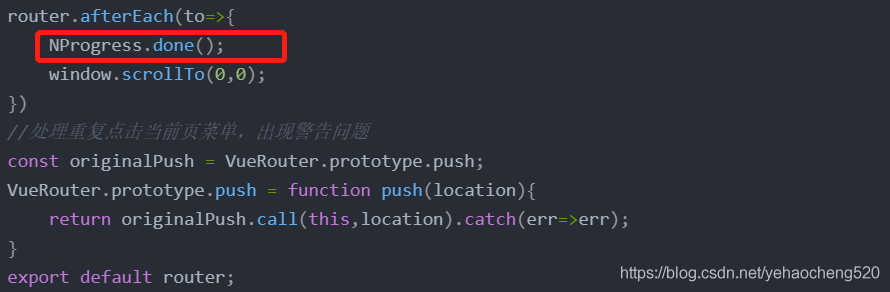
在路由跳轉之前,開啟進度條加載,在路由跳轉之后,結束進度條的加載。
router/index.js文件內容如下:
import Vue from 'vue';import VueRouter from 'vue-router';import store from '@/store';import HomeLayout form '@/views/home/layout';import NProgress from 'nprogress';import userCenter from './modules/userCenter';import ’nprogress/nprogress.css’Vue.use(VueRouter);NProgress.inc(0.2);NProgress.configure({easing:’ease’,speed:2000,showSpinner:false,trickle:false})const routes = [{path:'/',name:'Index',redirect:'/index'},{path:'/index',name:’Index’,component:()=>import (’@/views/home/index.vue’),meta:{title:’首頁’}},{path:’/home’,name:’Home’,component:()=>import(’@/views/home/main’),meta:{title:’首頁’}},{path:’/login’,name:’Login’,component:()=>import (’@/views/login’),meta:{title:’登錄’}},{path:’/register’,name:’register’,component:()=>import(’@/views/register’),meta:{title:’注冊’}},{path:’/404’,name:’404’,component:()=>import(’@/views/errorPage’)},{path:’*’,redirect:’/404’}]const router = new VueRouter({mode:’history’,routes})//路由跳轉之前做攔截router.beforeEach((to,from,next)=>{//頁面跳轉之前,開啟進度條NProgress.start();//某些攔截操作,是否登錄權限等...const token = window.localStorage.getItem(’token’);//從localstorage中獲取緩存if(to.meta.title){document.title = to.meta.title;//將瀏覽器選項卡的標題改為頁面的title}store.commit(’changeCurrentPage’,to.path);const reg = /[a-zA-Z]+/$/;//不需要校驗的路由直接跳轉if(!to.meta.requireAuth){if(reg.test(to.path)){next(to.path.replace(reg,’’));return;}next();return}if(token&&to.name!==’Index’){//已登錄且要跳轉的頁面不是登錄頁面if(reg.test(to.path)){next(to.path.replace(reg,’’));return;}next();//可以直接跳轉}else if(token && to.name == ’Index’){//已登錄且要跳轉的頁面是登錄頁if(reg.test(to.path)){next(to.path.replace(reg,’’));return}next(’/home’);//直接跳轉到首頁}else if(!token && to.name !=’Index’){//未登錄且要跳轉的頁面不是登錄頁next(’/index’);//跳轉到登錄頁}else{if(reg.test(to.path)){next(to.path.replace(reg,’’));return;}next()}})router.afterEach(to=>{NProgress.done();window.scrollTo(0,0);})//處理重復點擊當前頁菜單,出現警告問題const originalPush = VueRouter.prototype.push;VueRouter.prototype.push = function push(location){return originalPush.call(this,location).catch(err=>err);}export default router;
上面的重點如下:
引入插件及對應的css
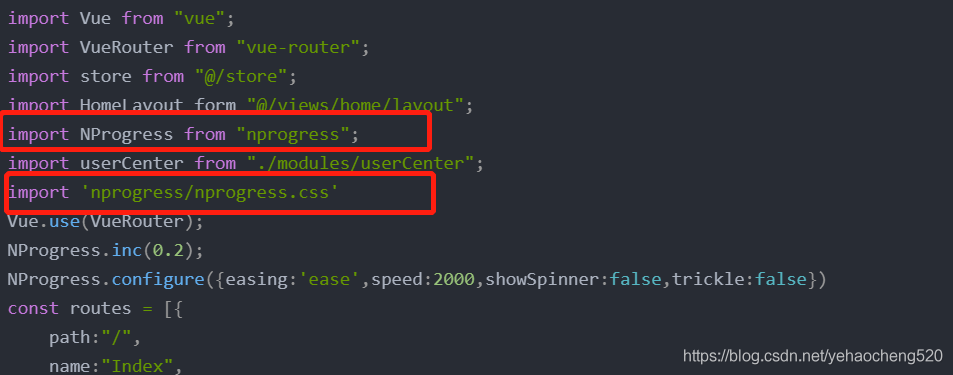
nprogress配置參數
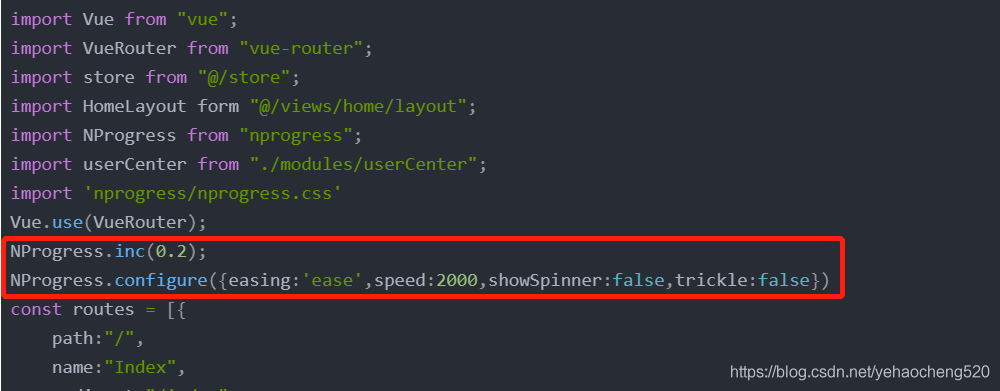
3.router.beforeEach路由跳轉之前攔截時,加載進度條
4.router.afterEach路由跳轉結束后,關閉進度條
3.nprogress插件修改樣式
在App.vue文件中的style樣式中,添加如下代碼,更改進度條的顏色
#nprogress .bar { background: #f90 !important; //自定義顏色}
到此這篇關于vue Nprogress進度條功能實現的文章就介紹到這了,更多相關vue Nprogress進度條內容請搜索好吧啦網以前的文章或繼續瀏覽下面的相關文章希望大家以后多多支持好吧啦網!
相關文章:
 網公網安備
網公網安備