Vue+thinkphp5.1+axios實(shí)現(xiàn)文件上傳
本文實(shí)例為大家分享了使用thinkphp5.1 + Vue+axios+實(shí)現(xiàn)文件上傳,供大家參考,具體內(nèi)容如下
前言使用thinkphp5.1 + Vue+axios+實(shí)現(xiàn)文件上傳
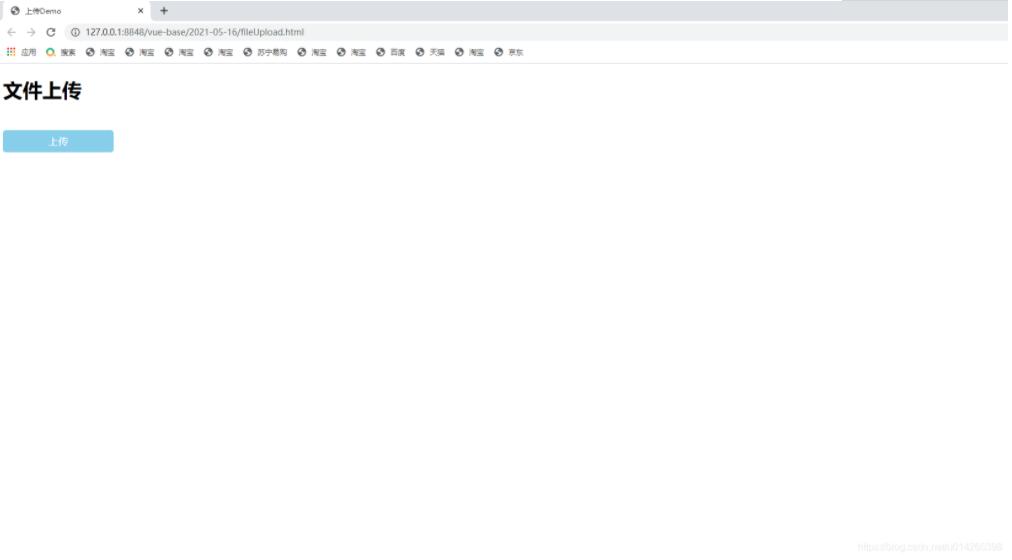
一.頁面代碼
<!DOCTYPE html><html><head> <meta charset='utf-8'> <title>上傳Demo</title> <style>.fileBtn{ width: 180px; height: 36px; line-height: 36px; background: skyblue; border-radius: 5px; display: block; text-align: center; color: white;}[v-cloak] { display: none;} </style> <script src='https://cdn.jsdelivr.net/npm/vue/dist/vue.js'></script> <script src='https://unpkg.com/axios/dist/axios.min.js'></script></head><body><div id='app'> <h1 v-cloak>{{message}}</h1> <form><input type='file' name='file' ref='file' v-on:change='upload' /><label for='file' class='fileBtn'>上傳</label> </form></div></body></html><script> var vue = new Vue({el:’#app’,data:{ message:’文件上傳’,},methods:{ upload:function(file) {console.log(file.target.files[0]);var forms = new FormData()var configs = { headers:{’Content-Type’:’multipart/form-data;charse=UTF-8’}};forms.append(’file’,file.target.files[0]);axios.post(’http://127.0.0.1/index/index/upload’, forms,configs) .then(function (response) {if (response.data.code == 0) { alert(’文件上傳成功’);} else { alert(’文件上傳失敗’);}file.target.value = ’’; }) .catch(function (error) {console.log(error); }); }} });</script>
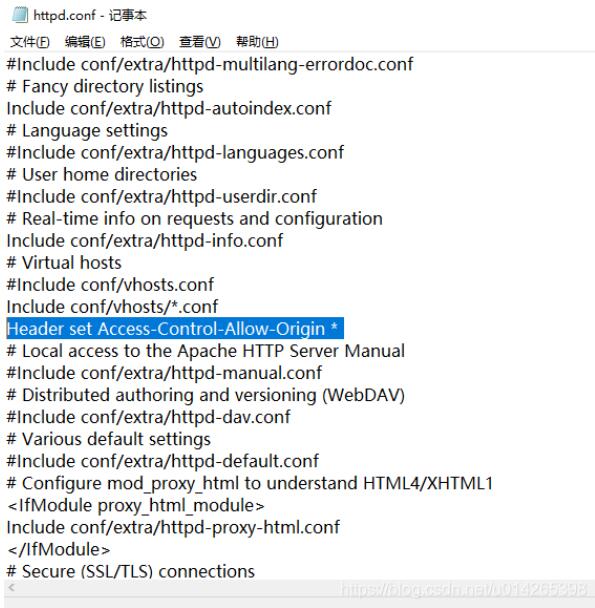
二、解決接口跨域問題
這里使用的apache 2.4.8,找到httpd.conf ,添加一行配置:
Header set Access-Control-Allow-Origin *
三.后端處理上傳部分
/** * 文件上傳方法校驗(yàn) */ public function upload() {try{ $file = request()->file(’file’); if (empty($file)) {echo json_encode([’code’ => 1,'msg' => ’請選擇上傳文件’],JSON_UNESCAPED_UNICODE);exit; } // 移動(dòng)到框架應(yīng)用根目錄/uploads/ 目錄下 $info = $file->move( ’../uploads’); if($info){// 成功上傳后 獲取上傳信息// 輸出 jpgecho json_encode([’code’ => 0,'msg' => ’succcess’],JSON_UNESCAPED_UNICODE);exit; }else{// 上傳失敗獲取錯(cuò)誤信息echo json_encode([’code’ => 1,'msg' => ’error’],JSON_UNESCAPED_UNICODE);exit; }} catch (Exception $e) { echo json_encode([’code’ => 1,'msg' => ’error’],JSON_UNESCAPED_UNICODE);exit;}}
四.實(shí)際效果
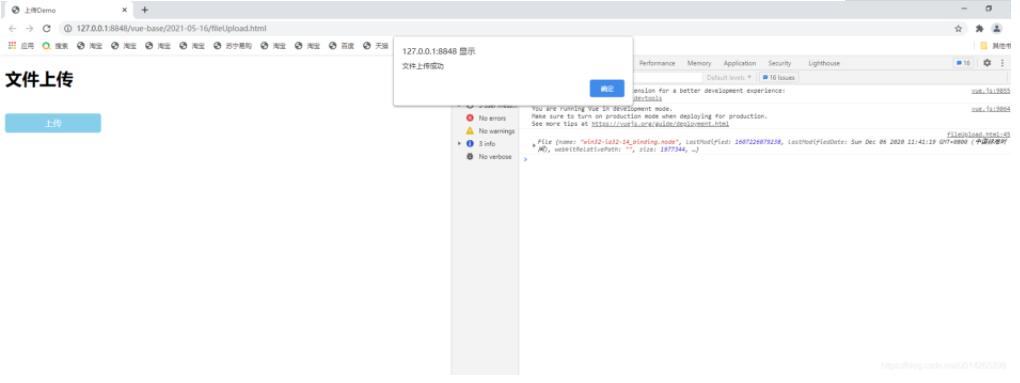
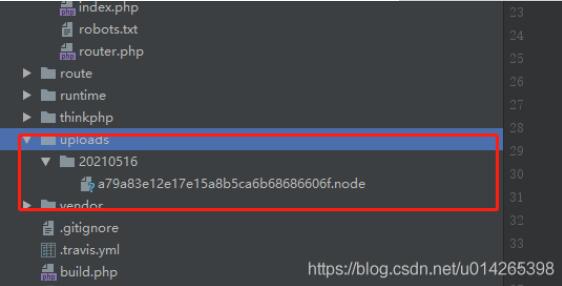
測試成功!
關(guān)于vue.js的學(xué)習(xí)教程,請大家點(diǎn)擊專題vue.js組件學(xué)習(xí)教程、Vue.js前端組件學(xué)習(xí)教程進(jìn)行學(xué)習(xí)。
以上就是本文的全部內(nèi)容,希望對大家的學(xué)習(xí)有所幫助,也希望大家多多支持好吧啦網(wǎng)。
相關(guān)文章:
1. CentOS郵箱服務(wù)器搭建系列——SMTP服務(wù)器的構(gòu)建( Postfix )2. PHP基礎(chǔ)之生成器4——比較生成器和迭代器對象3. ASP新手必備的基礎(chǔ)知識4. Docker 啟動(dòng)Redis 并設(shè)置密碼的操作5. asp文件用什么軟件編輯6. 通過IEAD+Maven快速搭建SSM項(xiàng)目的過程(Spring + Spring MVC + Mybatis)7. JS中6個(gè)對象數(shù)組去重的方法8. vue+element開發(fā)一個(gè)谷歌插件的全過程9. 利用CSS制作3D動(dòng)畫10. Vue axios獲取token臨時(shí)令牌封裝案例
 網(wǎng)公網(wǎng)安備