Vue實現動態路由導航的示例
目錄
- 1、導航守衛
- 二、功能展示
- 三、原理
- 四、功能實現
- ?小結
1、導航守衛
“導航” 表示路由正在發生改變
正如其名,vue-router 提供的導航守衛主要用來通過跳轉或取消的方式守衛導航。有多種機會植入路由導航過程中:全局的, 單個路由獨享的, 或者組件級的。
記住參數或查詢的改變并不會觸發進入/離開的導航守衛。你可以通過觀察 $route 對象來應對這些變化,或使用 beforeRouteUpdate 的組件內守衛。
v-router官網:https://router.vuejs.org/zh/guide/
我這里用到的是全局前置守衛:
在路由中可以使用router.beforeEach,注冊一個全局前置守衛
const router = new VueRouter({ routes }); router.beforeEach((to, from, next) => { const isover = to.matched.some(record => record.path == "/over") if (isover || to.path == "/overview") { if (!store.getters.token) { // 未登錄 next("/login"); return } if (!isHome) { next(); return } } else { next() // 無需登錄驗證 }})當一個導航觸發時,全局前置守衛按照創建順序調用,守衛是異步解析執行,此時導航在所有守衛resolve完之前一直處于等待中。
每個守衛方法接收3個參數
to: Route:即將要進入的目標 路由對象
from: Route :當前導航正要離開的路由
next: Function : 一定要調用該方法來resolve這個鉤子,執行效果依賴next方法的調用參數
1.next(): 進行管道中的下一個鉤子。如果全部鉤子執行完了,則導航的狀態就是 confirmed (確認的)。
2.next(’/’) 或者 next({ path: ‘/’ }): 跳轉到一個不同的地址。當前的導航被中斷,然后進行一個新的導航。你可以向 next 傳遞任意位置對象,且允許設置諸如 replace: true、name: ‘home’ 之類的選項以及任何用在 router-link 的 to prop 或 router.push 中的選項。
3.next(error): (2.4.0+) 如果傳入 next 的參數是一個 Error 實例,則導航會被終止且該錯誤會被傳遞給 router.onError() 注冊過的回調。
4.** 確保 next 函數在任何給定的導航守衛中都被嚴格調用一次。它可以出現多于一次,但是只能在所有的邏輯路徑都不重疊的情況下,否則鉤子永遠都不會被解析或報錯 **這里有一個在用戶未能驗證身份時重定向到 /login 的示例:
// BADrouter.beforeEach((to, from, next) => { if (to.name !== "Login" && !isAuthenticated) next({ name: "Login" }) // 如果用戶未能驗證身份,則 `next` 會被調用兩次 next()})// GOODrouter.beforeEach((to, from, next) => { if (to.name !== "Login" && !isAuthenticated) next({ name: "Login" }) else next()})二、功能展示


三、原理
對于路由的導航動態實現,我們首先要確定我們擁有的路由有哪些,并且對于命名有一定的良好習慣。其中最重要的就是在我們的路由里面進行設定,設置我們的路由守衛,能對路由進行控制和及時的更新我們的路由數據,然后就可以直接在功能實現區域進行調用實現了。
四、功能實現
1.router文件夾

在router里面引入我們的store
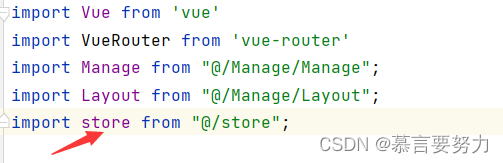
路由守衛
// 路由守衛router.beforeEach((to, from, next) => { localStorage.setItem("currentPathName", to.name) // 設置當前的路由名稱,為了在Header組件中去使用 store.commit("setPath") // 觸發store的數據更新 next() // 放行路由})2.store文件夾
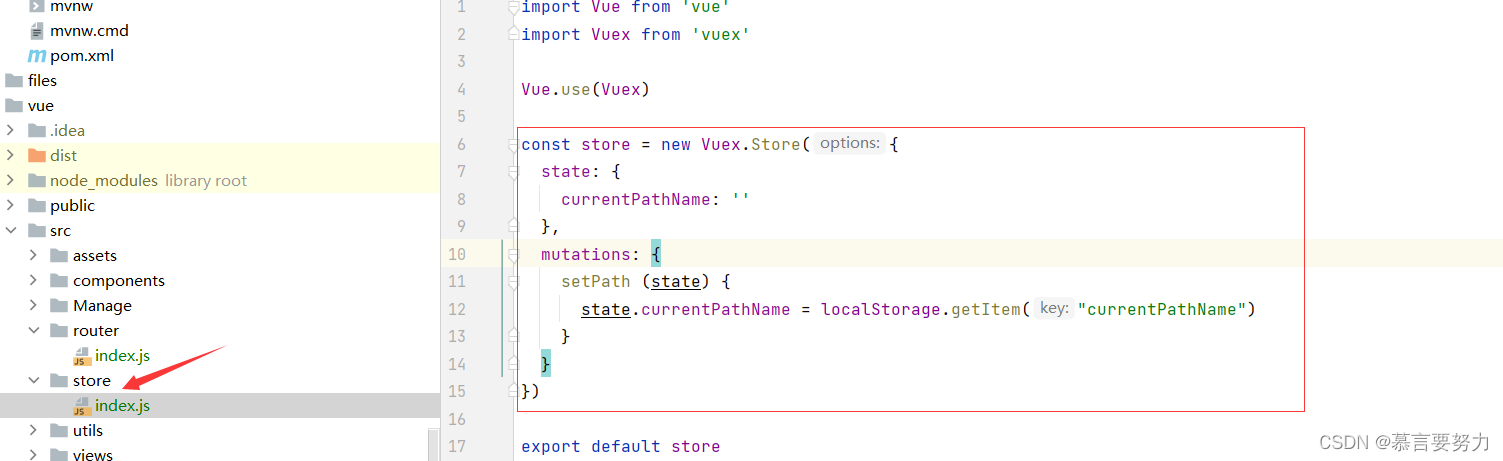
import Vue from "vue"import Vuex from "vuex" Vue.use(Vuex) const store = new Vuex.Store({ state: { currentPathName: "" }, mutations: { setPath (state) { state.currentPathName = localStorage.getItem("currentPathName") } }}) export default store 3.main.js
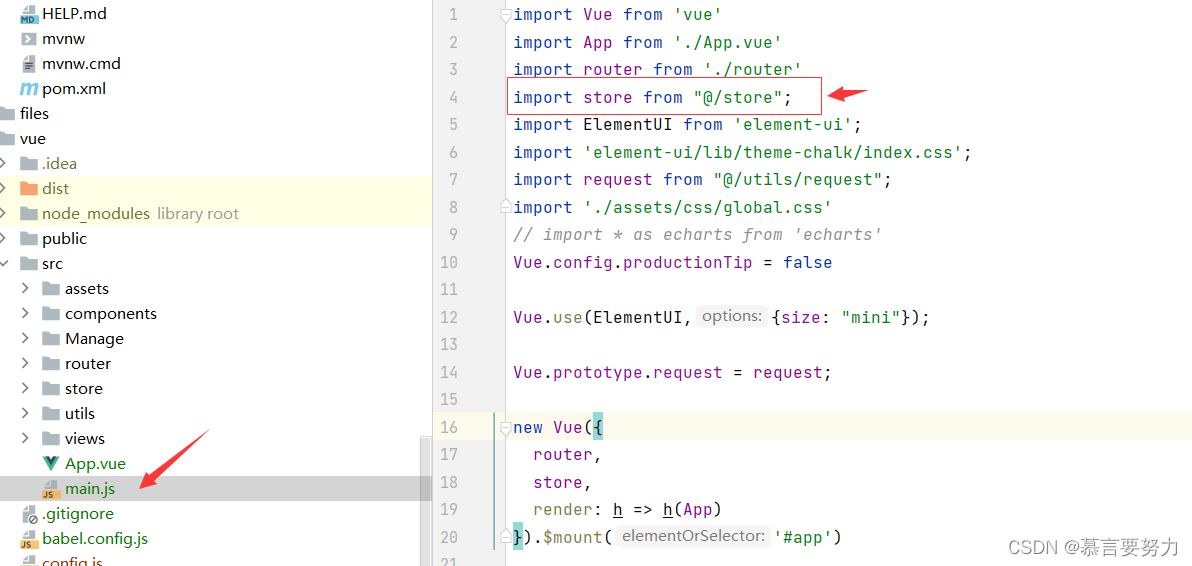
import Vue from "vue"import App from "./App.vue"import router from "./router"import store from "@/store";import ElementUI from "element-ui";import "element-ui/lib/theme-chalk/index.css";import request from "@/utils/request";import "./assets/css/global.css"http:// import * as echarts from "echarts"Vue.config.productionTip = false Vue.use(ElementUI,{size: "mini"}); Vue.prototype.request = request; new Vue({ router, store, render: h => h(App)}).$mount("#app") 4.實現
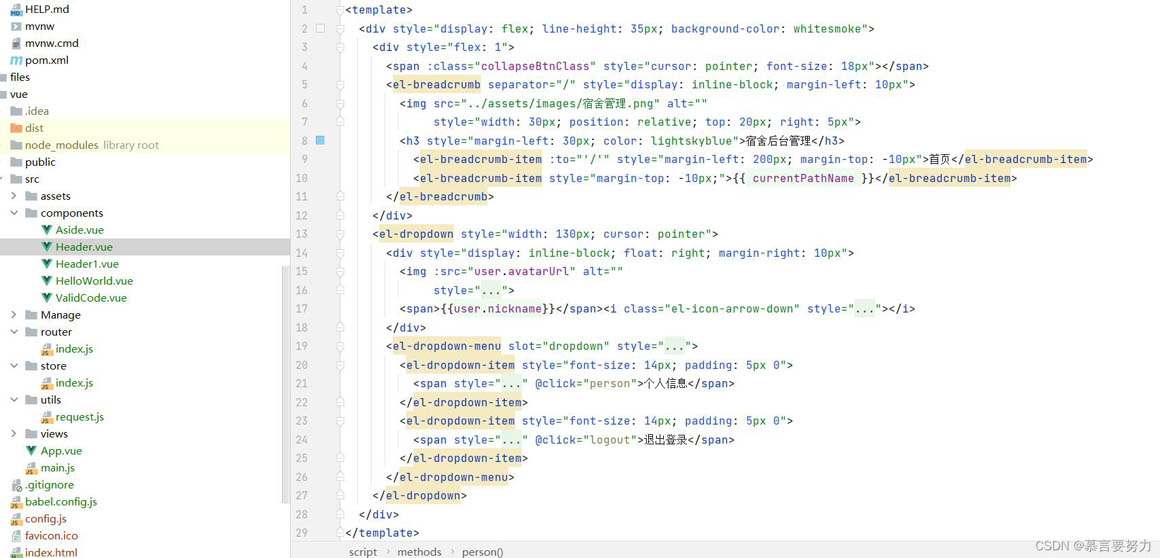
<template> <div> <div> <span :class="collapseBtnClass"></span> <el-breadcrumb separator="/"><img src="../assets/images/宿舍管理.png" ><h3>宿舍后臺管理</h3> <el-breadcrumb-item :to=""/"">首頁</el-breadcrumb-item> <el-breadcrumb-item>{{ currentPathName }}</el-breadcrumb-item> </el-breadcrumb> </div> <el-dropdown> <div><img :src="user.avatarUrl" ><span>{{user.nickname}}</span><i></i> </div> <el-dropdown-menu slot="dropdown"><el-dropdown-item> <span @click="person">個人信息</span></el-dropdown-item><el-dropdown-item> <span @click="logout">退出登錄</span></el-dropdown-item> </el-dropdown-menu> </el-dropdown> </div></template> <script>export default { name: "Header", props: { collapseBtnClass: String, user: Object }, computed: { currentPathName () { return this.$store.state.currentPathName; //需要監聽的數據 } }, data() { return { user: localStorage.getItem("user") ? JSON.parse(localStorage.getItem("user")) : {} } }, methods: { logout() { this.$router.push("/login") this.$message.success("退出成功") }, person(){ this.$router.push("/mall/person") } }}</script> <style scoped> </style>?小結
到此這篇關于Vue實現動態路由導航的示例的文章就介紹到這了,更多相關Vue 動態路由導航內容請搜索以前的文章或繼續瀏覽下面的相關文章希望大家以后多多支持!

 網公網安備
網公網安備