Springboot整合camunda+mysql的集成流程分析
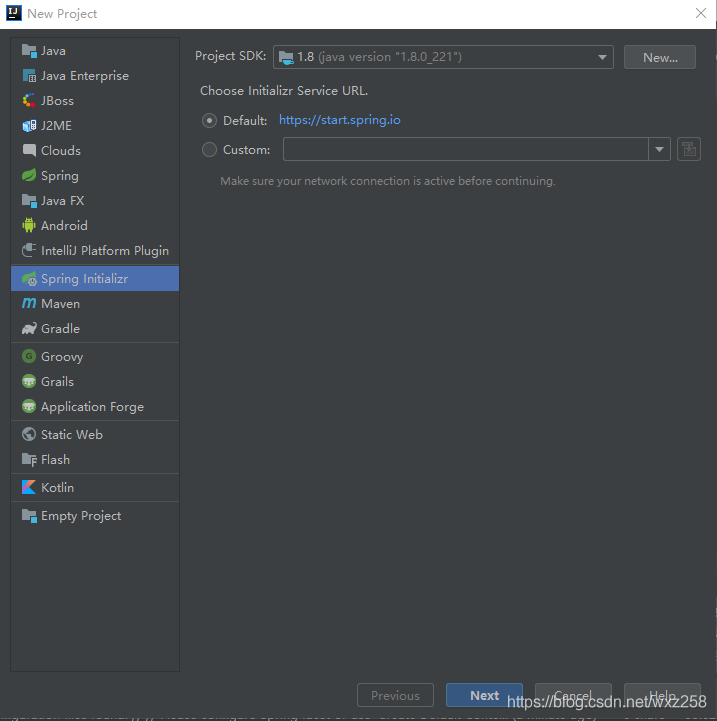
使用IDEA工具,選擇File->New->Project,選擇Spring Initialzr
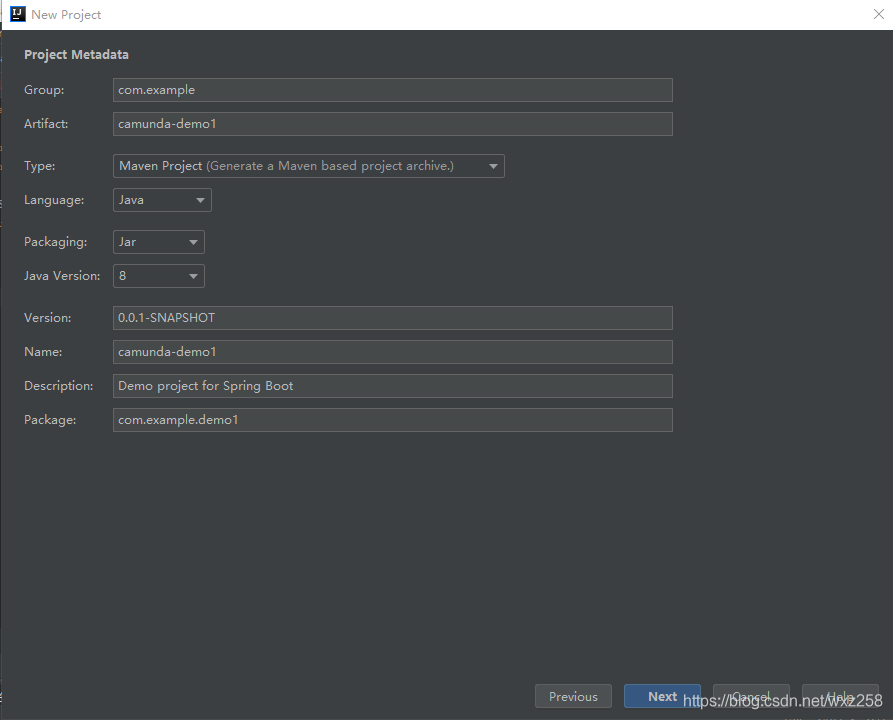
輸入springboot工程基本信息,本示例命名為“camunda-demo1”, jdk版本選擇8
在選擇springboot組件的時候,需要選擇Spring Web、JDBC API、MySql Driver 這三個組件。點擊下一步完成即可。
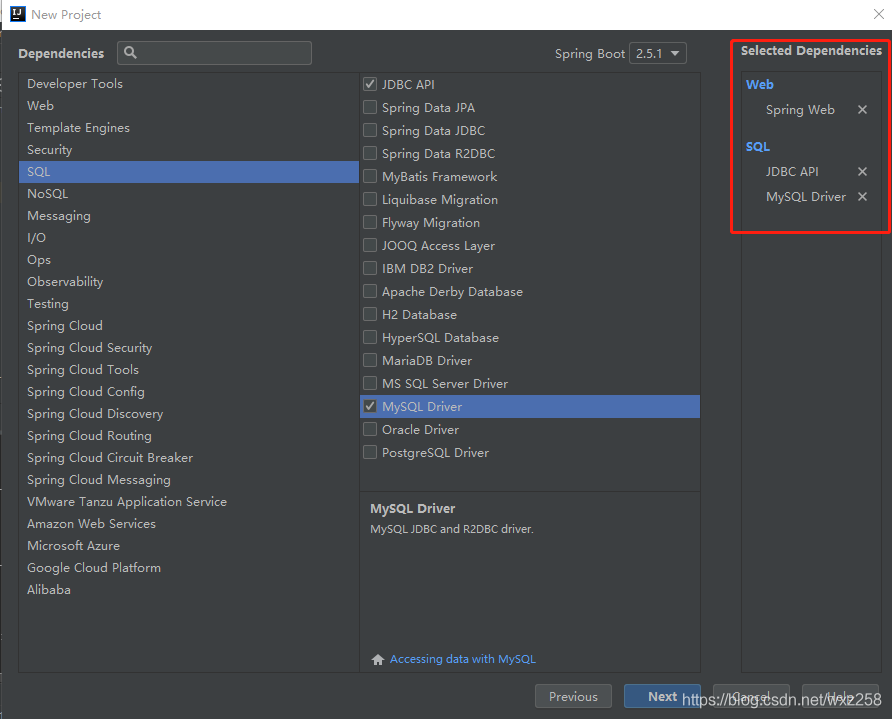
由于camunda版本與springboot版本有匹配關系,所以需要修改springboot版本為2.4.3,
官方推薦Camunda7.1.5版本使用Spring Boot 2.4.x版本
具體配置參考camunda官方說明文檔:https://docs.camunda.org/manual/7.15/user-guide/spring-boot-integration/version-compatibility/
Pom.xm代碼片段:
<parent><groupId>org.springframework.boot</groupId><artifactId>spring-boot-starter-parent</artifactId><version>2.4.3</version><relativePath/> </parent>2.2、引入camunda包
由于本示例要使用camunda流程引擎、web界面、Rest服務接口,所以需要導入camunda-bpm-spring-boot-starter、camunda-bpm-spring-boot-starter-rest、camunda-bpm-spring-boot-starter-webapp這三個依賴包,如果僅僅是使用流程引擎,只需要引入camunda-bpm-spring-boot-starter就可以了。
完整的pom.xml文件如下:
<?xml version='1.0' encoding='UTF-8'?> <project xmlns='http://maven.apache.org/POM/4.0.0' xmlns:xsi='http://www.w3.org/2001/XMLSchema-instance' xsi:schemaLocation='http://maven.apache.org/POM/4.0.0 https://maven.apache.org/xsd/maven-4.0.0.xsd'> <modelVersion>4.0.0</modelVersion> <parent> <groupId>org.springframework.boot</groupId> <artifactId>spring-boot-starter-parent</artifactId> <version>2.4.3</version> <relativePath/> <!-- lookup parent from repository --> </parent> <groupId>com.example</groupId> <artifactId>camunda-demo1</artifactId> <version>0.0.1-SNAPSHOT</version> <name>camunda-demo1</name> <description>Demo project for Spring Boot</description> <properties> <java.version>1.8</java.version> </properties> <dependencies> <dependency> <groupId>org.springframework.boot</groupId> <artifactId>spring-boot-starter-web</artifactId> </dependency> <dependency> <groupId>org.springframework.boot</groupId> <artifactId>spring-boot-starter-jdbc</artifactId> </dependency> <dependency> <groupId>mysql</groupId> <artifactId>mysql-connector-java</artifactId> <scope>runtime</scope> </dependency> <dependency> <groupId>org.springframework.boot</groupId> <artifactId>spring-boot-starter-test</artifactId> <scope>test</scope> </dependency> <dependency> <groupId>org.camunda.bpm.springboot</groupId> <artifactId>camunda-bpm-spring-boot-starter</artifactId> <version>7.15.0</version> </dependency> <dependency> <groupId>org.camunda.bpm.springboot</groupId> <artifactId>camunda-bpm-spring-boot-starter-rest</artifactId> <version>7.15.0</version> </dependency> <dependency> <groupId>org.camunda.bpm.springboot</groupId> <artifactId>camunda-bpm-spring-boot-starter-webapp</artifactId> <version>7.15.0</version> </dependency> </dependencies> <build> <plugins> <plugin> <groupId>org.springframework.boot</groupId> <artifactId>spring-boot-maven-plugin</artifactId> </plugin> </plugins> </build> </project>三、修改application.yaml配置
打開工程目錄下的mainresourcesapplication.yaml文件,如果沒有該文件,手動新建一個,錄入如下信息。
# Find more available configuration properties on the following pages of the documentation. # https://docs.camunda.org/manual/latest/user-guide/camunda-bpm-run/#configure-camunda-bpm-run # https://docs.camunda.org/manual/latest/user-guide/spring-boot-integration/configuration/#camunda-engine-properties camunda.bpm: generic-properties.properties: javaSerializationFormatEnabled: true admin-user: id: demo password: demo run: # https://docs.camunda.org/manual/latest/user-guide/camunda-bpm-run/#cross-origin-resource-sharing cors: enabled: true allowed-origins: '*' # datasource configuration is required spring.datasource: url: jdbc:mysql://127.0.0.1:3306/camunda715?characterEncoding=UTF-8&useUnicode=true&useSSL=false&zeroDateTimeBehavior=convertToNull&serverTimezone=Asia/Shanghai driver-class-name: com.mysql.cj.jdbc.Driver username: root password: root # By default, Spring Boot serves static content from any directories called /static or /public or /resources or # /META-INF/resources in the classpath. To prevent users from accidentally sharing files, this is disabled here by setting static locations to NULL. # https://docs.spring.io/spring-boot/docs/current/reference/htmlsingle/#boot-features-spring-mvc-static-content spring.web.resources: static-locations: NULL
本示例使用的是mysql數據庫,數據庫URL、username、 password 跟后面數據庫信息保存一致。
四、創建mysql數據庫Camunda默認使用已預先配置好的H2數據庫,本示例使用mysql數據庫,需要提前創建mysql數據庫并導入Camunda建表腳本。
為Camunda平臺創建一個數據庫模式,名稱為camunda715
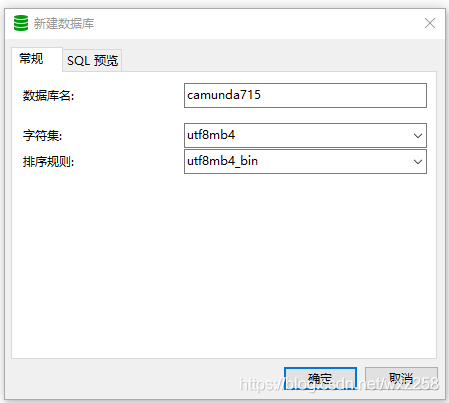
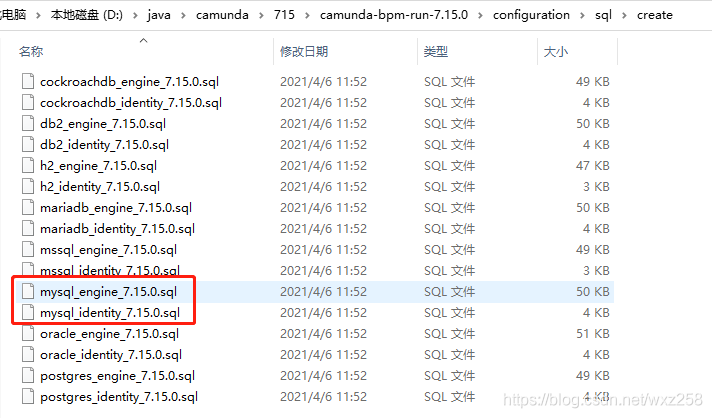
導入SQL腳本。執行創建所有必需的表和默認索引的SQL DDL腳本。這些腳本可以在configuration/sql/create文件夾中找到。共2個腳本,都需要導入。
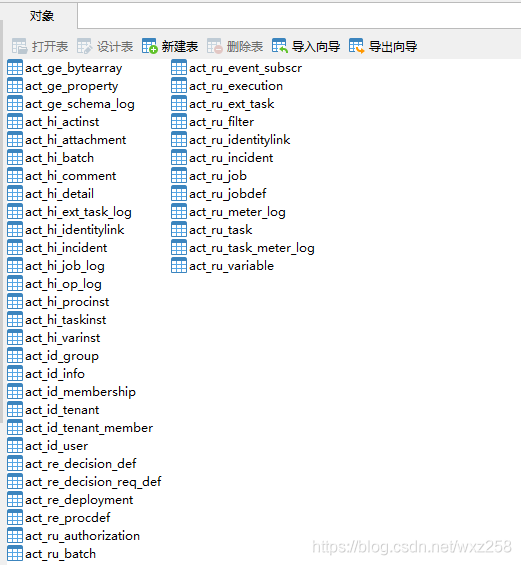
導入完成后的表結構,共40張表:
詳細配置方法參考:https://lowcode.blog.csdn.net/article/details/117564836
五、啟動springboot工程創建springboot工程的時候,自動生成了SpringBootApplication啟動類,運行改類啟動即可。
package com.example.demo1;import org.springframework.boot.SpringApplication;import org.springframework.boot.autoconfigure.SpringBootApplication;@SpringBootApplicationpublic class CamundaDemo1Application {public static void main(String[] args) {SpringApplication.run(CamundaDemo1Application.class, args);}}
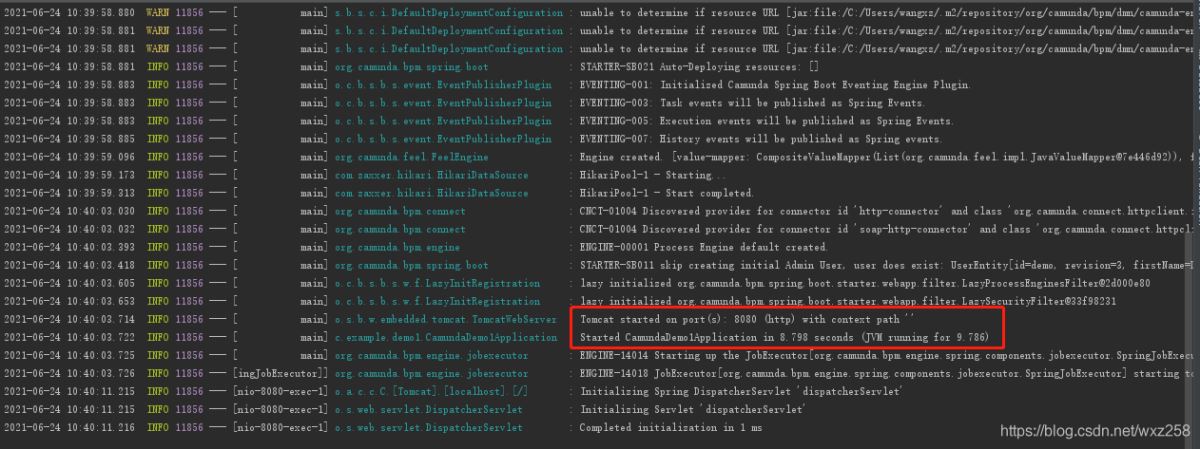
訪問:http://localhost:8080,
默認賬號密碼demo/demo
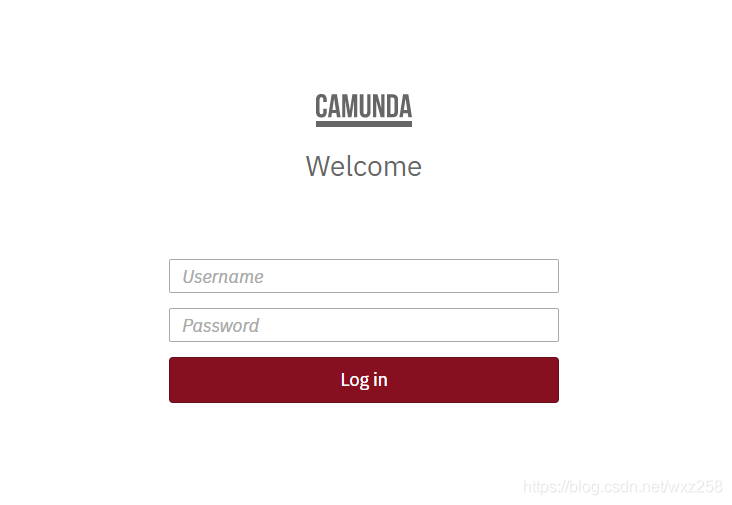
登錄成功后進入camunda控制臺
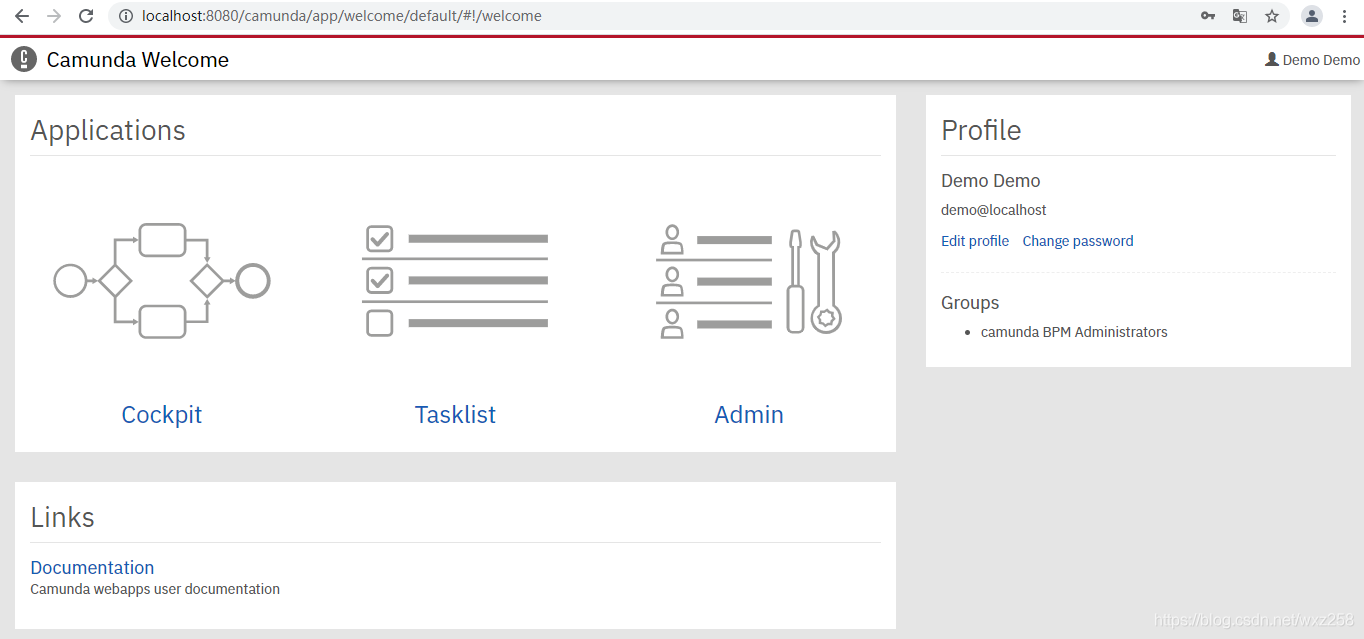
至此,完成了springboot2.4.3+camunda7.15+mysql的集成,后續的如何設計流程、如何啟動流程、如何審批流程等操作,跟非springboot方式是一致的,請參考前面的文章。
https://lowcode.blog.csdn.net/article/details/117518828
https://lowcode.blog.csdn.net/article/details/118055189
以上就是Springboot整合camunda+mysql的集成實現方法的詳細內容,更多關于Springboot整合camunda的資料請關注好吧啦網其它相關文章!
相關文章:

 網公網安備
網公網安備