使用Springboot整合Apollo配置中心
Apollo(阿波羅)是攜程框架部門研發的分布式配置中心,能夠集中化管理應用不同環境、不同集群的配置,配置修改后能夠實時推送到應用端,并且具備規范的權限、流程治理等特性,適用于微服務配置管理場景。
官方網站 https://github.com/ctripcorp/apollo
Apollo 環境搭建詳細步驟參見: https://github.com/ctripcorp/apollo/wiki/Quick-Start
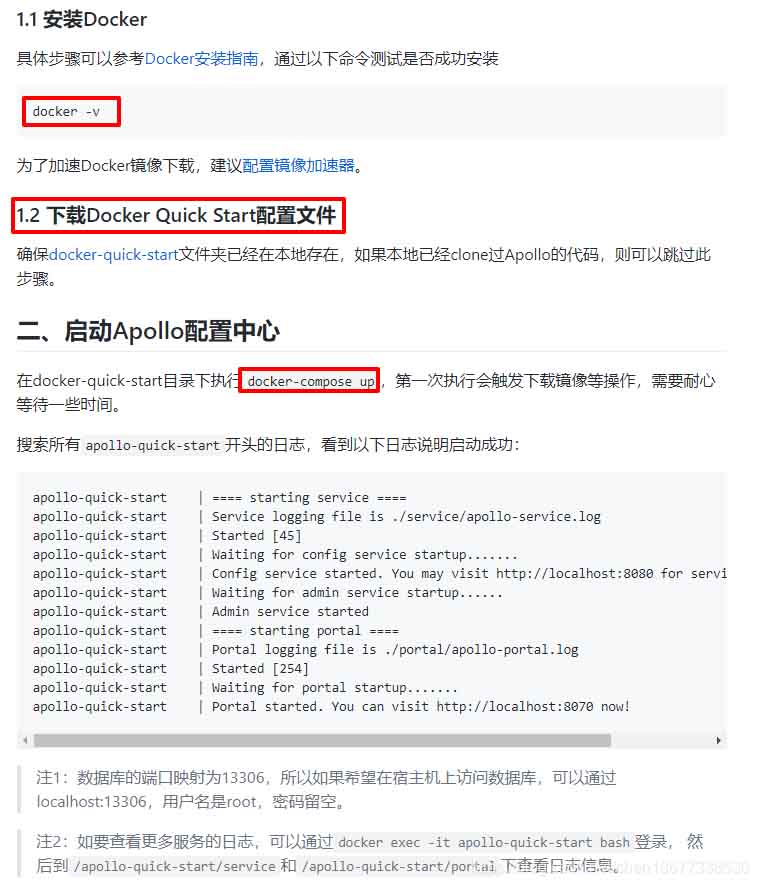
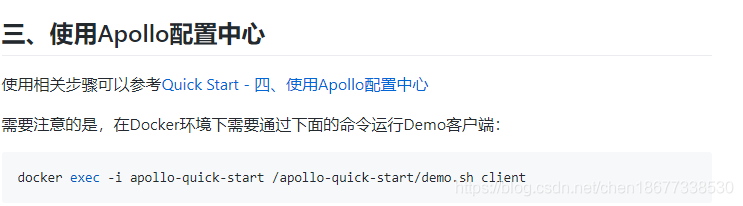
官網已經很詳細的說明了操作步驟。但是有很多前置條件才能完成安裝。
1、必須要有git環境,才能下載Apollo代碼
yum –y install git
然后需要clone代碼。
2、安裝docker-compose環境
地址:https://github.com/docker/compose/releases
curl -L https://github.com/docker/compose/releases/download/1.24.0/docker-compose-`uname -s`-`uname -m` -o /usr/local/bin/docker-composechmod +x /usr/local/bin/docker-compose
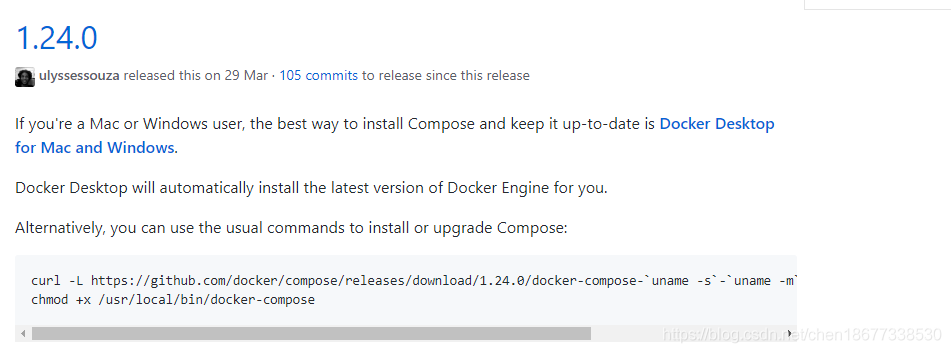
測試結果

至此為止,就可以運行文檔中的腳本了。
安裝完成之后,需要等待兩三分鐘就可以訪問了。
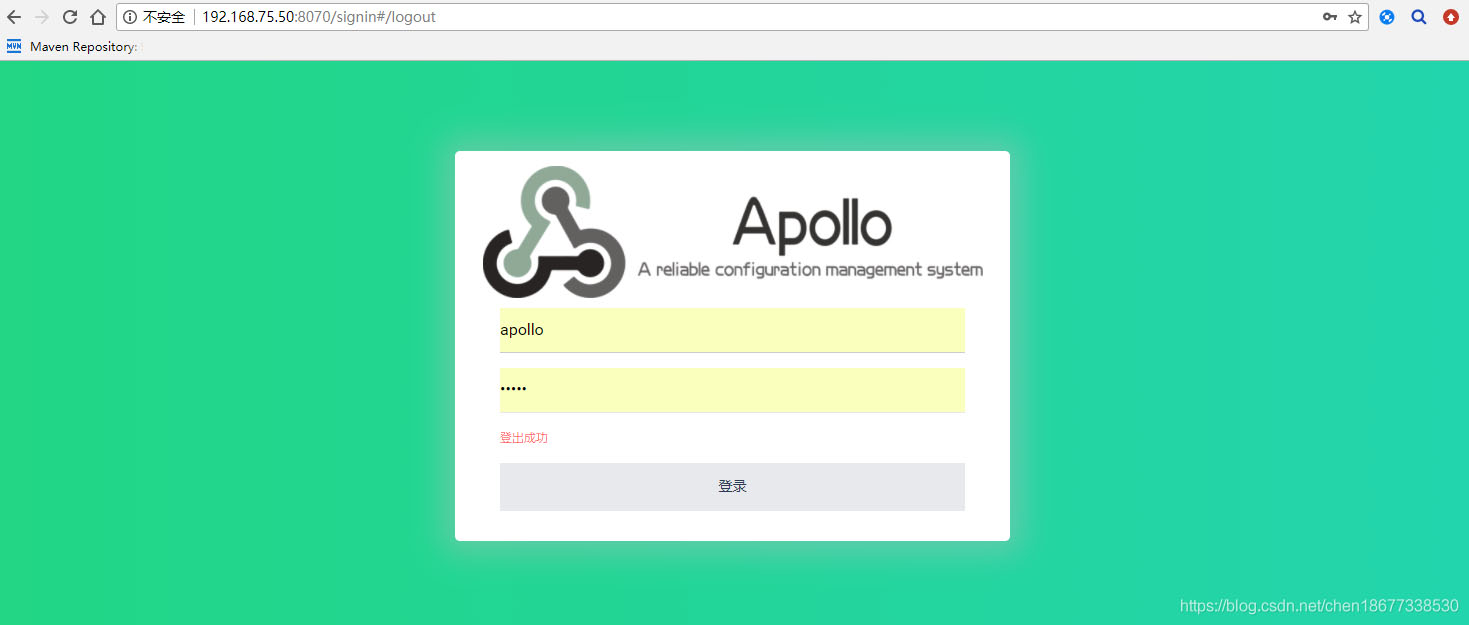
輸入賬號:apollo,密碼:admin
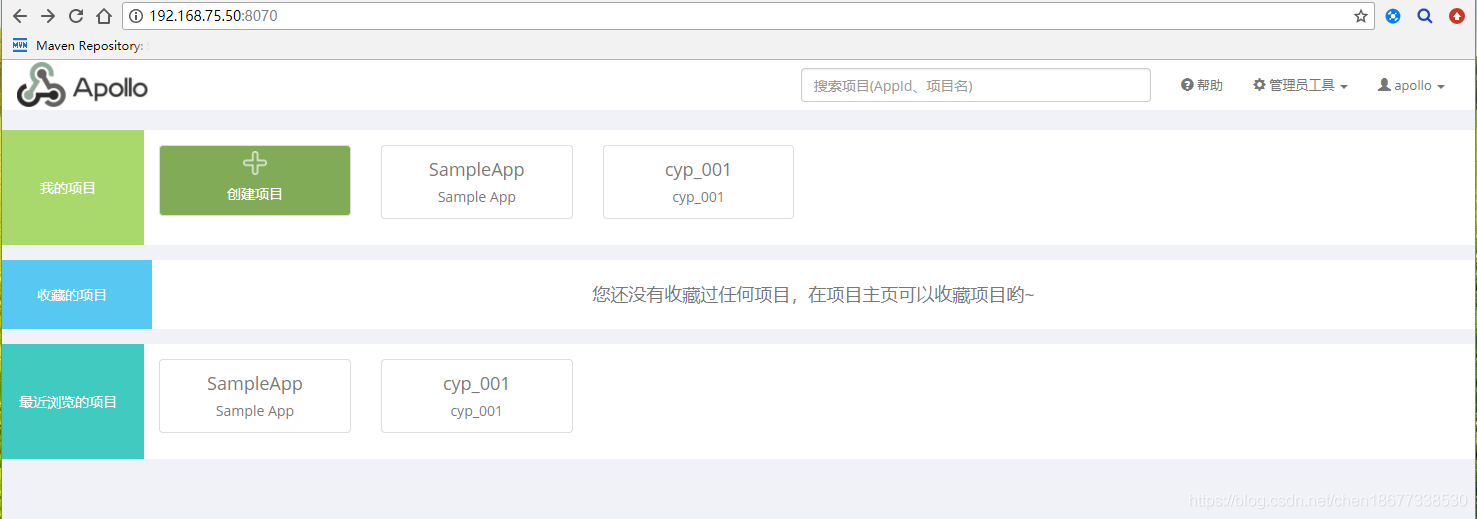
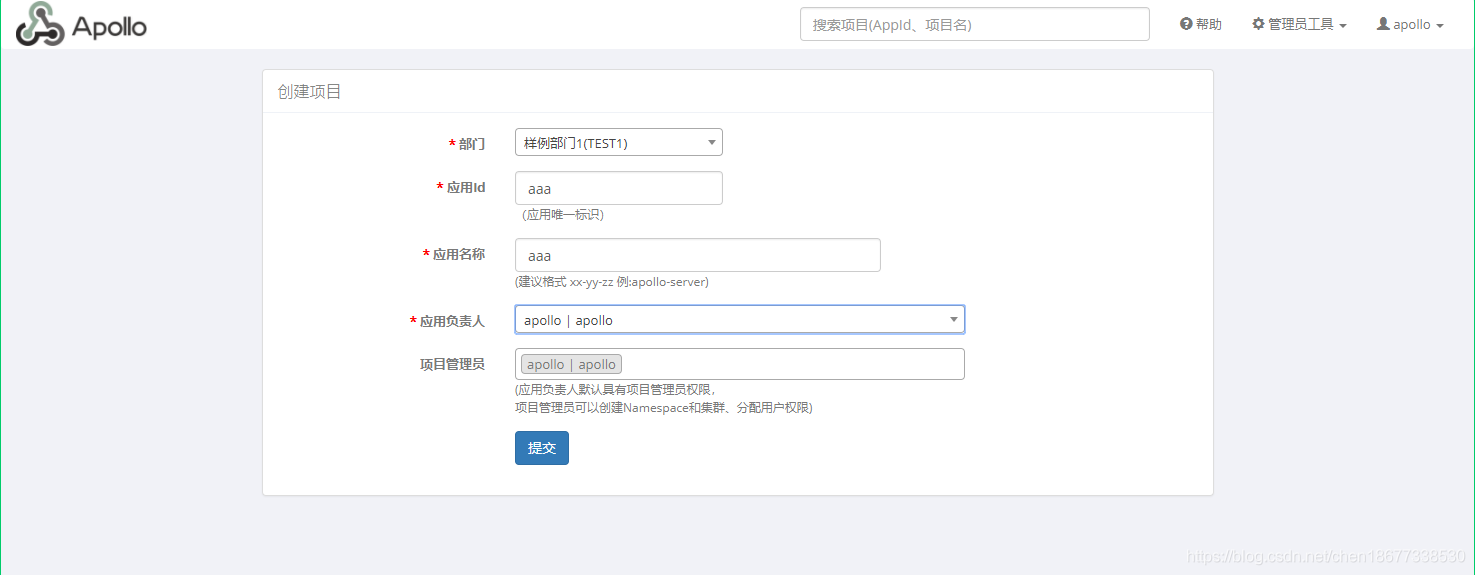
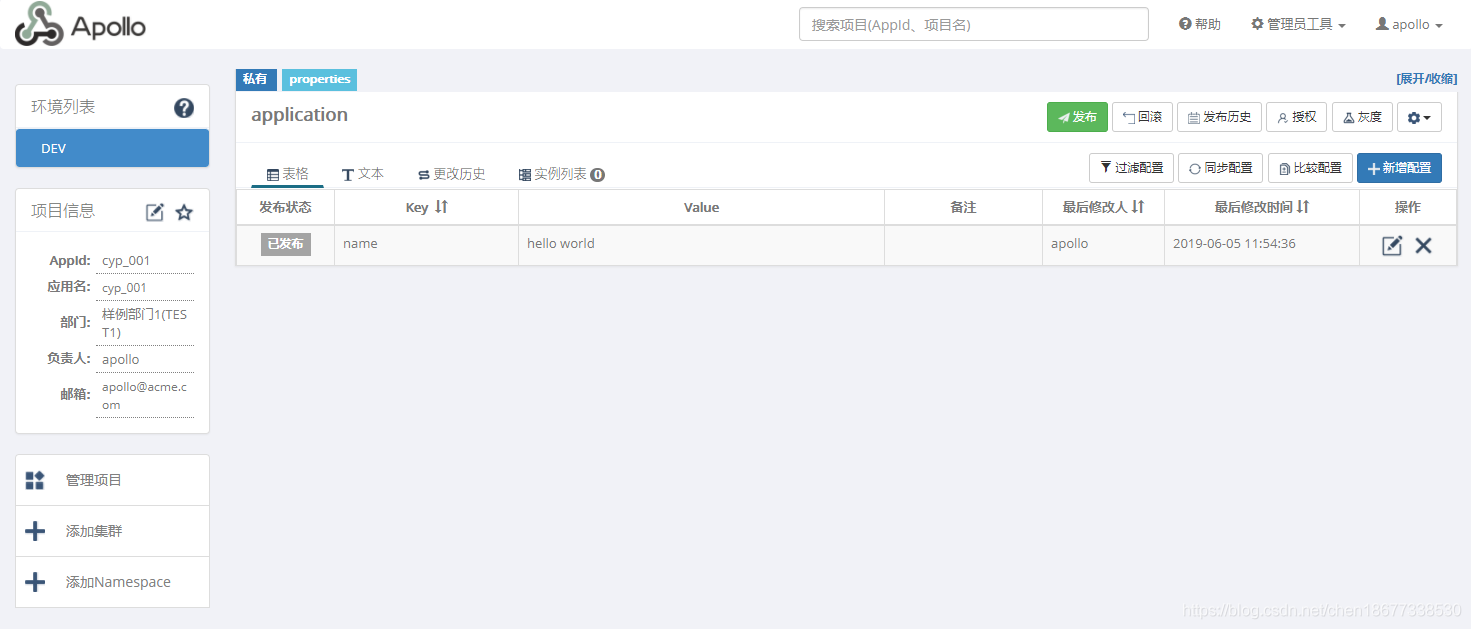
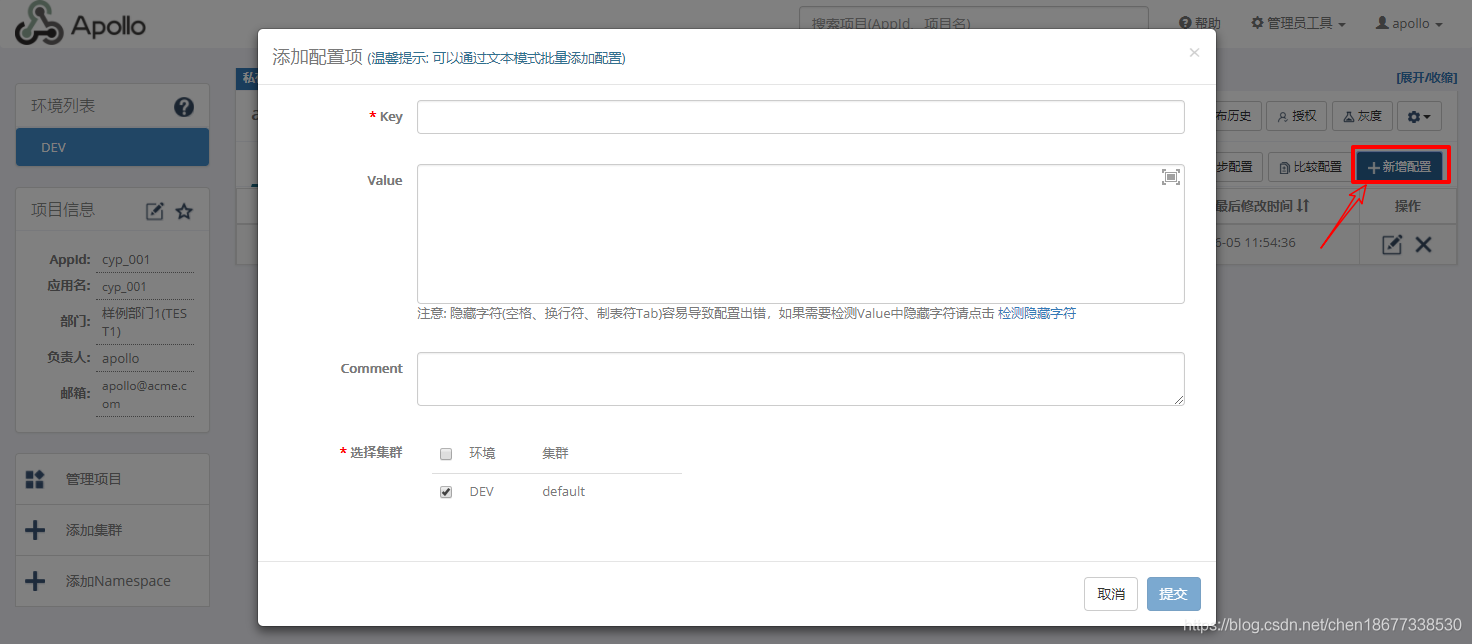
發布之后的配置才能生效
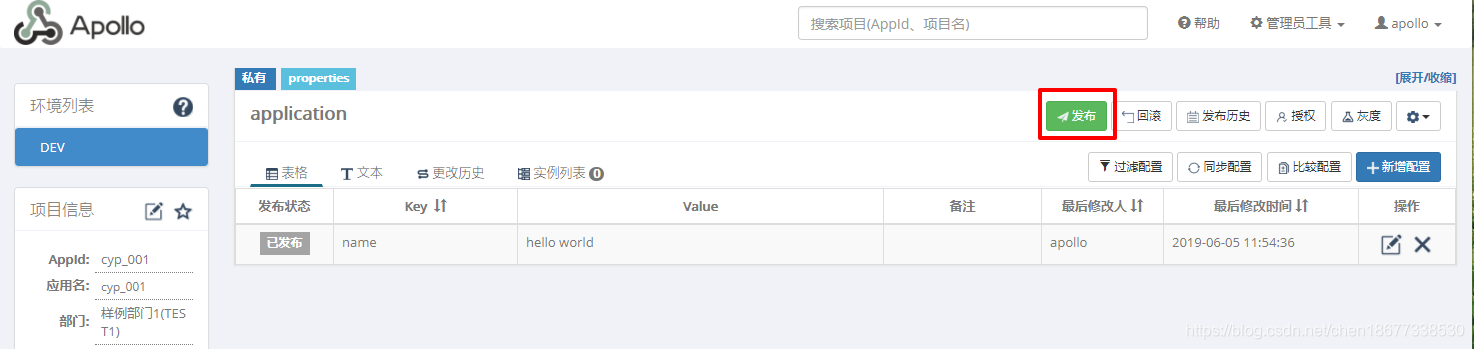
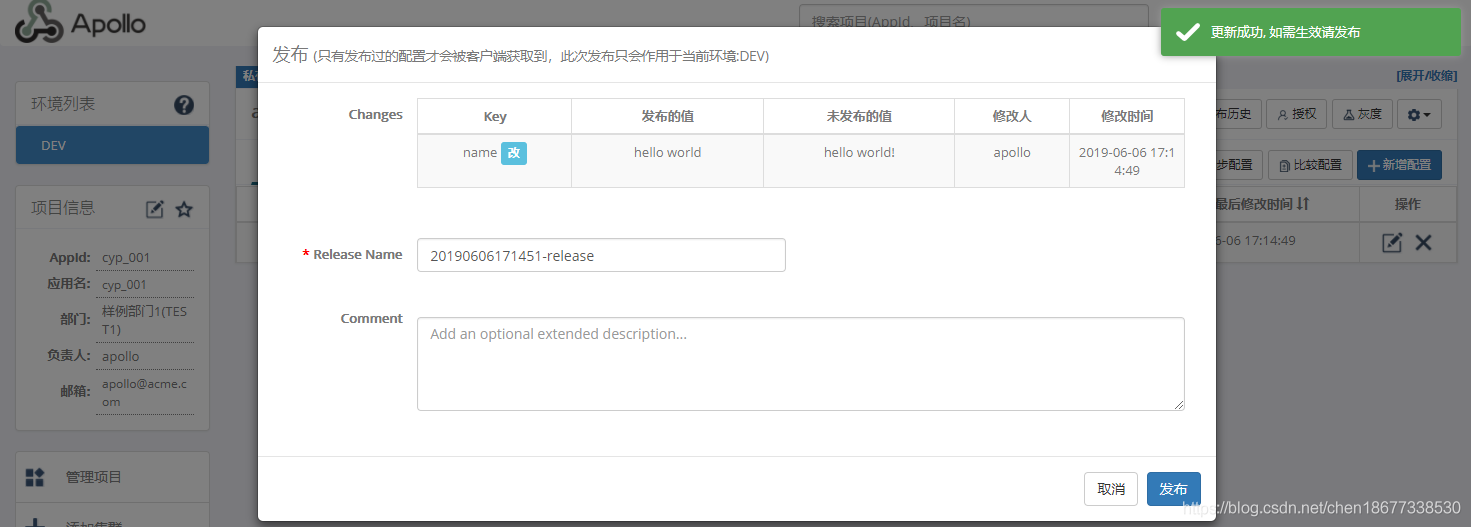
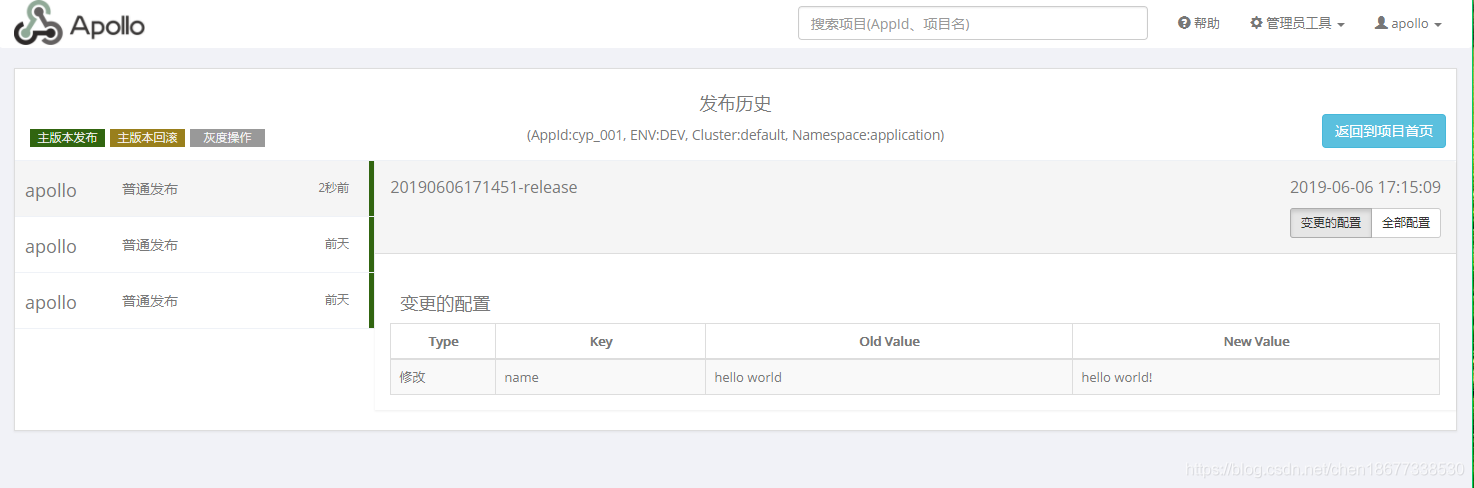
1、使用idea新建springboot項目
2、修改pom.xml
<dependency> <groupId>com.ctrip.framework.apollo</groupId> <artifactId>apollo-client</artifactId> <version>1.1.0</version></dependency><dependency> <groupId>com.ctrip.framework.apollo</groupId> <artifactId>apollo-core</artifactId> <version>1.1.0</version></dependency>
3、創建apollo配置文件
local.meta=http://192.168.75.50:8080dev.meta=http://192.168.75.50:8080fat.meta=${fat_meta}uat.meta=${uat_meta}lpt.meta=${lpt_meta}pro.meta=${pro_meta}
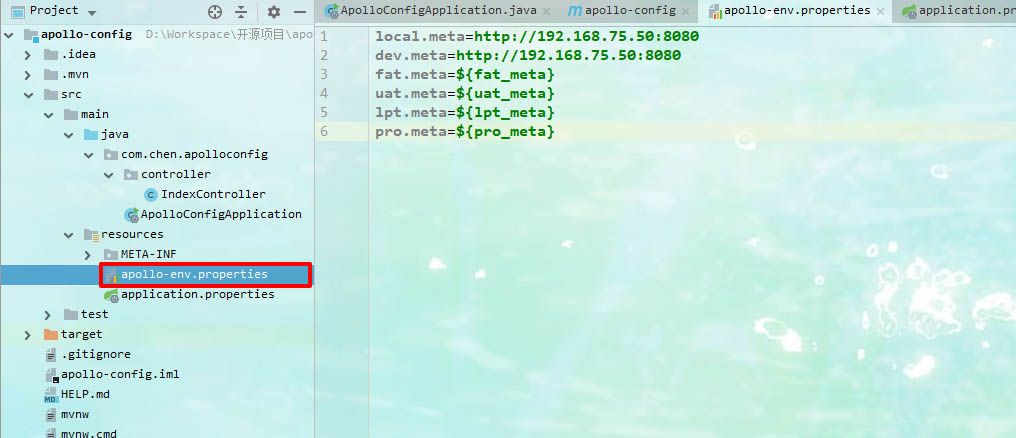
4、創建app.id配置文件,每一個應用基本使用一個app.id
app.id=cyp_001
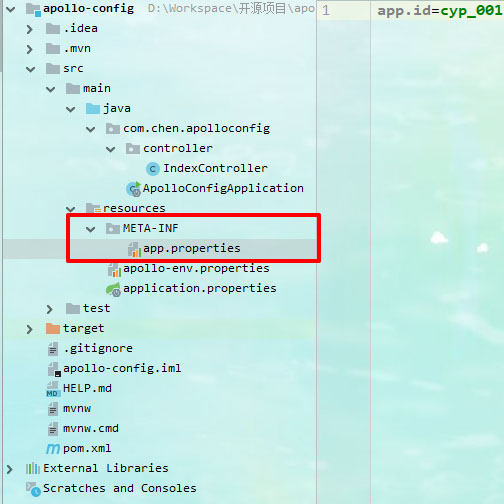
5、讀取apollo中的配置信息,防止配置沒有注入,一定要設置默認值!
package com.chen.apolloconfig;import com.ctrip.framework.apollo.spring.annotation.EnableApolloConfig;import org.springframework.boot.SpringApplication;import org.springframework.boot.autoconfigure.SpringBootApplication;import org.springframework.context.annotation.Configuration;@Configuration@EnableApolloConfig@SpringBootApplicationpublic class ApolloConfigApplication { public static void main(String[] args) {SpringApplication.run(ApolloConfigApplication.class, args); }}
```package com.chen.apolloconfig.controller;import org.springframework.beans.factory.annotation.Value;import org.springframework.web.bind.annotation.GetMapping;import org.springframework.web.bind.annotation.RestController;@RestControllerpublic class IndexController { @Value('${name:chenyongpeng}') private String name; @GetMapping('/getName') public String getMyName(){return name; }}```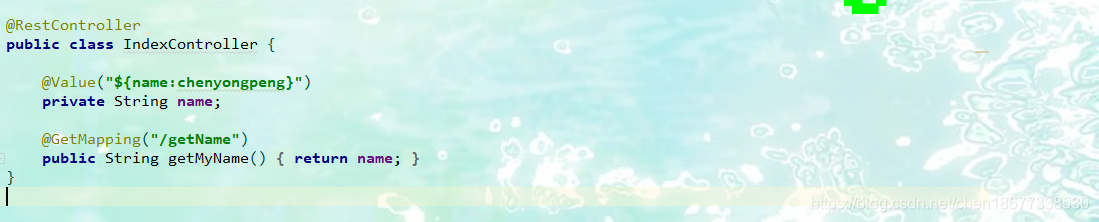總結
至此,springboot整合apollo配置中心已經驗證通過!
springcloud的配置中心是基于git或者gitte,gitlib等托管中心!
apollo是基于數據庫和本地緩存!
采坑之處項目啟動之后一直說是找不到dev環境!!!
此處需要在本機下新建環境配置!

env=DEV
以上為個人經驗,希望能給大家一個參考,也希望大家多多支持好吧啦網。
相關文章:
 網公網安備
網公網安備