SpringBoot集成FastDFS依賴實現文件上傳的示例
對FastDFS文件系統安裝后的使用。
FastDFS的安裝請參考這篇:Docker中搭建FastDFS文件系統(多圖)
本文環境:IDEA + JDK1.8 + Maven
本文項目代碼:fastdfs_jb51.rar
1、引入依賴簡單說一下這個依賴部分,目前大部分都是采用的如下依賴:
<!-- https://mvnrepository.com/artifact/net.oschina.zcx7878/fastdfs-client-java --><dependency> <groupId>net.oschina.zcx7878</groupId> <artifactId>fastdfs-client-java</artifactId> <version>1.27.0.0</version></dependency>
本著不重復造輪子,且為了使用方便我們可以去GitHub找一個集成好的依賴:
https://github.com/tobato/FastDFS_Client
<dependency> <groupId>com.github.tobato</groupId> <artifactId>fastdfs-client</artifactId> <version>1.27.2</version></dependency>2、將Fdfs配置引入項目
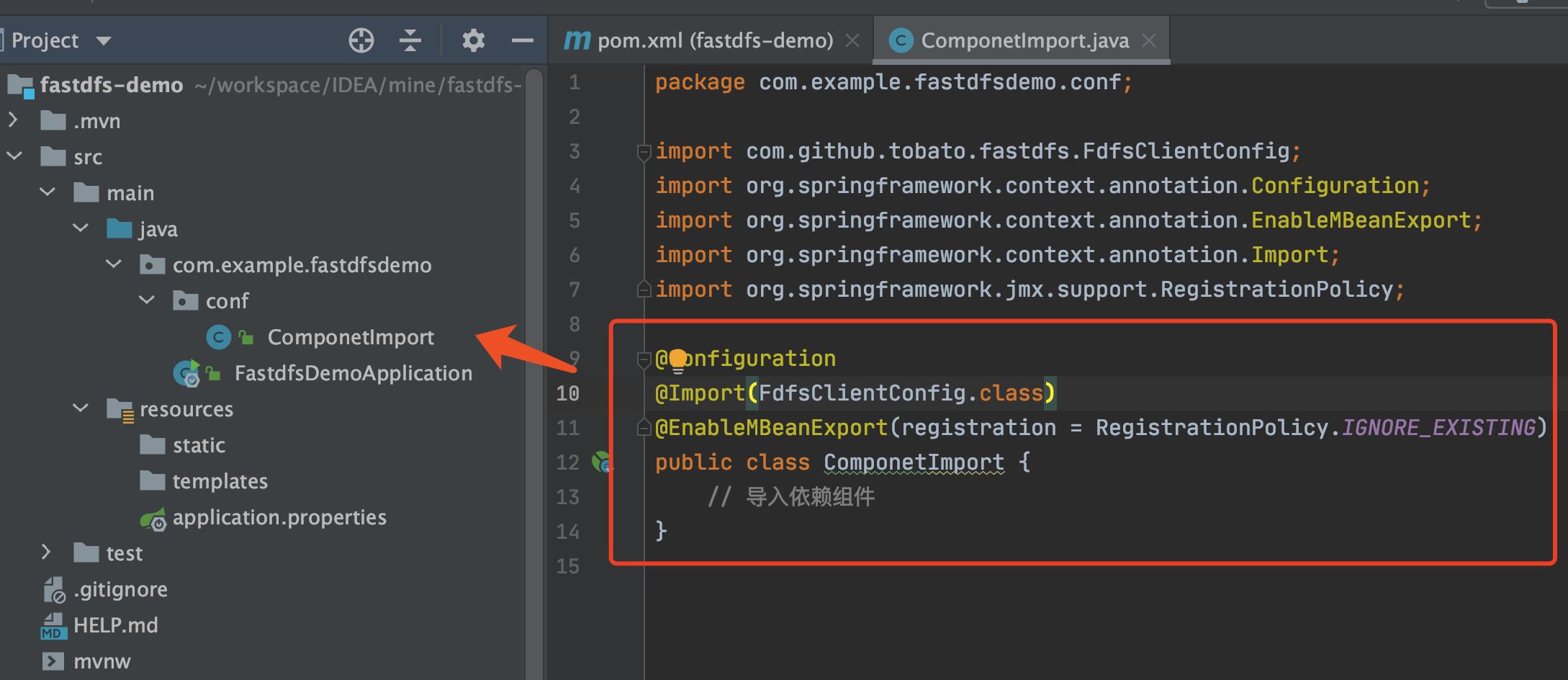
只需要創建一個配置類就可以了:
@Configuration@Import(FdfsClientConfig.class)@EnableMBeanExport(registration = RegistrationPolicy.IGNORE_EXISTING)public class ComponetImport { // 導入依賴組件}
參考截圖:
根據自己情況修改相應ip地址及端口號:
server: port: 8080ip: 10.211.55.4 # 根據自己FastDFS服務器修改fdfs: so-timeout: 1501 connect-timeout: 601 thumb-image: #縮略圖生成參數 width: 150 height: 150 tracker-list: #TrackerList參數,支持多個 - 10.211.55.4:22122 web-server-url: http://${ip}:8888/4、client封裝工具類
創建FastDFSClient.java包裝工具類,方便后面使用:
import com.github.tobato.fastdfs.domain.conn.FdfsWebServer;import com.github.tobato.fastdfs.domain.fdfs.StorePath;import com.github.tobato.fastdfs.domain.proto.storage.DownloadByteArray;import com.github.tobato.fastdfs.exception.FdfsUnsupportStorePathException;import com.github.tobato.fastdfs.service.FastFileStorageClient;import org.apache.commons.io.FilenameUtils;import org.apache.commons.lang3.StringUtils;import org.springframework.beans.factory.annotation.Autowired;import org.springframework.stereotype.Component;import org.springframework.web.multipart.MultipartFile;import java.io.ByteArrayInputStream;import java.io.File;import java.io.FileInputStream;import java.io.IOException;import java.nio.charset.Charset;@Componentpublic class FastDFSClient { @Autowired private FastFileStorageClient storageClient; @Autowired private FdfsWebServer fdfsWebServer; /** * 上傳文件 * @param file 文件對象 * @return 文件訪問地址 * @throws IOException */ public String uploadFile(MultipartFile file) throws IOException {StorePath storePath = storageClient.uploadFile(file.getInputStream(),file.getSize(), FilenameUtils.getExtension(file.getOriginalFilename()),null);return getResAccessUrl(storePath); } /** * 上傳文件 * @param file 文件對象 * @return 文件訪問地址 * @throws IOException */ public String uploadFile(File file) throws IOException {FileInputStream inputStream = new FileInputStream (file);StorePath storePath = storageClient.uploadFile(inputStream,file.length(), FilenameUtils.getExtension(file.getName()),null);return getResAccessUrl(storePath); } /** * 將一段字符串生成一個文件上傳 * @param content 文件內容 * @param fileExtension * @return */ public String uploadFile(String content, String fileExtension) {byte[] buff = content.getBytes(Charset.forName('UTF-8'));ByteArrayInputStream stream = new ByteArrayInputStream(buff);StorePath storePath = storageClient.uploadFile(stream,buff.length, fileExtension,null);return getResAccessUrl(storePath); } /** * 封裝圖片完整URL地址 */ private String getResAccessUrl(StorePath storePath) {String fileUrl = fdfsWebServer.getWebServerUrl() + storePath.getFullPath();return fileUrl; } /** * 刪除文件 * @param fileUrl 文件訪問地址 * @return */ public void deleteFile(String fileUrl) {if (StringUtils.isEmpty(fileUrl)) { return;}try { StorePath storePath = StorePath.parseFromUrl(fileUrl); storageClient.deleteFile(storePath.getGroup(), storePath.getPath());} catch (FdfsUnsupportStorePathException e) { System.out.println(e.getMessage()); /** TODO 只是測試,所以未使用,logger,正式環境請修改打印方式 **/} } /** * 下載文件 * * @param fileUrl 文件URL * @return 文件字節 * @throws IOException */ public byte[] downloadFile(String fileUrl) throws IOException {String group = fileUrl.substring(0, fileUrl.indexOf('/'));String path = fileUrl.substring(fileUrl.indexOf('/') + 1);DownloadByteArray downloadByteArray = new DownloadByteArray();byte[] bytes = storageClient.downloadFile(group, path, downloadByteArray);return bytes; }}5、創建Conttoler測試類5.1 文件上傳測試
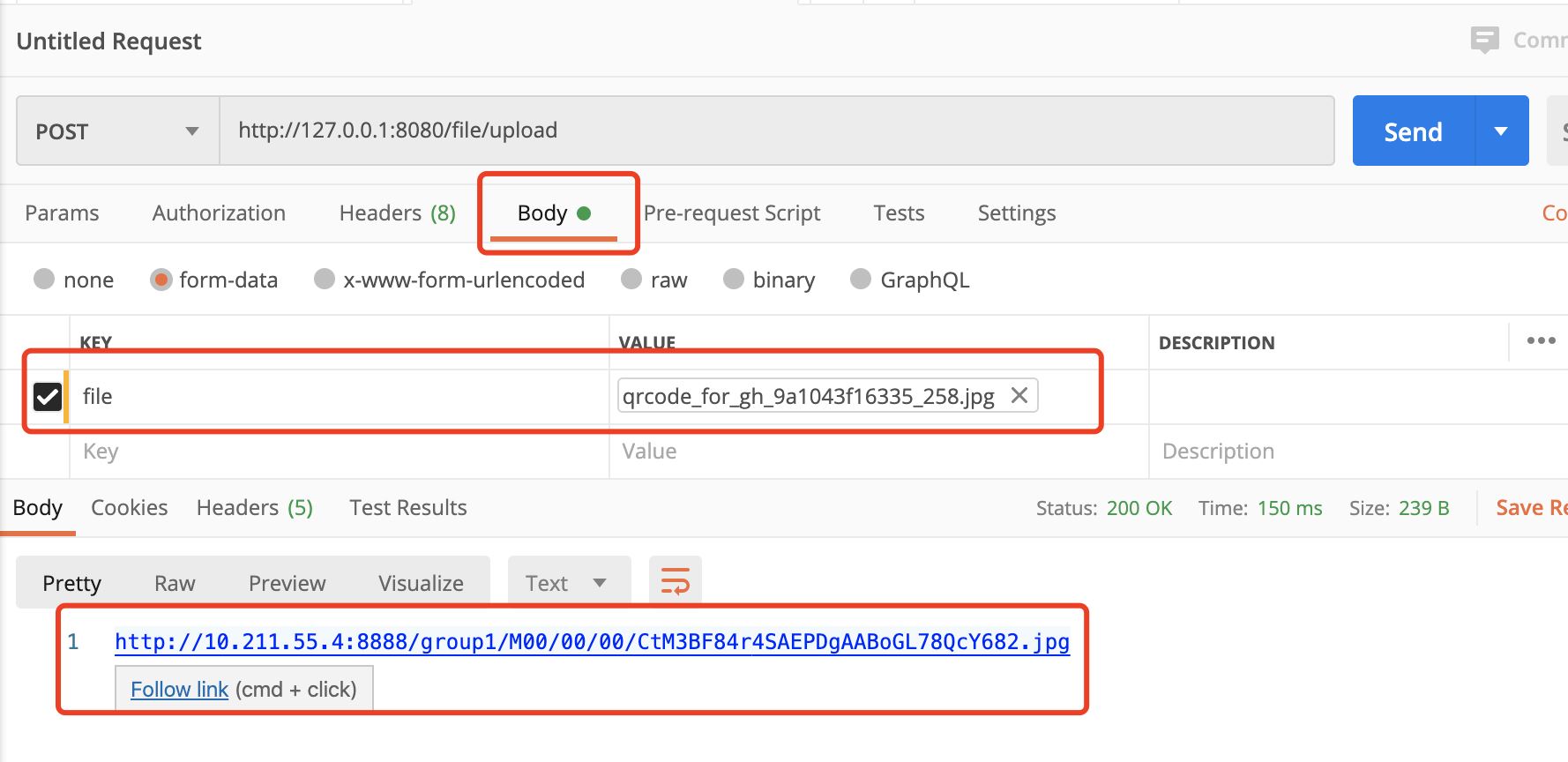
@RestController@RequestMapping('/file')public class FileUploadController { @Autowired private FastDFSClient fastDFSClient; /** * 上傳 * @param file * @return * @throws IOException */ @RequestMapping('/upload') public String uploadFile(MultipartFile file) throws IOException {return fastDFSClient.uploadFile(file); }}
執行效果截圖:
@RestController@RequestMapping('/file')public class FileUploadController { @Autowired private FastDFSClient fastDFSClient; /** * 下載 * @param fileUrl * @param response * @throws IOException */ @RequestMapping('/download') public void downloadFile(String fileUrl, HttpServletResponse response) throws IOException {byte[] bytes = fastDFSClient.downloadFile(fileUrl);/** TODO 這里只是為了整合fastdfs,所以寫死了文件格式。需要在上傳的時候保存文件名。下載的時候使用對應的格式 **/response.setHeader('Content-disposition', 'attachment;filename=' + URLEncoder.encode('sb.xlsx', 'UTF-8'));response.setCharacterEncoding('UTF-8');ServletOutputStream outputStream = null;try { outputStream = response.getOutputStream(); outputStream.write(bytes);} catch (IOException e) { e.printStackTrace();} finally { try {outputStream.flush();outputStream.close(); } catch (IOException e) {e.printStackTrace(); }} }}
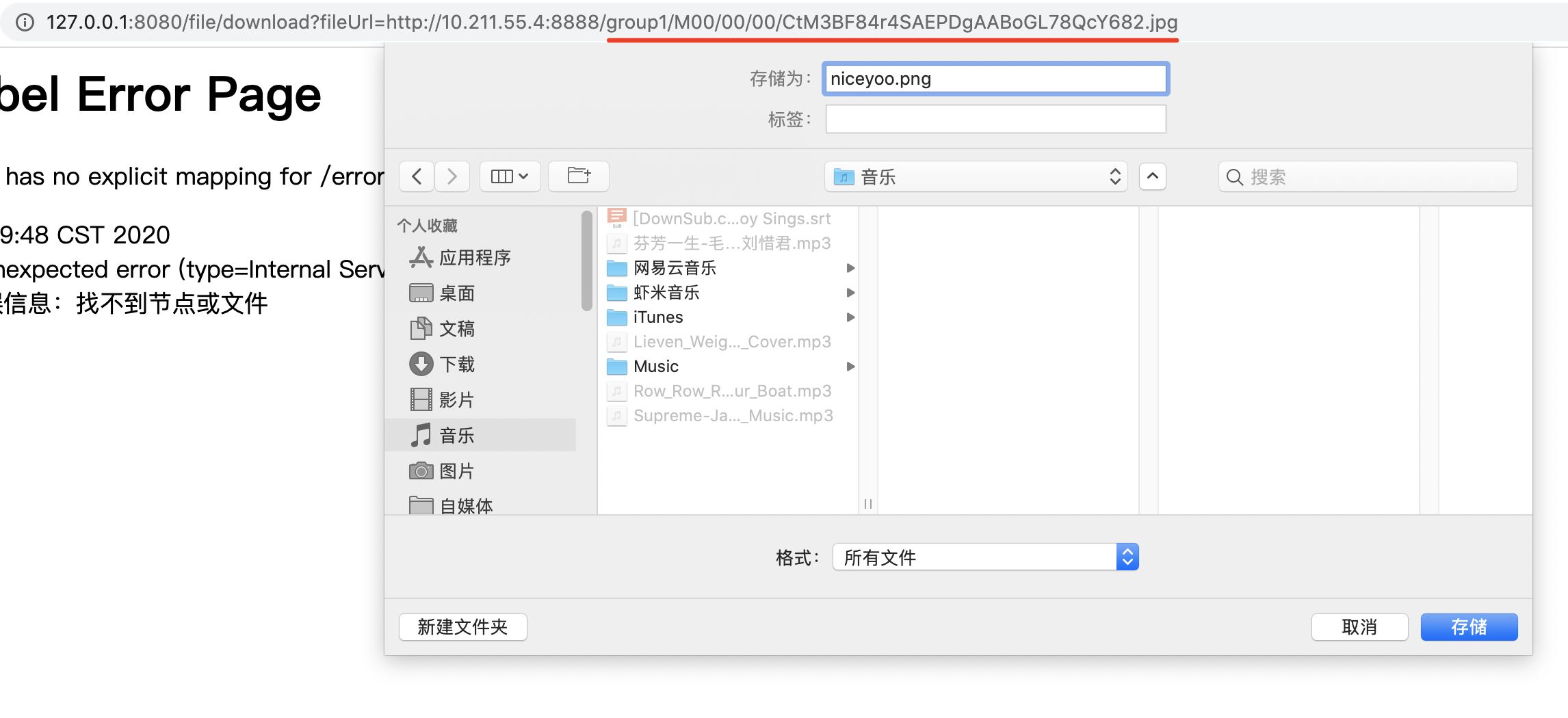
測試下載路徑:
http://127.0.0.1:8080/file/download?fileUrl=group1/M00/00/00/CtM3BF84r4SAEPDgAABoGL78QcY682.jpg
拼接的參數為:group1/M00/00/00/CtM3BF84r4SAEPDgAABoGL78QcY682.jpg
大家想修改路徑的話,需要同步修改 downloadFile() 方法里的分隔方式。
到此這篇關于SpringBoot集成FastDFS依賴實現文件上傳的示例的文章就介紹到這了,更多相關SpringBoot FastDFS文件上傳內容請搜索好吧啦網以前的文章或繼續瀏覽下面的相關文章希望大家以后多多支持好吧啦網!
相關文章:
 網公網安備
網公網安備