Spring boot整合連接池實(shí)現(xiàn)過程圖解
整合連接池HiKariCP
HiKariCP號(hào)稱是目前世界上最快的連接池,有江湖一哥的稱號(hào),目前在springboot工程默認(rèn)推薦使用HiKariCP連接池,現(xiàn)在我們創(chuàng)建一個(gè)新的項(xiàng)目,
項(xiàng)目名為CGB-SBOOT-02,在此工程中整合HiKariCP,其步驟如下:
第一步:添加依賴。
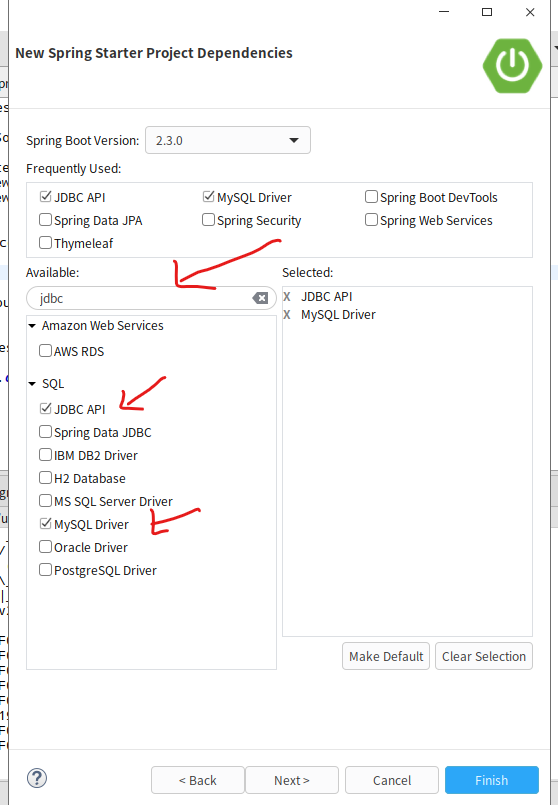
1>創(chuàng)建項(xiàng)目時(shí)添加
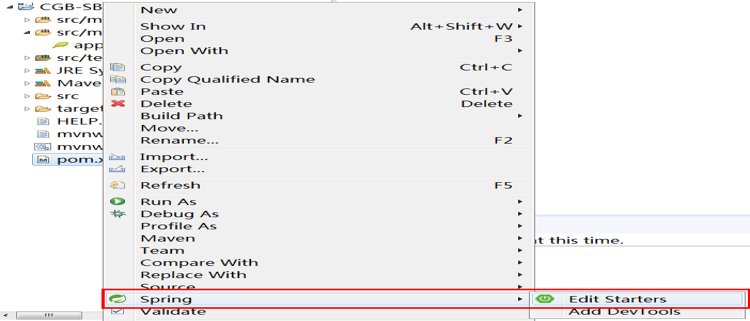
2> 編輯項(xiàng)目中pom.xml,右鍵項(xiàng)目的pom.xml文件,選擇spring
查找mysql 驅(qū)動(dòng)依賴,JDBC API依賴
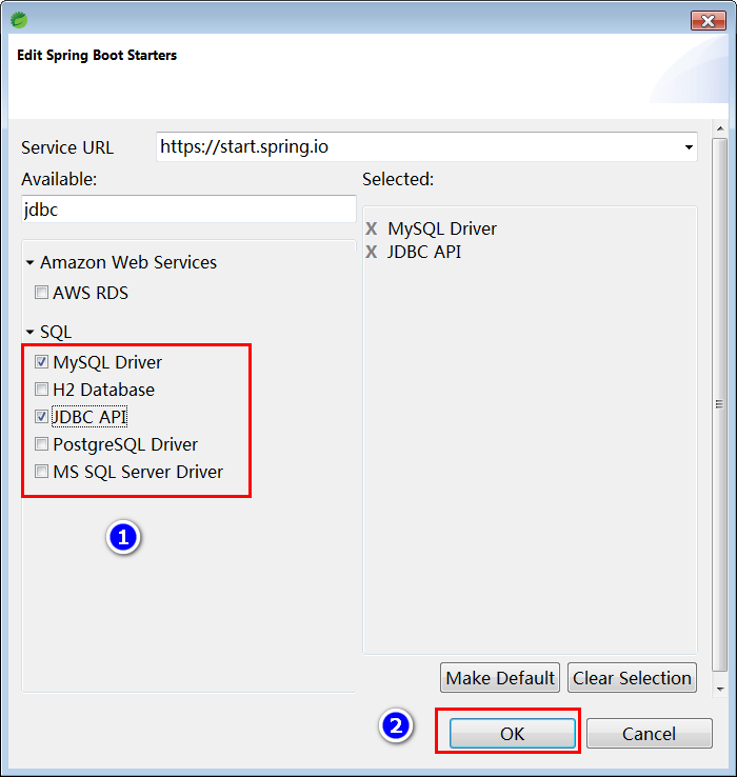
依賴添加以后,在pom.xml文件中會(huì)自動(dòng)添加如下兩個(gè)依賴配置:mysql數(shù)據(jù)庫驅(qū)動(dòng)依賴。
<dependency> <groupId>mysql</groupId> <artifactId>mysql-connector-java</artifactId> <scope>runtime</scope></dependency>
spring對(duì)象jdbc支持(此時(shí)會(huì)默認(rèn)幫我們下載HiKariCP連接池)。
<dependency><groupId>org.springframework.boot</groupId><artifactId>spring-boot-starter-jdbc</artifactId></dependency>
第二步:配置連接池
打開application.properties配置文件,添加如下內(nèi)容。
spring.datasource.url=jdbc:mysql:///dbgoods?serverTimezone=GMT%2B8spring.datasource.username=rootspring.datasource.password=root
第三步:?jiǎn)卧獪y(cè)試(測(cè)試包中編寫)
@SpringBootTestpublic class DataSourceTests { @Autowired private DataSource dataSource; @Test public void testConnection() throws Exception{System.out.println(dataSource.getConnection()); }}
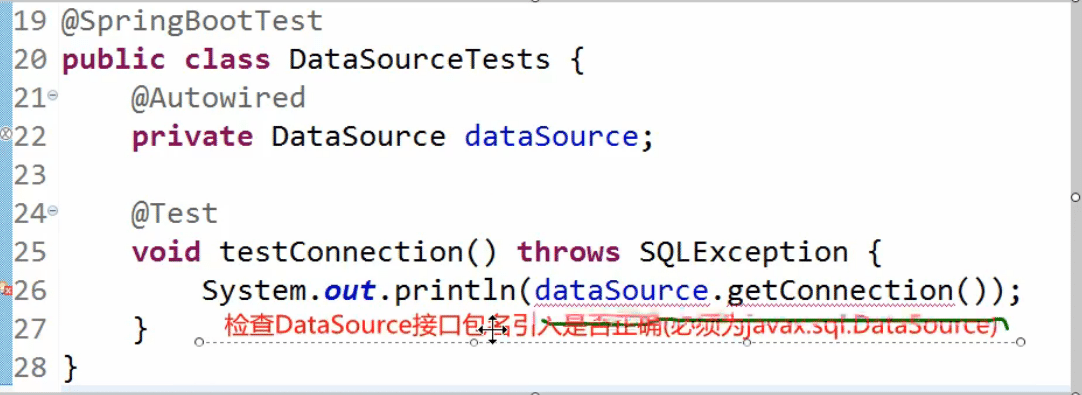
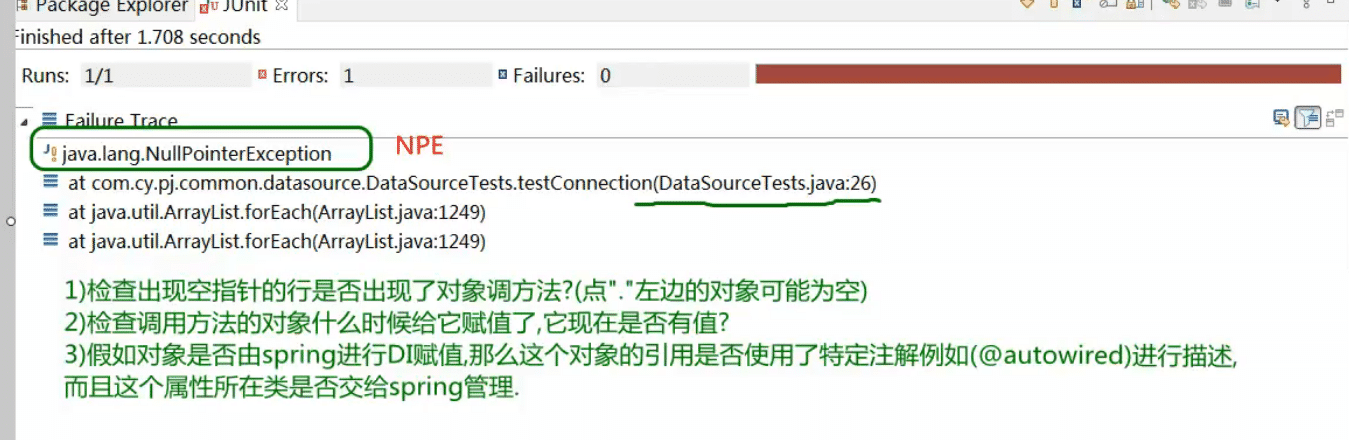
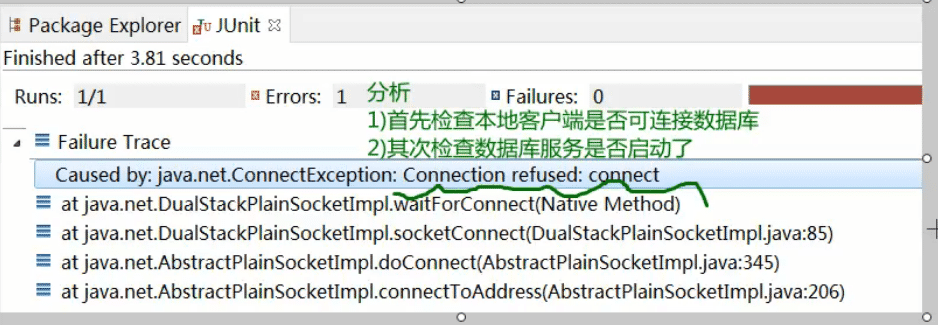
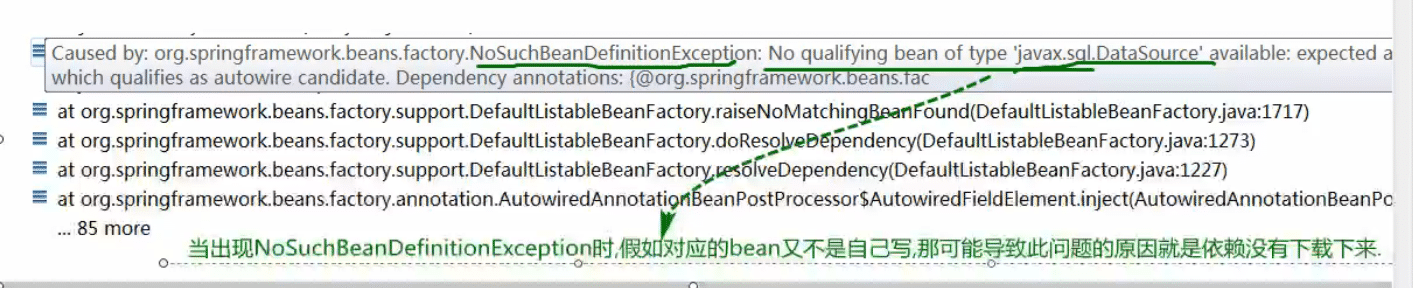
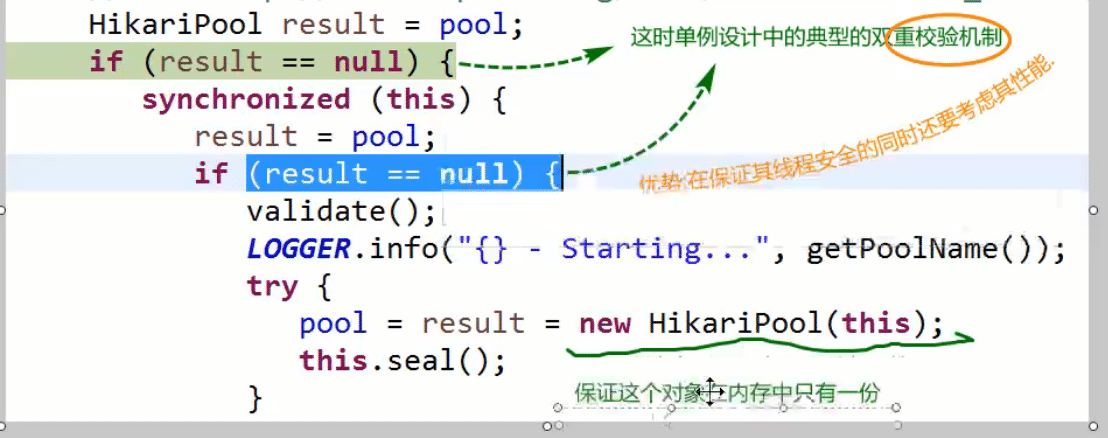
錯(cuò)誤解決:

以上就是本文的全部?jī)?nèi)容,希望對(duì)大家的學(xué)習(xí)有所幫助,也希望大家多多支持好吧啦網(wǎng)。
相關(guān)文章:
1. Android table布局開發(fā)實(shí)現(xiàn)簡(jiǎn)單計(jì)算器2. 理解PHP5中static和const關(guān)鍵字3. jQuery 實(shí)現(xiàn)DOM元素拖拽交換位置的實(shí)例代碼4. php模擬實(shí)現(xiàn)斗地主發(fā)牌5. IntelliJ IDEA安裝插件的方法步驟6. phpstorm恢復(fù)默認(rèn)設(shè)置的方法步驟7. Vue封裝一個(gè)TodoList的案例與瀏覽器本地緩存的應(yīng)用實(shí)現(xiàn)8. Python random庫使用方法及異常處理方案9. Vuex localStorage的具體使用10. .Net Core使用Coravel實(shí)現(xiàn)任務(wù)調(diào)度的完整步驟
 網(wǎng)公網(wǎng)安備