SpringCloud Feign的使用代碼實(shí)例
1.官方文檔
https://cloud.spring.io/spring-cloud-static/spring-cloud-openfeign/2.2.2.RELEASE/reference/html/
2.添加依賴(lài)
<dependency> <groupId>org.springframework.boot</groupId> <artifactId>spring-boot-starter-web</artifactId></dependency><dependency> <groupId>org.springframework.cloud</groupId> <artifactId>spring-cloud-starter-netflix-eureka-client</artifactId></dependency><dependency> <groupId>org.springframework.cloud</groupId> <artifactId>spring-cloud-starter-openfeign</artifactId></dependency>
3.添加啟動(dòng)類(lèi)注解
import org.mybatis.spring.annotation.MapperScan;import org.springframework.boot.SpringApplication;import org.springframework.boot.autoconfigure.SpringBootApplication;import org.springframework.cloud.openfeign.EnableFeignClients;@SpringBootApplication//@MapperScan('cn.ytheng.order_service')@EnableFeignClientspublic class OrderServiceApplication { public static void main(String[] args) { SpringApplication.run(OrderServiceApplication.class, args); }}
4.添加Feign接口
import org.springframework.cloud.openfeign.FeignClient;import org.springframework.web.bind.annotation.GetMapping;import org.springframework.web.bind.annotation.RequestParam;/** * * 商品服務(wù)客戶(hù)端 * product-service: 調(diào)用服務(wù)名稱(chēng),即spring.application.name * */@FeignClient(name = 'product-service')public interface ProductClient { @GetMapping('/api/v1/product/find') String getById(@RequestParam('id') int id);}
5.添加Controller
import cn.theng.order_service.service.ProductClient;import org.springframework.beans.factory.annotation.Autowired;import org.springframework.web.bind.annotation.PostMapping;import org.springframework.web.bind.annotation.RequestMapping;import org.springframework.web.bind.annotation.RequestParam;import org.springframework.web.bind.annotation.RestController;@RestController@RequestMapping('/api/v1/order')public class ProductOrderController { @Autowired private ProductClient productClient; @PostMapping('/test2') public Object test2(@RequestParam('product_id') int productId) { String product = productClient.getById(productId); return 'success'; }}
6.添加application.yml配置
server: port: 8781eureka: client: serviceUrl: defaultZone: http://localhost:8761/eureka/spring: application: name: order-service#設(shè)置調(diào)用服務(wù)超時(shí)時(shí)間#product-service為服務(wù)名稱(chēng),也可以設(shè)置為默認(rèn)值defaultfeign: client: config: product-service: connectTimeout: 5000 readTimeout: 11000
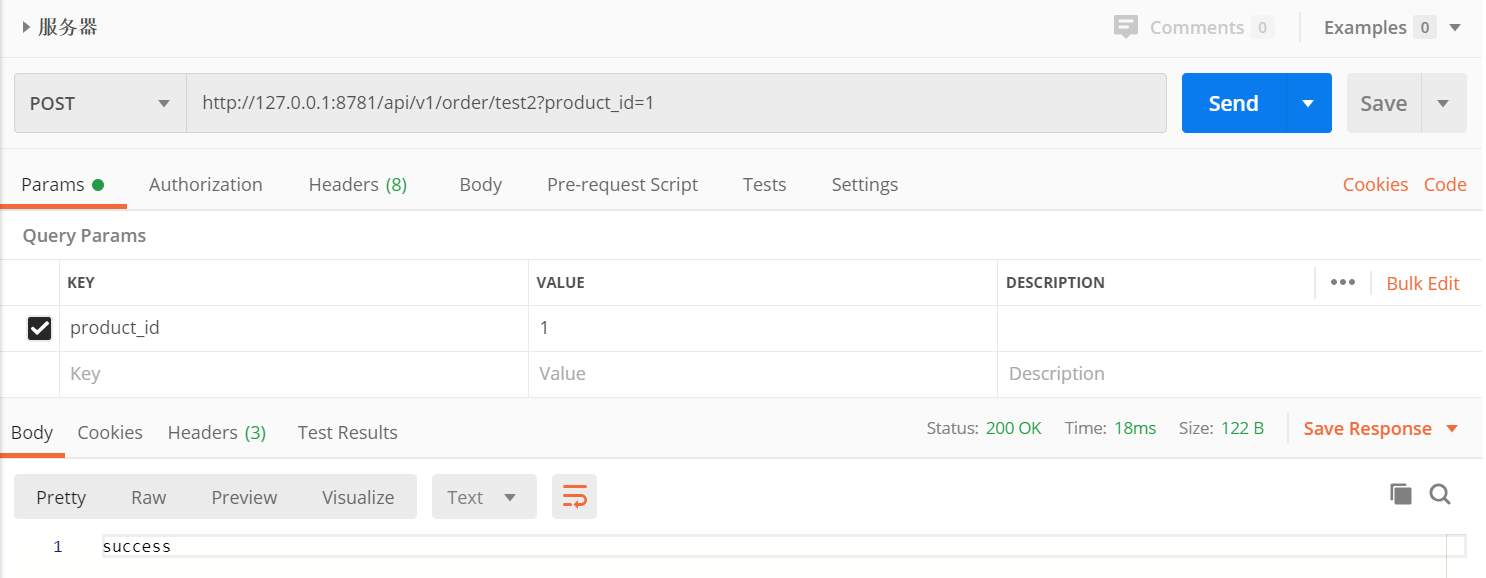
7.訪(fǎng)問(wèn)地址
以上就是本文的全部?jī)?nèi)容,希望對(duì)大家的學(xué)習(xí)有所幫助,也希望大家多多支持好吧啦網(wǎng)。
相關(guān)文章:
1. ASP新手必備的基礎(chǔ)知識(shí)2. PHP基礎(chǔ)之生成器4——比較生成器和迭代器對(duì)象3. CentOS郵箱服務(wù)器搭建系列——SMTP服務(wù)器的構(gòu)建( Postfix )4. asp文件用什么軟件編輯5. Vue axios獲取token臨時(shí)令牌封裝案例6. js實(shí)現(xiàn)計(jì)算器功能7. JS中6個(gè)對(duì)象數(shù)組去重的方法8. 利用CSS制作3D動(dòng)畫(huà)9. JAVA 實(shí)現(xiàn)延遲隊(duì)列的方法10. 通過(guò)IEAD+Maven快速搭建SSM項(xiàng)目的過(guò)程(Spring + Spring MVC + Mybatis)

 網(wǎng)公網(wǎng)安備