js使用Canvas將多張圖片合并成一張的實現代碼
解決方案
function mergeImgs(list) { const imgDom = document.createElement(’img’) document.body.appendChild(imgDom) const canvas = document.createElement(’canvas’) canvas.width = 500 canvas.height = 500 * list.length const context = canvas.getContext(’2d’) list.map((item, index) => { const img = new Image() img.src = item // 跨域 img.crossOrigin = ’Anonymous’ img.onload = () => { context.drawImage(img, 0, 500 * index, 500, 500) const base64 = canvas.toDataURL(’image/png’) imgDom.setAttribute(’src’, base64) // console.log(baseList) } })}const urlList = [’./img/timg%20(1).jpg’, ’./img/timg.jpg’]mergeImgs(urlList )
代碼稍微優化一下,改成公共方法
/** * 合并多張圖片,返回新的圖片 * @param {Array} list 圖片url數組 * @param {Number} cwith 畫布寬度 默認500 * @param {Number} cheight 畫布高度 默認500 */function mergeImgs(list, cwith = 500, cheight = 500) { return new Promise((resolve, reject) => { const baseList = [] const canvas = document.createElement(’canvas’) canvas.width = cwith canvas.height = cheight * list.length const context = canvas.getContext(’2d’) list.map((item, index) => { const img = new Image() img.src = item // 跨域 img.crossOrigin = ’Anonymous’ img.onload = () => { context.drawImage(img, 0, cheight * index, cwith, cheight) const base64 = canvas.toDataURL(’image/png’) baseList.push(base64) if (baseList[list.length - 1]) { console.log(baseList) // 返回新的圖片 resolve(baseList[list.length - 1]) } } }) })}const urlList = [’./img/timg%20(1).jpg’, ’./img/timg.jpg’]mergeImgs(urlList ).then(base64 => {const imgDom = document.createElement(’img’)imgDom.src = base64document.body.appendChild(imgDom)})
效果
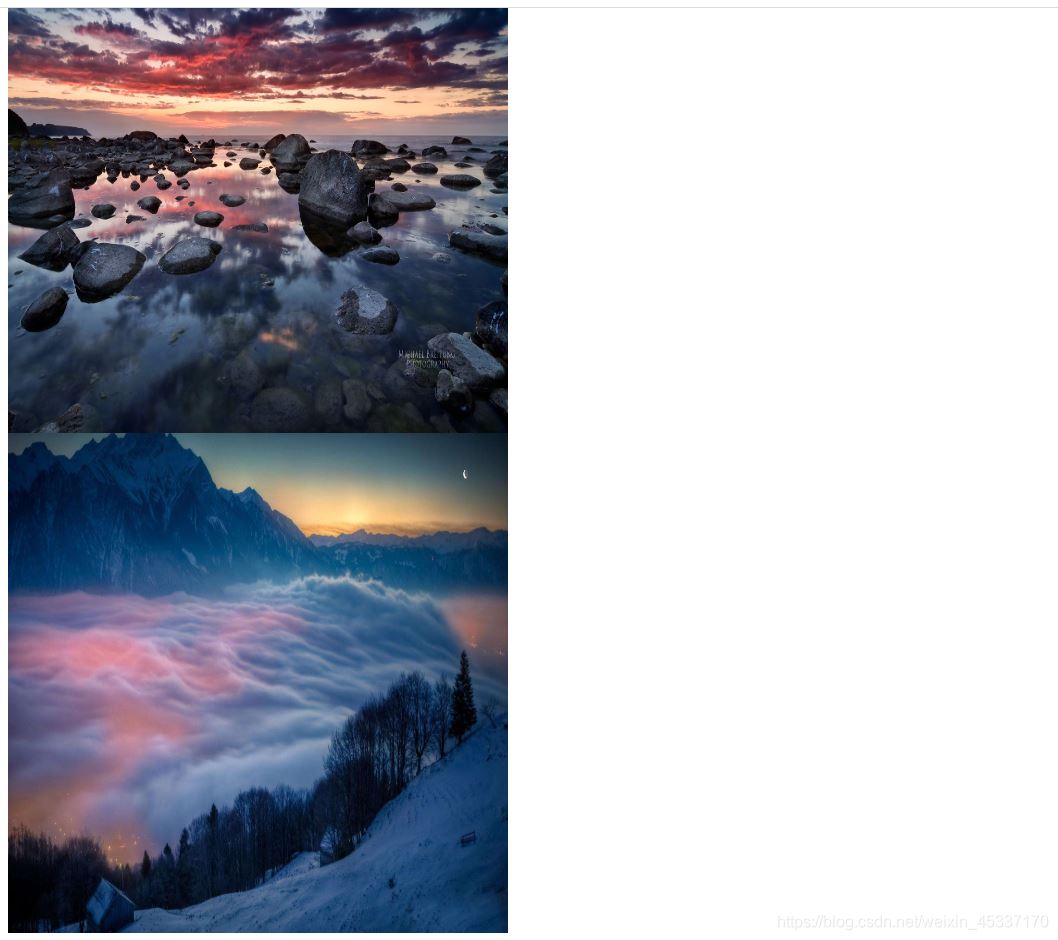
到此這篇關于js使用Canvas將多張圖片合并成一張的實現代碼的文章就介紹到這了,更多相關js canvas圖片合并一張內容請搜索好吧啦網以前的文章或繼續瀏覽下面的相關文章希望大家以后多多支持好吧啦網!
相關文章:
1. 詳解Android studio 動態fragment的用法2. 基于android studio的layout的xml文件的創建方式3. 編程語言PHP在Web開發領域的優勢在哪?4. 解決Android studio xml界面無法預覽問題5. 什么是python的自省6. Spring Boot和Thymeleaf整合結合JPA實現分頁效果(實例代碼)7. 圖文詳解vue中proto文件的函數調用8. Android如何加載Base64編碼格式圖片9. Springboot Druid 自定義加密數據庫密碼的幾種方案10. Vue封裝一個TodoList的案例與瀏覽器本地緩存的應用實現
 網公網安備
網公網安備