js實(shí)現(xiàn)隨機(jī)點(diǎn)名功能
本文實(shí)例為大家分享了js實(shí)現(xiàn)隨機(jī)點(diǎn)名的具體代碼,供大家參考,具體內(nèi)容如下
效果:
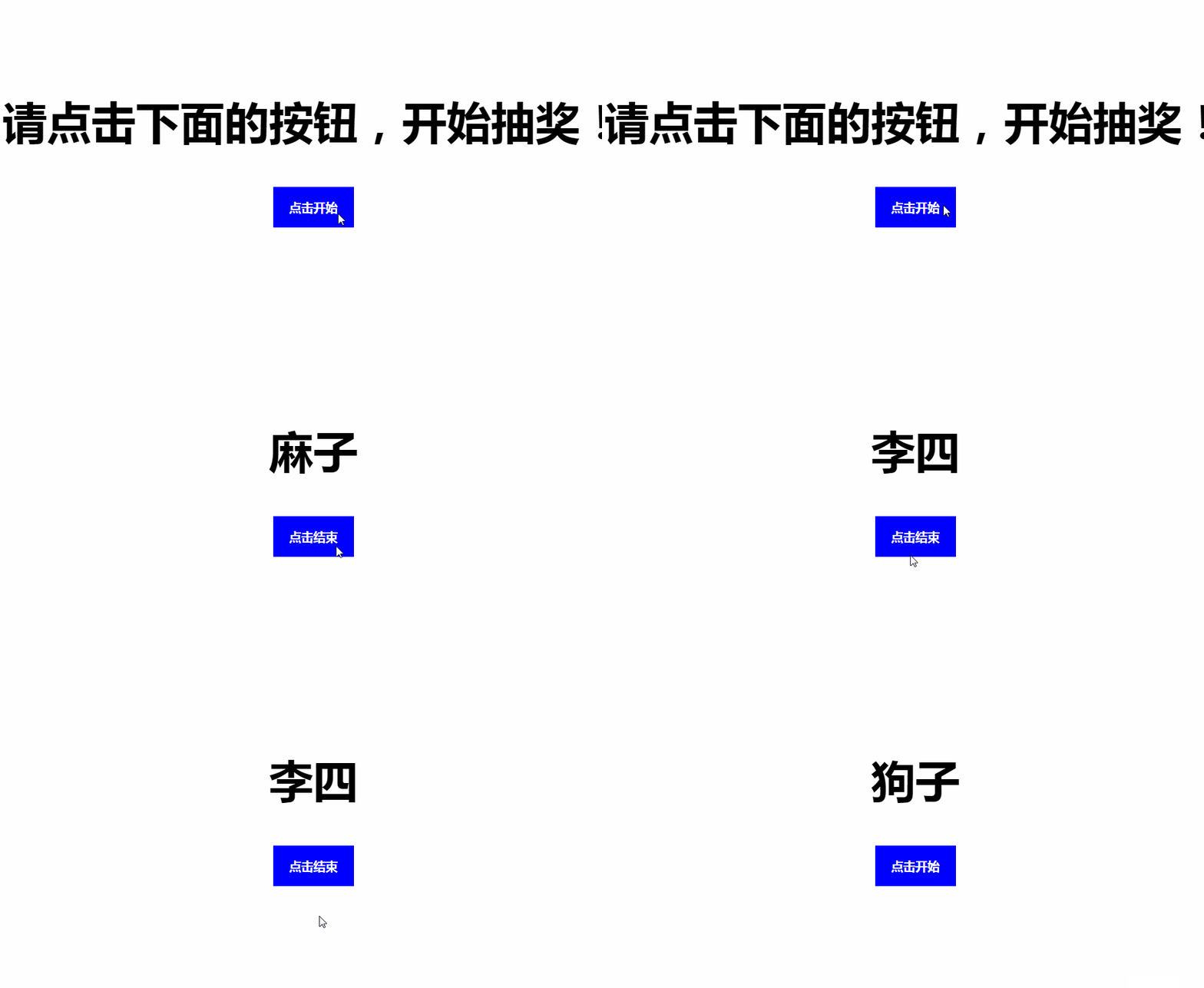
PS:在原來的效果中很快的,但是不知怎么的錄下來就變得這么慢了
代碼如下:
<!DOCTYPE html><html lang='en'><head> <meta charset='UTF-8'> <meta name='viewport' content='width=device-width, initial-scale=1.0'> <title>隨機(jī)點(diǎn)名</title> <style> .box{ width: 800px; margin: 200px auto; text-align: center; } .box h2{ font-size: 55px; font-weight: 800; } .box input{ outline: none; border: none; background: blue; color: white; width: 100px; height: 50px; font-size: 15px; font-weight: 600; } </style></head><body> <div class='box'> <h2 id='res'>請(qǐng)點(diǎn)擊下面的按鈕,開始抽獎(jiǎng)!</h2> <input type='button' value='點(diǎn)擊開始' id='btn'> </div> <script> var btn= document.getElementById('btn'); var res= document.getElementById('res'); var student=['張三','李四','王二','麻子','小明','小王','小胡','小虎','狗子','多銀幣','貢子哥','劉青松','瞎子','亞索'] var flag=true; var timer=null; // btn.onclick=function(){ if(flag){timer= setInterval(function(){ var index= getRandom(student.length-1,0) ; res.innerHTML=student[index]; },10);btn.value='點(diǎn)擊結(jié)束';flag=false; }else{clearInterval(timer);btn.value='點(diǎn)擊開始';flag=true; } } function getRandom(max,min){ return Math.round(Math.random()*(max-min)+min); } </script></body></html>
以上就是本文的全部?jī)?nèi)容,希望對(duì)大家的學(xué)習(xí)有所幫助,也希望大家多多支持好吧啦網(wǎng)。
相關(guān)文章:
1. 什么是python的自省2. php模擬實(shí)現(xiàn)斗地主發(fā)牌3. 詳解Android studio 動(dòng)態(tài)fragment的用法4. spring acegi security 1.0.0 發(fā)布5. MyBatis中的JdbcType映射使用詳解6. vue 使用localstorage實(shí)現(xiàn)面包屑的操作7. Vue封裝一個(gè)TodoList的案例與瀏覽器本地緩存的應(yīng)用實(shí)現(xiàn)8. Vuex localStorage的具體使用9. Python random庫(kù)使用方法及異常處理方案10. jQuery 實(shí)現(xiàn)DOM元素拖拽交換位置的實(shí)例代碼
 網(wǎng)公網(wǎng)安備