docker批量啟動關閉所有容器的操作
docker中
啟動所有的容器命令docker start $(docker ps -a | awk ’{ print $1}’ | tail -n +2)
docker中
關閉所有的容器命令docker stop $(docker ps -a | awk ’{ print $1}’ | tail -n +2)
補充:shell批量啟動和刪除docker容器,基于docker toolbox
停止容器stop.sh#!/bin/bashcontainerIDs='8f78b7e6995b beeae59c6f41 5305c3db3670 bffc551a6b96 61f0fc8b1dc4 8e85a3b7bfe3 d15c4d2dc546 2a3c4eb14584 5e98077acc3a 13bac087b83d'statusLived='live'statusdead='Dead'notExistContainer='None'retryCount=3function GetContainerStatus(){ containerExist=$(docker ps -a | grep -i $1 | wc -l ) if [ ${containerExist} -gt 0 ] then pid=$(docker stats --format '{{.PIDs}}' --no-stream $1 ) if [ '${pid}' != '0' ] then echo '${statusLived}' else echo '${statusdead}' fi else echo '${notExistContainer}' fi}function StopContainer(){ docker stop $1}for containerID in ${containerIDs} do for ((i=1;i<=${retryCount};i++)) do status=$(GetContainerStatus ${containerID} ) echo 'Container ${containerID} status is ${status}' if [ '${status}' == ${statusdead} ] then echo 'Container ${containerID} already stopped' break fi if [ '${status}' == ${notExistContainer} ] then echo 'Container ${containerID} not existed' break fi if [ '${status}' == ${statusLived} ] then echo 'Container ${containerID} is lived ,stop container' StopContainer ${containerID} verifyStatus=$(GetContainerStatus ${containerID} ) if [ '${verifyStatus}' == ${statusdead} ] then echo 'stop container ${containerID} success ' break else echo '${i} retry stop container' StopContainer ${containerID} fi fi donedone
說明:containerIDs里面是你已經建好的,docker容器這里為nginx
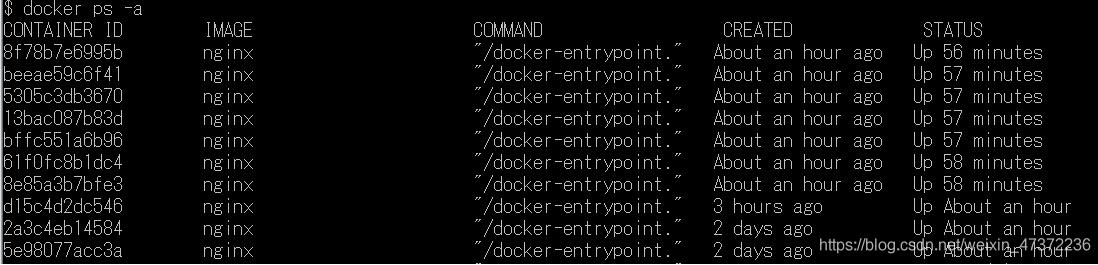
把stop.sh放在d:/nginx下面。
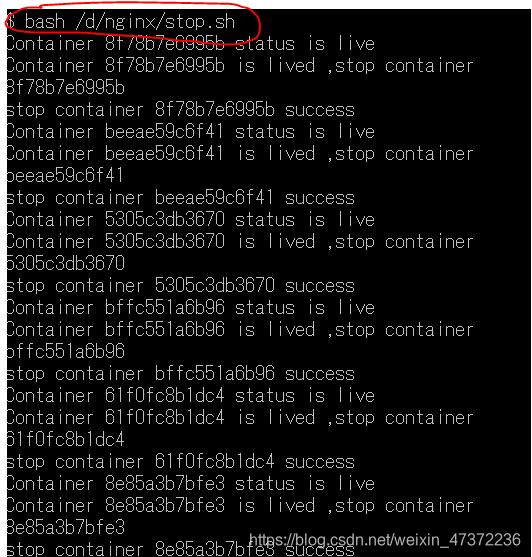
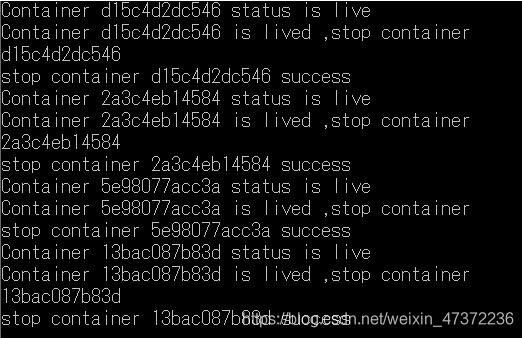
過程稍微慢了點,耐心等待。

停止容器成功。
啟動容器#!/bin/bashcontainerIDs='8f78b7e6995b beeae59c6f41 5305c3db3670 bffc551a6b96 61f0fc8b1dc4 8e85a3b7bfe3 d15c4d2dc546 2a3c4eb14584 5e98077acc3a 13bac087b83d'statusLived='live'statusdead='Dead'notExistContainer='None'retryCount=3function GetContainerStatus(){ containerExist=$(docker ps -a | grep -i $1 | wc -l ) if [ ${containerExist} -gt 0 ] then pid=$(docker stats --format '{{.PIDs}}' --no-stream $1 ) if [ '${pid}' != '0' ] then echo '${statusLived}' else echo '${statusdead}' fi else echo '${notExistContainer}' fi}function StartContainer(){ docker restart $1}for containerID in ${containerIDs} do for((i=1;i<=${retryCount};i++)) do status=$(GetContainerStatus ${containerID} ) echo 'Container ${containerID} status is ${status}' if [ '${status}' == ${statusLived} ] then echo 'Container ${containerID} already running' break fi if [ '${status}' == ${notExistContainer} ] then echo 'Container ${containerID} not existed' break fi if [ '${status}' == ${statusdead} ] then echo 'Container ${containerID} stopped ,start container' StartContainer ${containerID} verifyStatus=$(GetContainerStatus ${containerID} ) if [ '${verifyStatus}' == ${statusLived} ] then echo 'start container ${containerID} success ' break else echo '${i} retry start container' StartContainer ${containerID} fi fi donedone

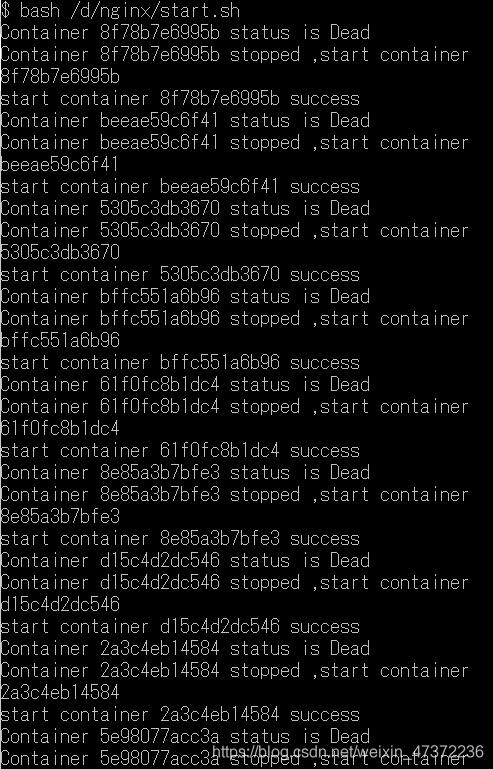

以上為個人經驗,希望能給大家一個參考,也希望大家多多支持好吧啦網。如有錯誤或未考慮完全的地方,望不吝賜教。
相關文章:

 網公網安備
網公網安備