Python中seaborn庫之countplot的數(shù)據(jù)可視化使用
在Python數(shù)據(jù)可視化中,seaborn較好的提供了圖形的一些可視化功效。
seaborn官方文檔見鏈接:http://seaborn.pydata.org/api.html
countplot是seaborn庫中分類圖的一種,作用是使用條形顯示每個分箱器中的觀察計數(shù)。接下來,對seaborn中的countplot方法進行詳細的一個講解,希望可以幫助到剛入門的同行。
導入seaborn庫
import seaborn as sns
使用countplot
sns.countplot()
countplot方法中必須要x或者y參數(shù),不然就報錯。
官方給出的countplot方法及參數(shù):
sns.countplot(x=None, y=None, hue=None, data=None, order=None, hue_order=None, orient=None, color=None, palette=None, saturation=0.75, dodge=True, ax=None, **kwargs)
下面講解countplot方法中的每一個參數(shù)。以泰坦尼克號為例。
原始數(shù)據(jù)如下:
sns.set(style=’darkgrid’)titanic = sns.load_dataset(’titanic’)titanic.head()

x, y, hue : names of variables in ``data`` or vector data, optional. Inputs for plotting long-form data. See examples for interpretation.
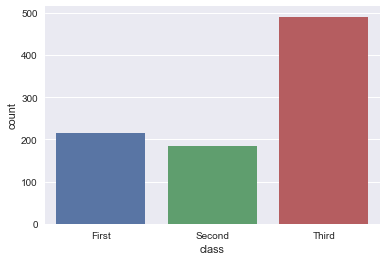
第一種方式x: x軸上的條形圖,以x標簽劃分統(tǒng)計個數(shù)
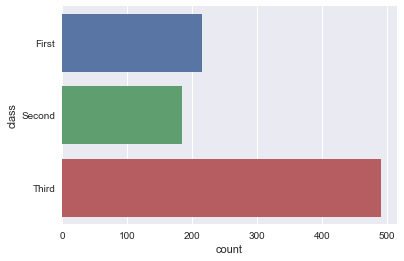
y: y軸上的條形圖,以y標簽劃分統(tǒng)計個數(shù)
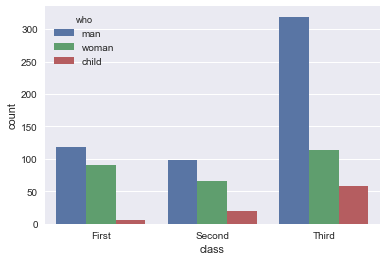
hue: 在x或y標簽劃分的同時,再以hue標簽劃分統(tǒng)計個數(shù)
sns.countplot(x='class', data=titanic)
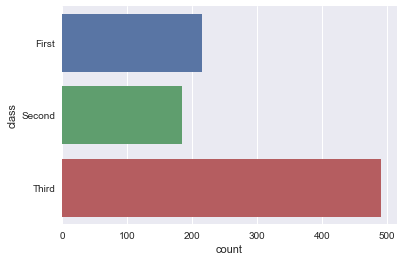
sns.countplot(y='class', data=titanic)
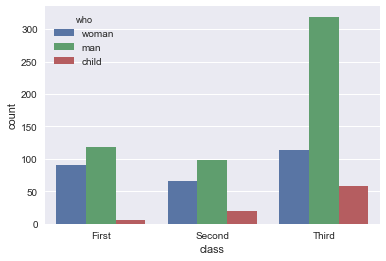
sns.countplot(x='class', hue='who', data=titanic)
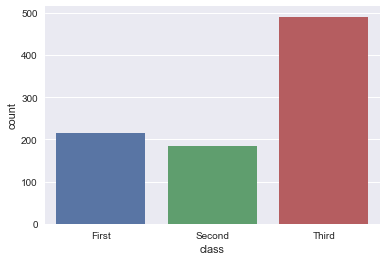
x: x軸上的條形圖,直接為series數(shù)據(jù)
y: y軸上的條形圖,直接為series數(shù)據(jù)
sns.countplot(x=titanic[’class’])
sns.countplot(y=titanic[’class’])
data : DataFrame, array, or list of arrays, optional. Dataset for plotting. If ``x`` and ``y`` are absent, this is interpreted as wide-form. Otherwise it is expected to be long-form.
data: DataFrame或array或array列表,用于繪圖的數(shù)據(jù)集,x或y缺失時,data參數(shù)為數(shù)據(jù)集,同時x或y不可缺少,必須要有其中一個。
sns.countplot(x=’class’, data=titanic)
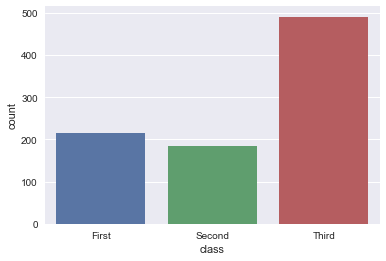
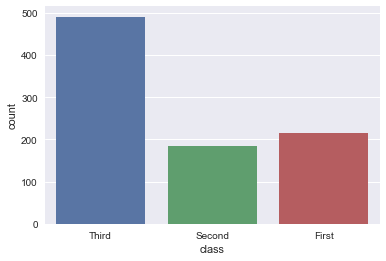
order, hue_order : lists of strings, optional.Order to plot the categorical levels in, otherwise the levels are inferred from the data objects. order, hue_order分別是對x或y的字段排序,hue的字段排序。排序的方式為列表。
sns.countplot(x=’class’, data=titanic, order=[’Third’, ’Second’, ’First’])
sns.countplot(x=’class’, hue=’who’, data=titanic, hue_order=[’woman’, ’man’, ’child’])
orient : 'v' | 'h', optionalOrientation of the plot (vertical or horizontal). This is usuallyinferred from the dtype of the input variables, but can be used tospecify when the 'categorical' variable is a numeric or when plottingwide-form data. 強制定向,v:豎直方向;h:水平方向,具體實例未知。
color : matplotlib color, optionalColor for all of the elements, or seed for a gradient palette.
palette : palette name, list, or dict, optional.Colors to use for the different levels of the ``hue`` variable. Should be something that can be interpreted by :func:`color_palette`, or a dictionary mapping hue levels to matplotlib colors.
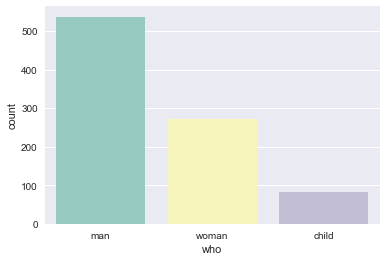
palette:使用不同的調(diào)色板
sns.countplot(x='who', data=titanic, palette='Set3')
ax : matplotlib Axes, optionalAxes object to draw the plot onto, otherwise uses the current Axes.
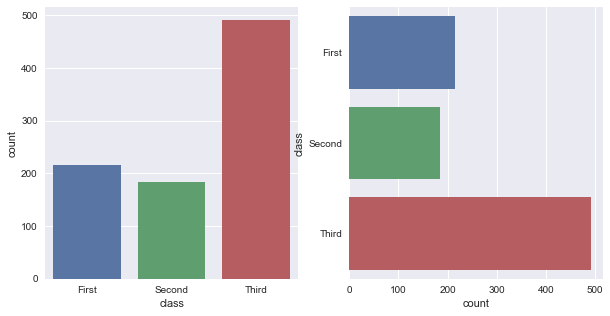
ax用來指定坐標系。
fig, ax = plt.subplots(1, 2, figsize=(10, 5))sns.countplot(x=’class’, data=titanic, ax=ax[0])sns.countplot(y=’class’, data=titanic, ax=ax[1])
到此這篇關于Python中seaborn庫之countplot的數(shù)據(jù)可視化使用的文章就介紹到這了,更多相關Python seaborn庫countplot內(nèi)容請搜索好吧啦網(wǎng)以前的文章或繼續(xù)瀏覽下面的相關文章希望大家以后多多支持好吧啦網(wǎng)!
相關文章:

 網(wǎng)公網(wǎng)安備