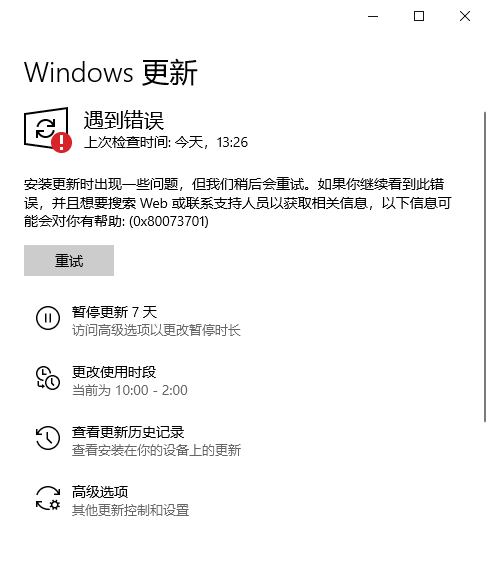
Win10 20H2更新KB5003173安裝失敗提示錯誤代碼0x80073701怎么辦?
微軟的5月累積更新已經出了一段時間了,許多小伙伴還沒有更新。而最近有的小伙伴反應,自己點開系統的更新提示你的設備中缺少重要的安全和質量修復。點擊更新后,安裝失敗提示錯誤代碼0x80073701。下面小編就帶著大家一起看看解決辦法吧!
操作方法:
方法一:
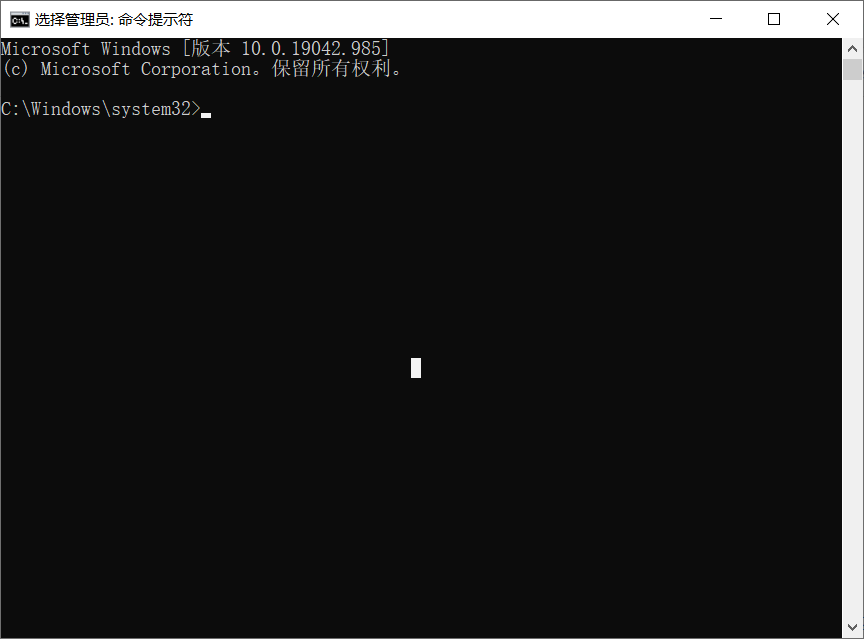
在任務欄搜索框輸入cmd,點擊右側的“以管理員身份運行”,打開后輸入:
(建議復制粘貼,防止輸入有誤
*****出現錯誤提示等請忽略******)
SC config wuauserv start= auto
回車(Enter按鍵)
SC config bits start= auto
回車(Enter按鍵)
SC config cryptsvc start= auto
回車(Enter按鍵)
SC config trustedinstaller start= auto
回車(Enter按鍵)
SC config wuauserv type=share
回車(Enter按鍵)
net stop wuauserv
回車(Enter按鍵)
net stop cryptSvc
回車(Enter按鍵)
net stop bits
回車(Enter按鍵)
net stop msiserver
回車(Enter按鍵)
ren C:WindowsSoftwareDistribution SoftwareDistribution.old
回車(Enter按鍵)
ren C:WindowsSystem32catroot2 catroot2.old
回車(Enter按鍵)
net start wuauserv
回車(Enter按鍵)
net start cryptSvc
回車(Enter按鍵)
net start bits
回車(Enter按鍵)
net start msiserver
回車(Enter按鍵)
重啟電腦。
方法二:
建議使用微軟官方的MediaCreationTool20H2工具升級/修復系統:下載地址>>>
下載后雙擊運行,
選擇第一個選項,立即升級這臺電腦,
若是系統安裝在不受支持的目錄等異常情況,可能無法無損修復。
同時建議備份一下重要數據,防止意外。
方法三:重裝系統
相關文章:

 網公網安備
網公網安備