Java 添加、刪除、替換、格式化Word中的文本的步驟詳解(基于Spire.Cloud.SDK for Java)
Spire.Cloud.SDK for Java提供了TextRangesApi接口可通過addTextRange()添加文本、deleteTextRange()刪除文本、updateTextRangeText()替換文本、updateTextRangeFormat()格式化文本等。本文將從以上方法介紹如何來實(shí)現(xiàn)對文本的操作。可參考以下步驟進(jìn)行準(zhǔn)備:
一、導(dǎo)入jar文件
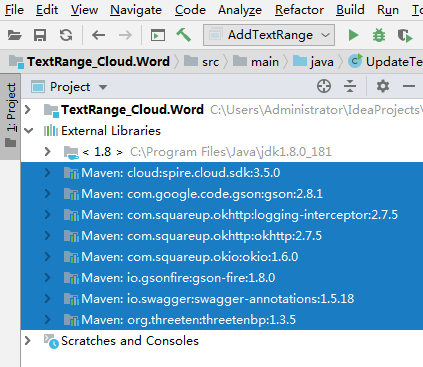
創(chuàng)建Maven項(xiàng)目程序,通過maven倉庫下載導(dǎo)入。以IDEA為例,新建Maven項(xiàng)目,在pom.xml文件中配置maven倉庫路徑,并指定spire.cloud.sdk的依賴,如下:
<repositories> <repository> <id>com.e-iceblue</id> <name>cloud</name> <url>http://repo.e-iceblue.cn/repository/maven-public/</url> </repository></repositories><dependencies> <dependency> <groupId> cloud </groupId> <artifactId>spire.cloud.sdk</artifactId> <version>3.5.0</version> </dependency> <dependency> <groupId> com.google.code.gson</groupId> <artifactId>gson</artifactId> <version>2.8.1</version> </dependency> <dependency> <groupId> com.squareup.okhttp</groupId> <artifactId>logging-interceptor</artifactId> <version>2.7.5</version> </dependency> <dependency> <groupId> com.squareup.okhttp </groupId> <artifactId>okhttp</artifactId> <version>2.7.5</version> </dependency> <dependency> <groupId> com.squareup.okio </groupId> <artifactId>okio</artifactId> <version>1.6.0</version> </dependency> <dependency> <groupId> io.gsonfire</groupId> <artifactId>gson-fire</artifactId> <version>1.8.0</version> </dependency> <dependency> <groupId>io.swagger</groupId> <artifactId>swagger-annotations</artifactId> <version>1.5.18</version> </dependency> <dependency> <groupId> org.threeten </groupId> <artifactId>threetenbp</artifactId> <version>1.3.5</version> </dependency></dependencies>
完成配置后,點(diǎn)擊“Import Changes” 即可導(dǎo)入所有需要的jar文件。如果使用的是Eclipse,可參考這里的導(dǎo)入方法。
導(dǎo)入結(jié)果:
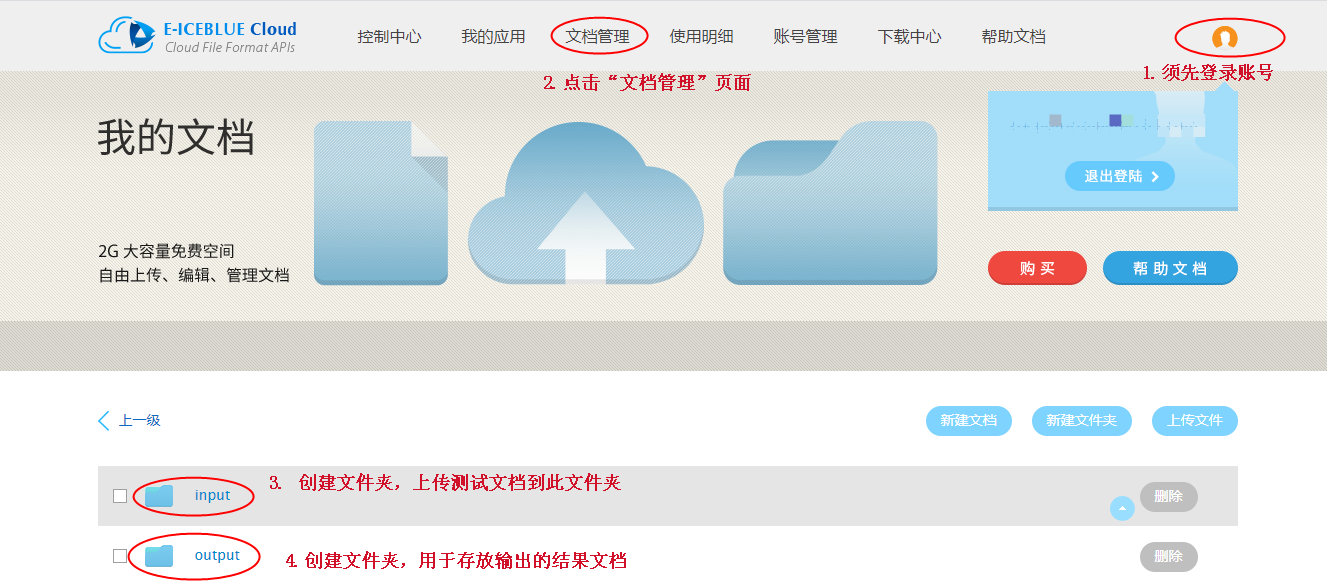
二、登錄冰藍(lán)云賬號,創(chuàng)建文件夾,上傳文檔
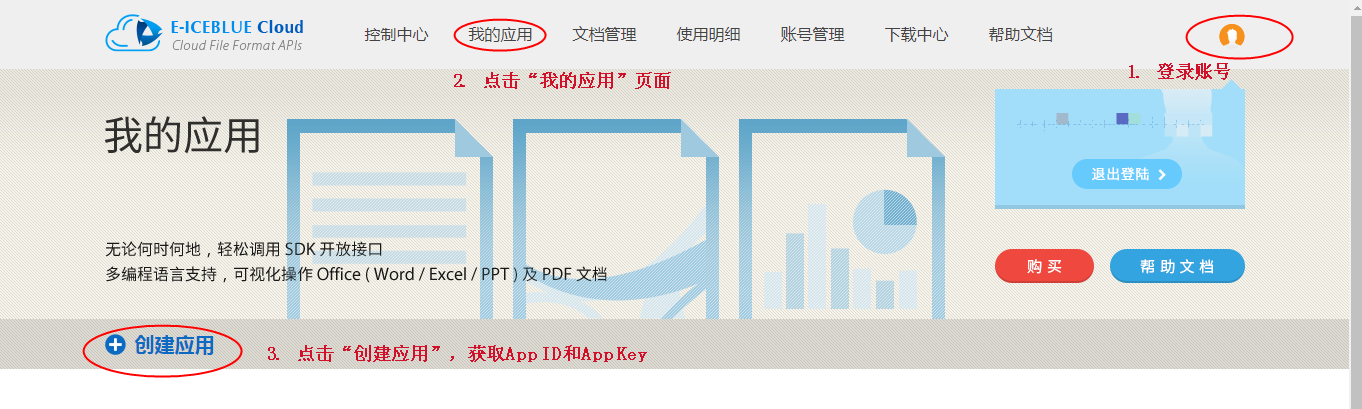
三、創(chuàng)建應(yīng)用程序,獲取App ID及App Key
完成以上步驟后,可參考以下代碼,進(jìn)行文檔操作。
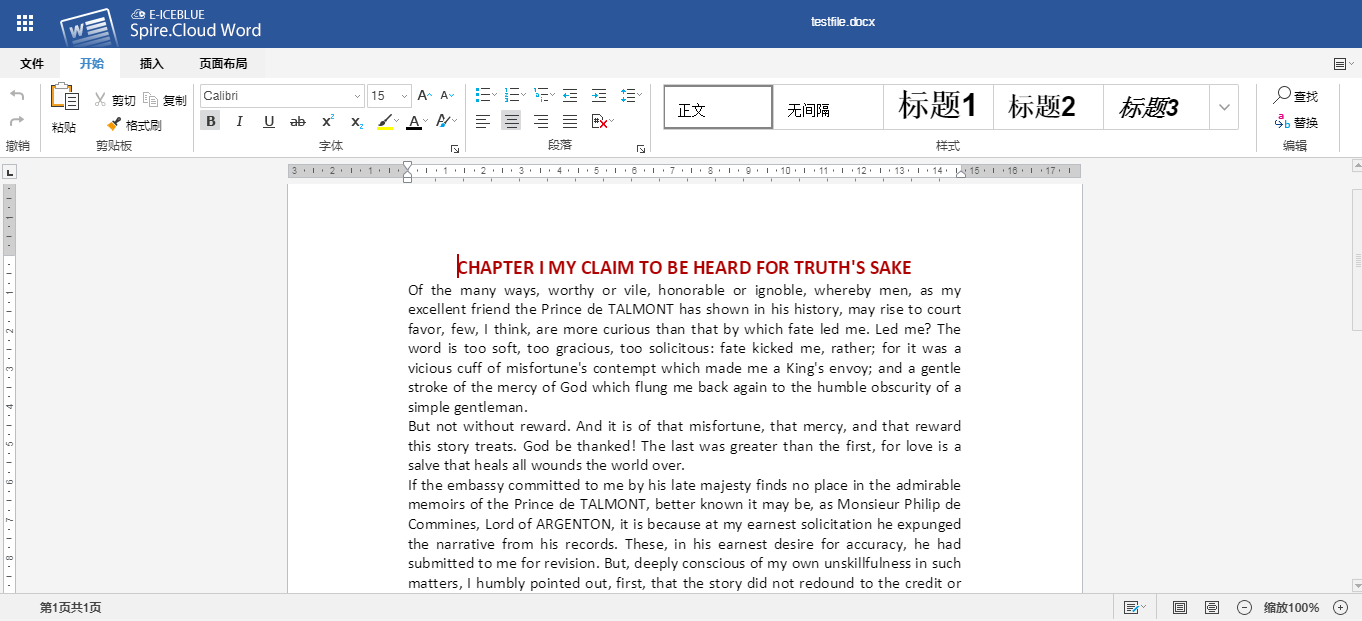
用于測試的Word源文檔如下:
1. 添加文本到Word
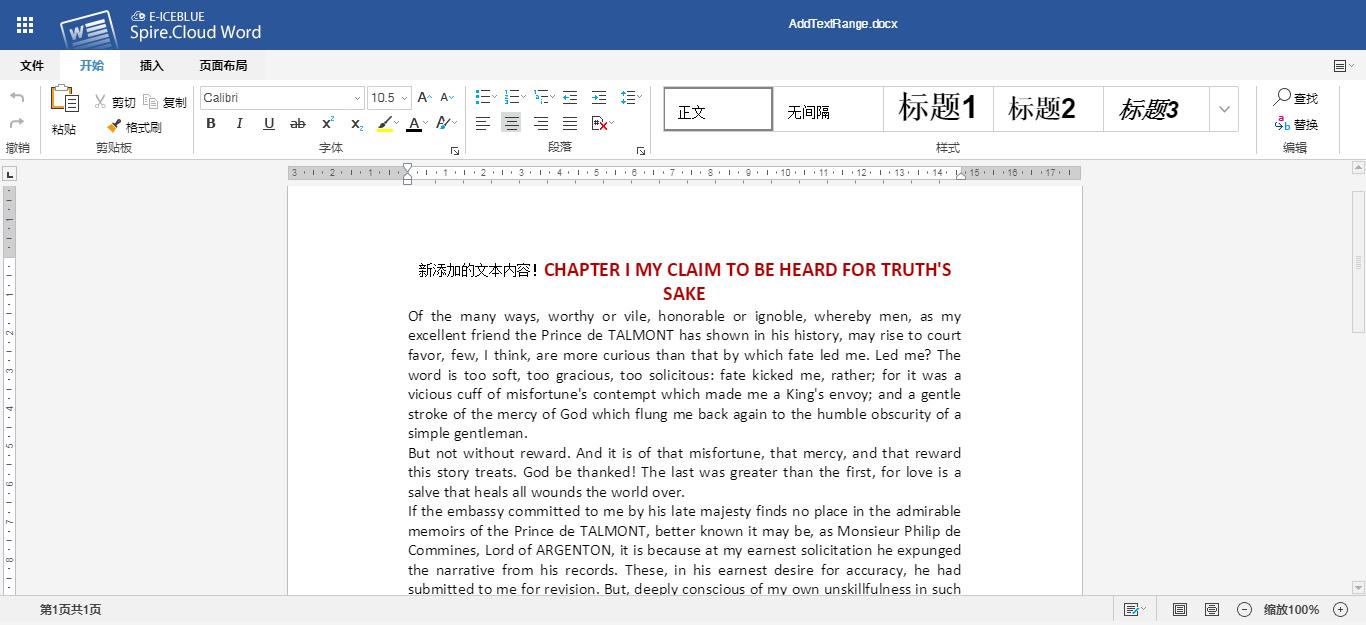
import spire.cloud.word.sdk.client.ApiException;import spire.cloud.word.sdk.client.Configuration;import spire.cloud.word.sdk.client.api.TextRangesApi;public class AddTextRange { //配置App賬號信息 static String appId = 'App ID'; static String appKey = 'App Key'; static String baseUrl = 'https://api.e-iceblue.cn'; static Configuration wordConfiguration = new Configuration(appId, appKey, baseUrl); static TextRangesApi textRangesApi = new TextRangesApi(wordConfiguration); public static void main(String[] args) throws ApiException { String name = 'testfile.docx';//用于測試的Word源文檔 String paragraphPath = 'Section/0/Body/0/Paragraph/0';//獲取文檔中的段落 Integer indexInParagraph = 0; String text = '新添加的文本內(nèi)容!';//指定需要添加的文本內(nèi)容 String folder = 'input';//源文檔所在的云端文件夾 String storage = null;//冰藍(lán)云存儲空間 String password = null;//源文檔密碼 String destFilePath = 'output/AddTextRange.docx';//結(jié)果文檔路徑 //調(diào)用方法添加文本內(nèi)容到Word段落 textRangesApi.addTextRange(name, paragraphPath, text, destFilePath, folder, storage, indexInParagraph, password); }}
文本添加效果:
2. 刪除Word中的文本
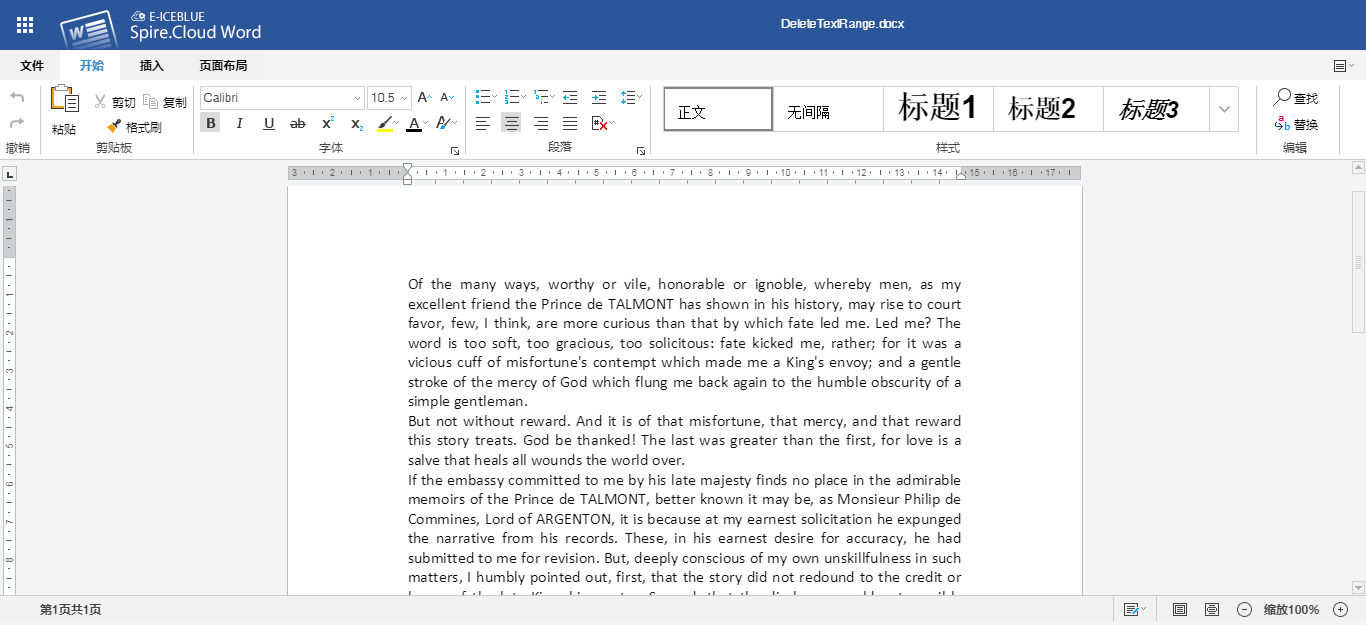
import spire.cloud.word.sdk.client.ApiException;import spire.cloud.word.sdk.client.Configuration;import spire.cloud.word.sdk.client.api.TextRangesApi;public class DeleteTextRange { //配置App賬號信息 static String appId = 'App ID'; static String appKey = 'App Key'; static String baseUrl = 'https://api.e-iceblue.cn'; static Configuration wordConfiguration = new Configuration(appId, appKey, baseUrl); static TextRangesApi textRangesApi = new TextRangesApi(wordConfiguration); public static void main(String[] args) throws ApiException { String name = 'testfile.docx';//源文檔 String paragraphPath = 'Section/0/Body/0/Paragraph/0';//獲取段落 Integer index = 0; String folder = 'input';//源文檔所在文件夾 String storage = null;//冰藍(lán)云存儲空間 String password = null;//源文檔密碼 String destFilePath = 'output/DeleteTextRange.docx';//結(jié)果文檔路徑 //調(diào)用方法刪除Word第一段文本 textRangesApi.deleteTextRange(name, paragraphPath, index, destFilePath,folder, storage, password); }}
文本刪除效果:
3. 替換Word中的文本
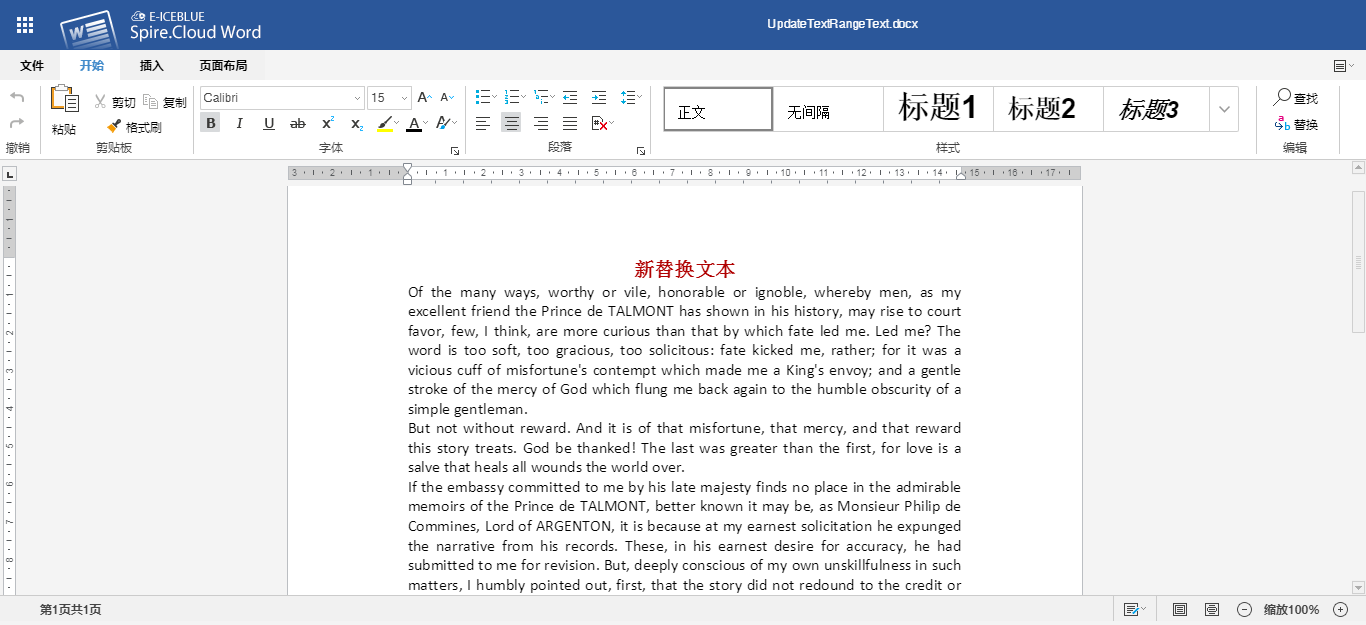
import spire.cloud.word.sdk.client.ApiException;import spire.cloud.word.sdk.client.Configuration;import spire.cloud.word.sdk.client.api.TextRangesApi;public class UpdateTextRange { //配置App賬號信息 static String appId = 'App ID'; static String appKey = 'App Key'; static String baseUrl = 'https://api.e-iceblue.cn'; static Configuration wordConfiguration = new Configuration(appId, appKey, baseUrl); static TextRangesApi textRangesApi = new TextRangesApi(wordConfiguration); public static void main(String[] args) throws ApiException { String name = 'testfile.docx';//源文檔 String paragraphPath = 'Section/0/Body/0/Paragraph/0';//獲取段落 Integer index = 0; String text = '新替換文本';//指定新文本 String folder = 'input';//源文檔所在文件夾 String storage = null; String password = null; String destFilePath = 'output/UpdateTextRangeText.docx';//結(jié)果文檔路徑 //調(diào)用方法更新(替換)原有的文本 textRangesApi.updateTextRangeText(name, paragraphPath, index, text, destFilePath, folder, storage, password); }}
文本替換效果:
4. 格式化Word中的文本
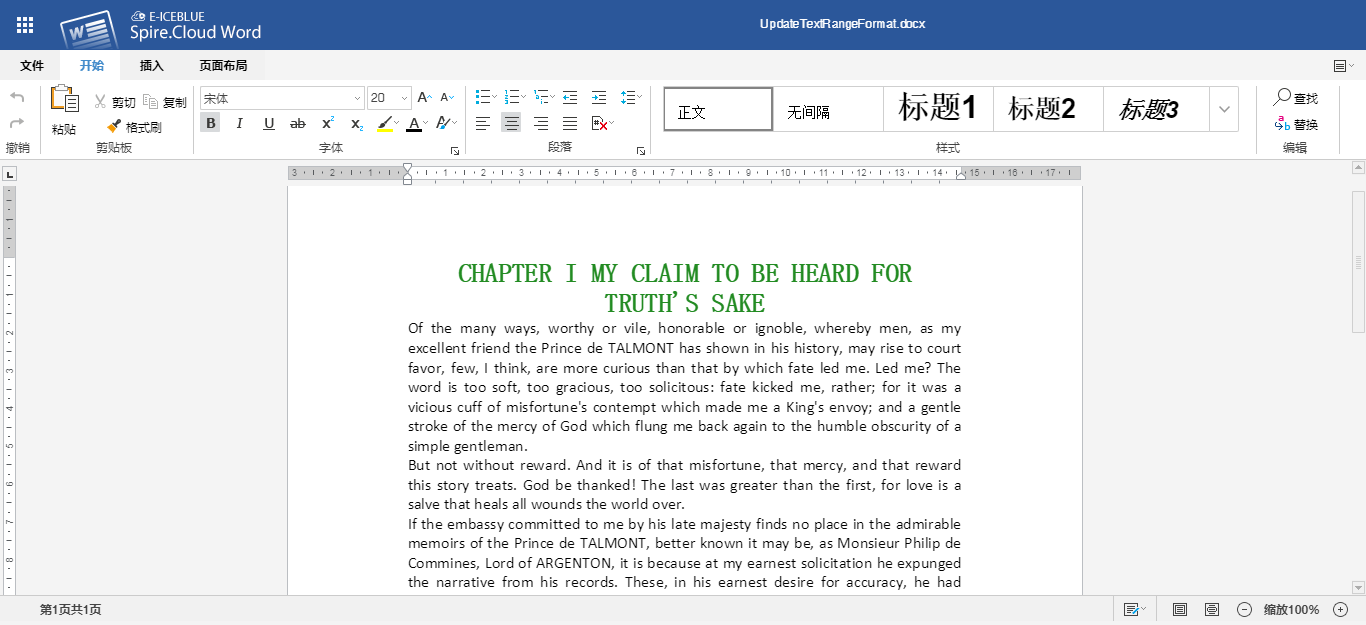
import spire.cloud.word.sdk.client.ApiException;import spire.cloud.word.sdk.client.Configuration;import spire.cloud.word.sdk.client.api.TextRangesApi;import spire.cloud.word.sdk.client.model.Color;import spire.cloud.word.sdk.client.model.Font;import spire.cloud.word.sdk.client.model.TextRangeFormat;public class UpdateTextRangeFormat { //配置App賬號信息 static String appId = 'App ID'; static String appKey = 'App Key'; static String baseUrl = 'https://api.e-iceblue.cn'; static Configuration wordConfiguration = new Configuration(appId, appKey, baseUrl); static TextRangesApi textRangesApi = new TextRangesApi(wordConfiguration); public static void main(String[] args) throws ApiException { String name = 'testfile.docx';//源文檔 String paragraphPath = 'Section/0/Body/0/Paragraph/0';//獲取段落 Integer index = 0; //創(chuàng)建文本樣式,指定字體、顏色、字號,并應(yīng)用到文本 TextRangeFormat format = new TextRangeFormat(); Color color = new Color(34,139,34); Font font = new Font('宋體', 20f, color); format.setFont(font); TextRangeFormat textRange = format; String folder = 'input';//源文檔所在文件夾 String storage = null; String password = null; String destFilePath = 'output/UpdateTextRangeFormat.docx';//結(jié)果文檔路徑 //調(diào)用方法更新(應(yīng)用)文本樣式 textRangesApi.updateTextRangeFormat(name, paragraphPath, index, textRange, destFilePath, folder, storage, password); }}
文本格式設(shè)置效果:
到此這篇關(guān)于Java 添加、刪除、替換、格式化Word中的文本的步驟詳解(基于Spire.Cloud.SDK for Java)的文章就介紹到這了,更多相關(guān)Java 添加、刪除、替換、格式化Word中的文本內(nèi)容請搜索好吧啦網(wǎng)以前的文章或繼續(xù)瀏覽下面的相關(guān)文章希望大家以后多多支持好吧啦網(wǎng)!
相關(guān)文章:
 網(wǎng)公網(wǎng)安備