如何將自己的python庫打包成wheel文件并上傳到pypi
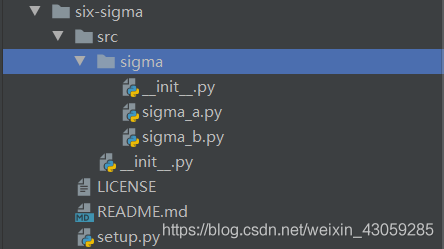
如下圖,比如sigma目錄是我要上傳的項目,在six-sigma目錄下新建三個文件,分別是LICENSE也就是開源協議,README.md文件,用于介紹自己的項目和setup.py這個配置文件,此文件配置關于項目和作者的一些信息,接下來我們一一介紹。
Copyright (c) 2018 The Python Packaging Authority
Permission is hereby granted, free of charge, to any person obtaining a copyof this software and associated documentation files (the 'Software'), to dealin the Software without restriction, including without limitation the rightsto use, copy, modify, merge, publish, distribute, sublicense, and/or sellcopies of the Software, and to permit persons to whom the Software isfurnished to do so, subject to the following conditions:
The above copyright notice and this permission notice shall be included in allcopies or substantial portions of the Software.
THE SOFTWARE IS PROVIDED 'AS IS', WITHOUT WARRANTY OF ANY KIND, EXPRESS ORIMPLIED, INCLUDING BUT NOT LIMITED TO THE WARRANTIES OF MERCHANTABILITY,FITNESS FOR A PARTICULAR PURPOSE AND NONINFRINGEMENT. IN NO EVENT SHALL THEAUTHORS OR COPYRIGHT HOLDERS BE LIABLE FOR ANY CLAIM, DAMAGES OR OTHERLIABILITY, WHETHER IN AN ACTION OF CONTRACT, TORT OR OTHERWISE, ARISING FROM,OUT OF OR IN CONNECTION WITH THE SOFTWARE OR THE USE OR OTHER DEALINGS IN THESOFTWARE.
README.md文件# Example PackageThis is a simple example package. You can use[Github-flavored Markdown](https://guides.github.com/features/mastering-markdown/)to write your content.setup.py文件
import setuptoolswith open('README.md', 'r', encoding='utf-8') as fh: long_description = fh.read()setuptools.setup( name='sigma_t', # 項目名稱 version='0.0.1', # 項目版本信息 author='AlanRick', # 作者 寫你的真實姓名即可 author_email='zs13128488417@gmail.com', # 作者郵箱 description='six sigma project', # 項目簡介 long_description=long_description, # 項目詳細的介紹 這里直接讀取README.md文件 long_description_content_type='text/markdown', # 項目詳細介紹的文件類型 classifiers=['Programming Language :: Python :: 3','License :: OSI Approved :: MIT License','Operating System :: OS Independent', ], package_dir={'': 'src'}, # 自己的包所在目錄 packages=setuptools.find_packages(where='src'), # 所有模塊所在目錄 python_requires='>=3.6', # python所需要的版本)安裝所需插件
確保您已經在pypi.org上注冊了賬號,然后執行以下命令
pip install wheelpip install twine打包文件為*.whl
首先在終端cd到setup.py文件所在目錄下,并在終端執行以下命令進行打包
python setup.py bdist_wheel
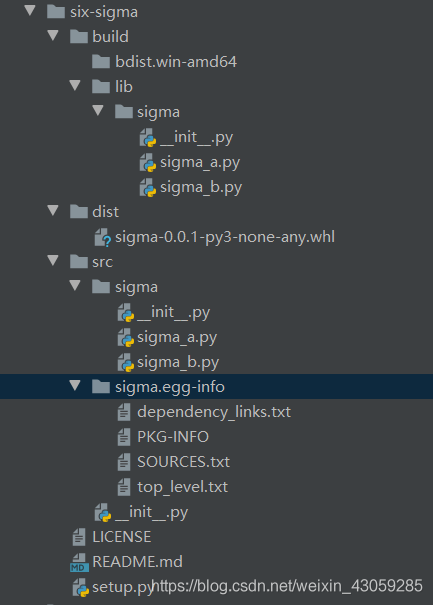
打包完成生成如下文件
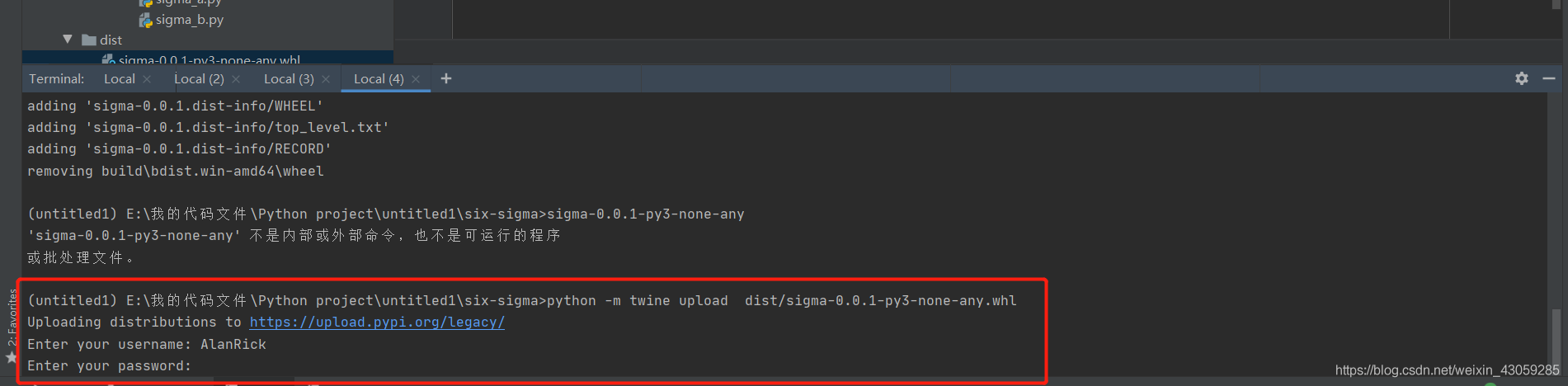
python -m twine upload dist/sigma-0.0.1-py3-none-any.whl
如下在終端提示您輸入用戶名和密碼然后進行上傳
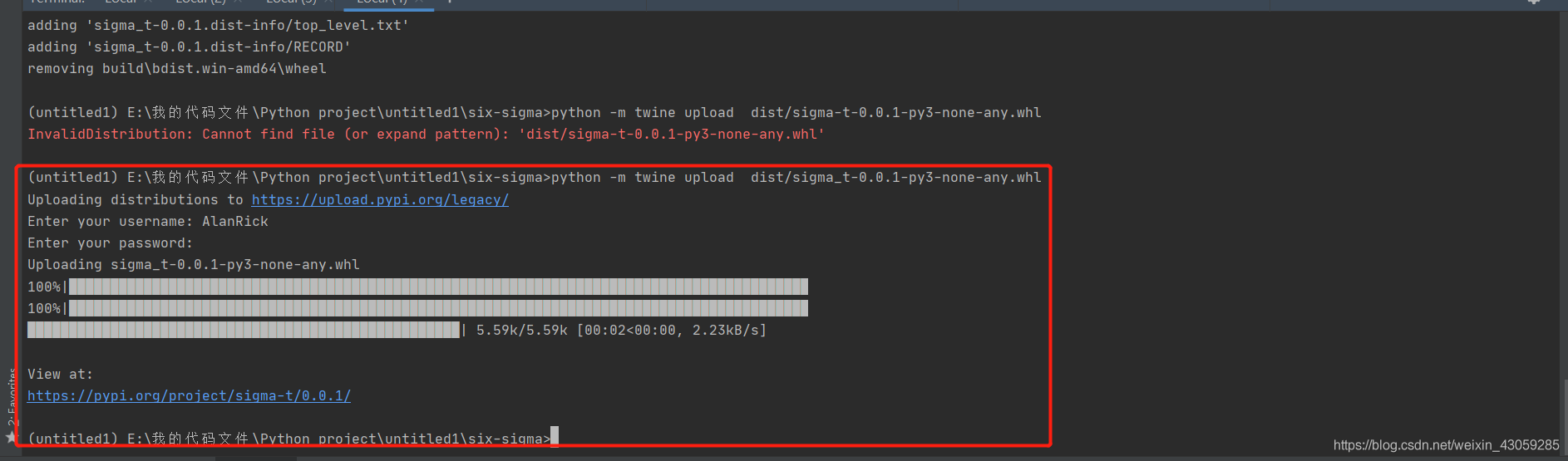
如下上傳成功
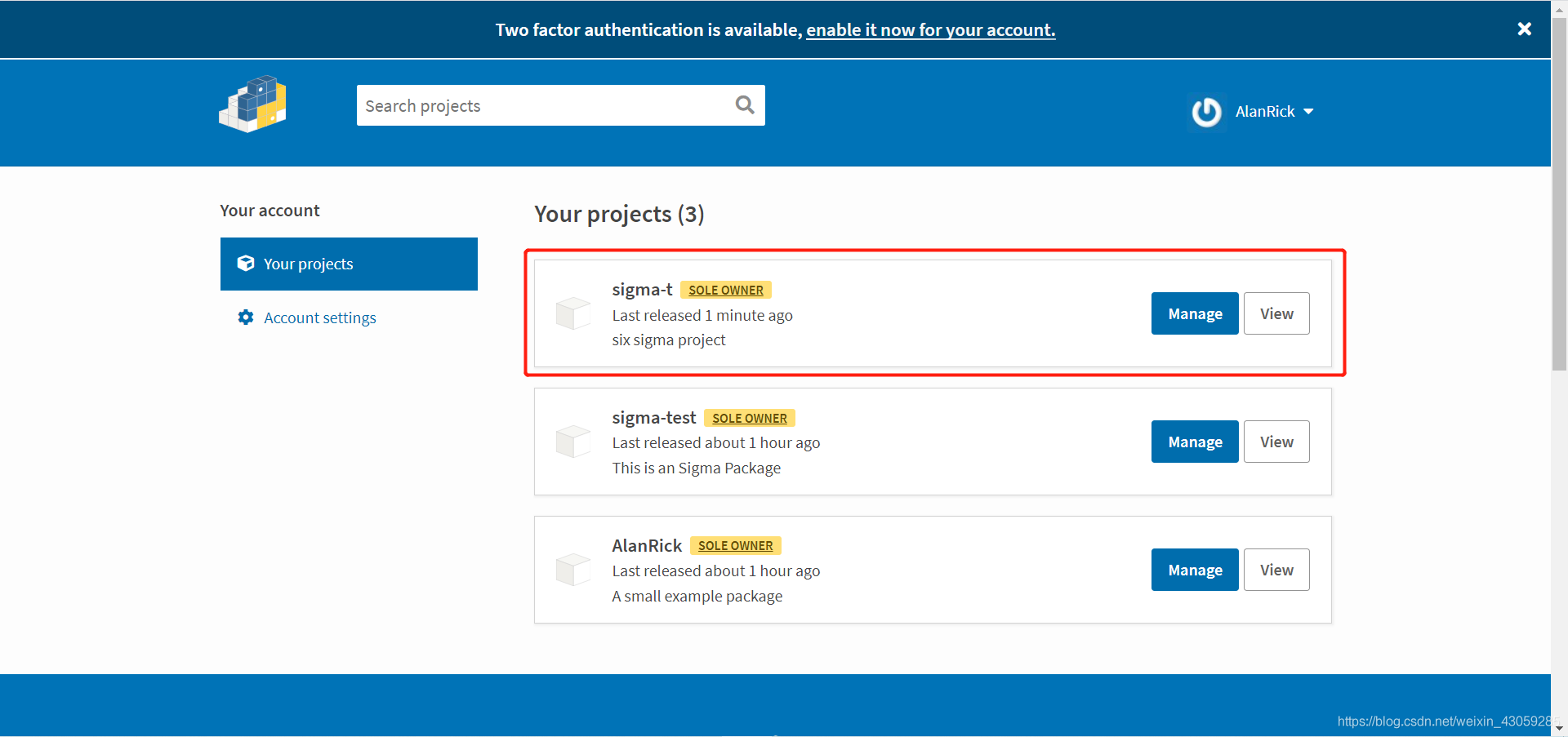
在pypi項目管理頁面可以看到剛上傳好的文件
點開項目可以看到我們的配置文件顯示在前端了
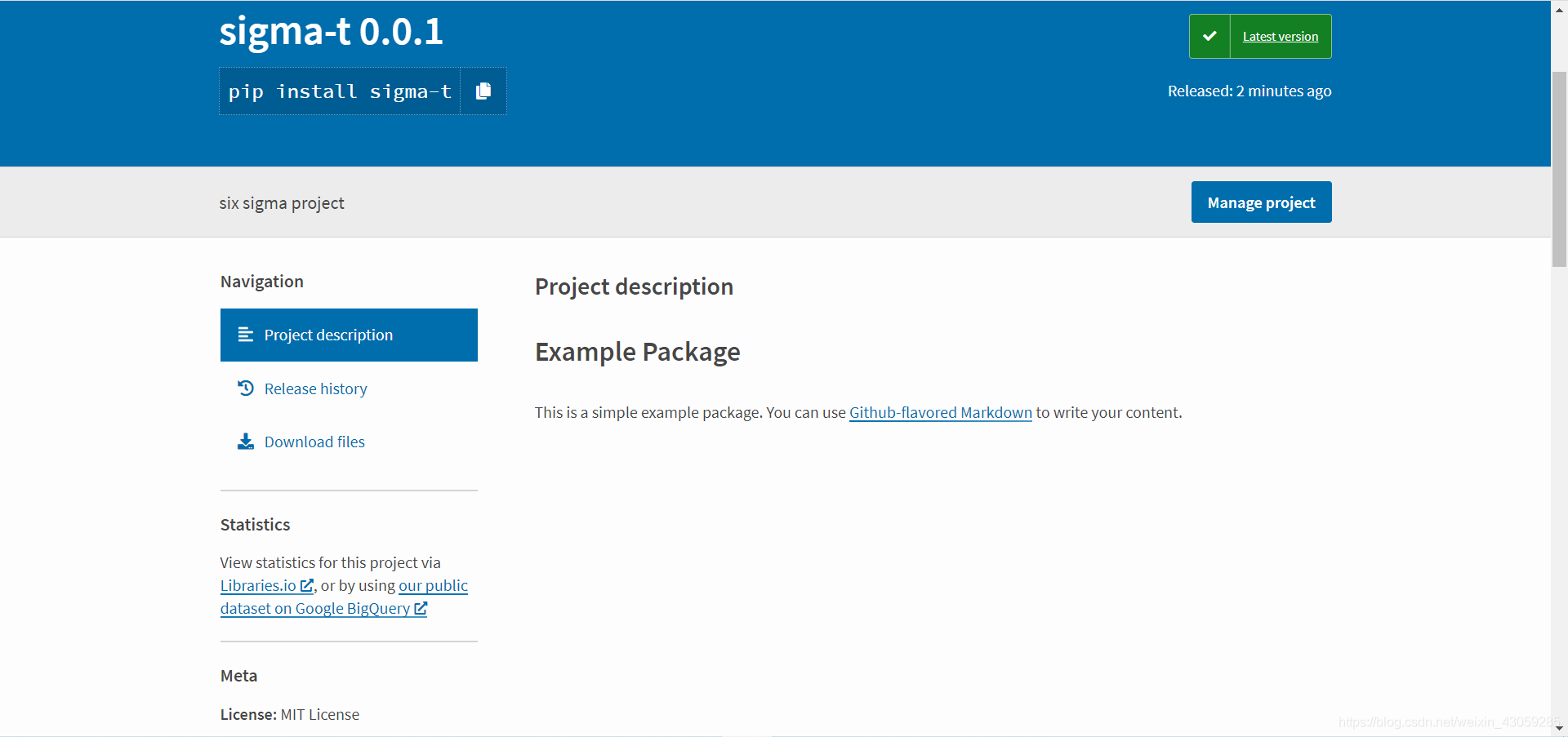
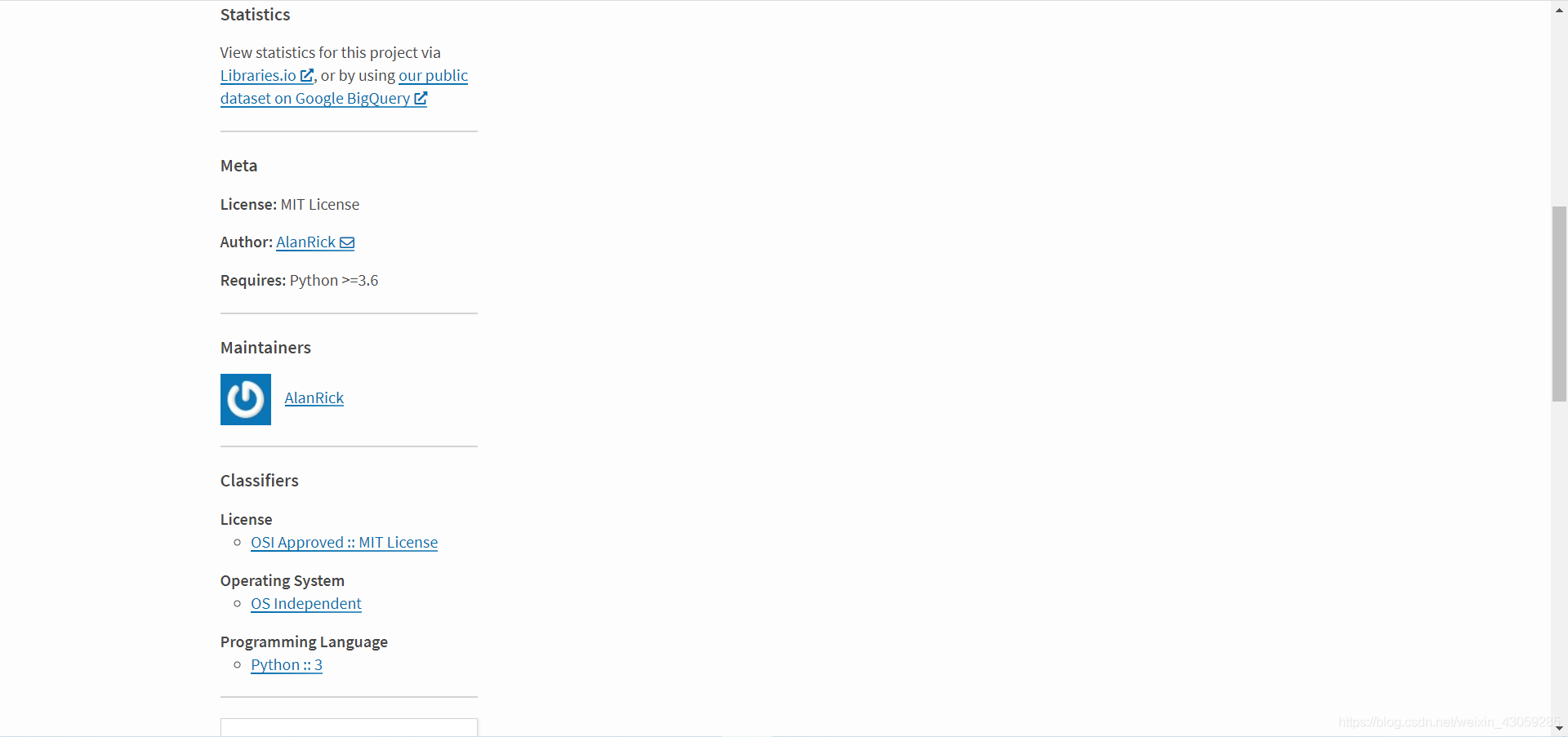
也可以參考pypi官網的方法進行上傳。
到此這篇關于如何將自己的python庫打包成wheel文件并上傳到pypi的文章就介紹到這了,更多相關python庫打包成wheel并上傳到pypi內容請搜索好吧啦網以前的文章或繼續瀏覽下面的相關文章希望大家以后多多支持好吧啦網!
相關文章:
 網公網安備
網公網安備