Python數(shù)據(jù)分析JupyterNotebook3魔法命令詳解及示例
目錄
- 1、魔法命令介紹
- %lsmagic:列出所有magics命令
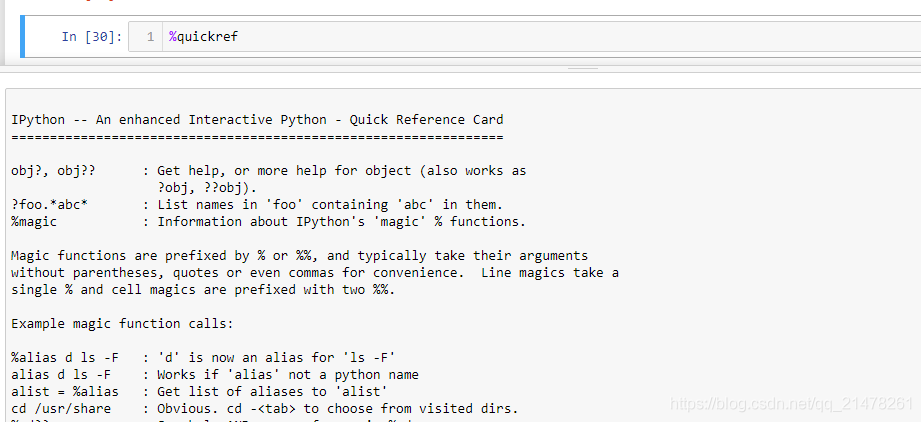
- %quickref:輸出所有魔法指令的簡單版幫助文檔
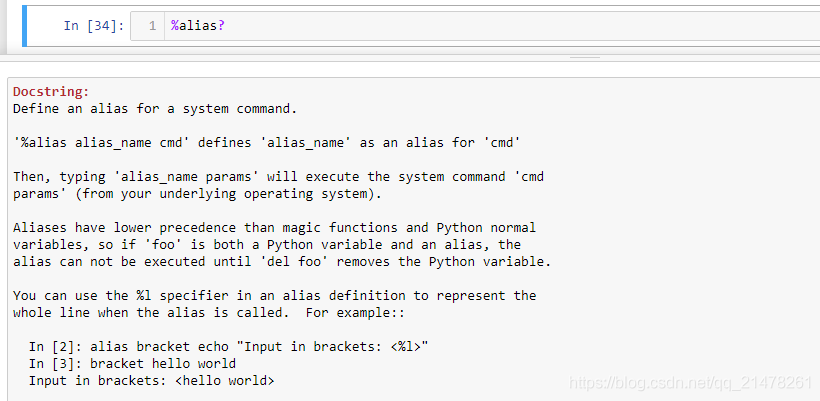
- %Magics_Name?:輸出某個魔法命令詳細幫助文檔
- 2、Line magics:Line魔法指令
- 3、Cell magics:Cell魔法指令
- 寫bash程序
- 寫perl程序
1、魔法命令介紹
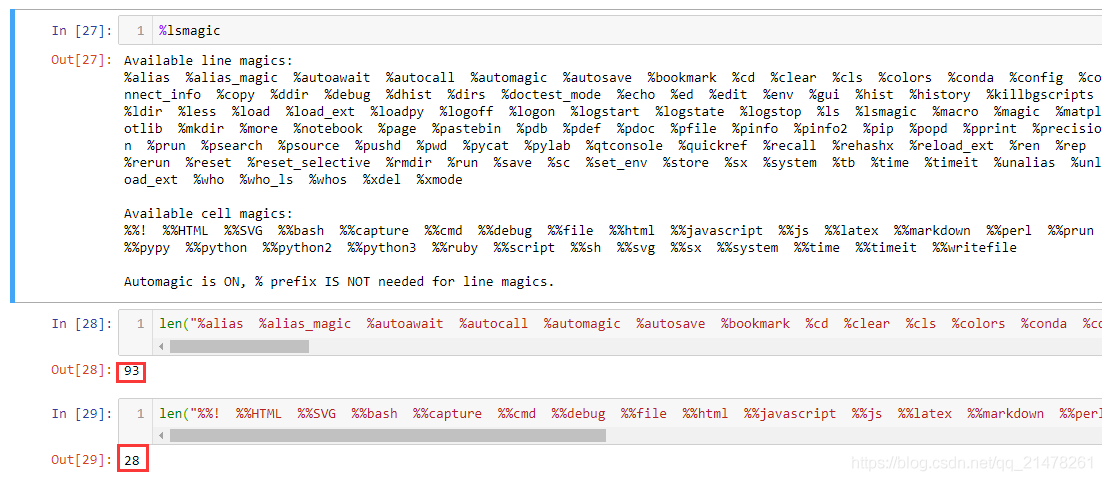
%lsmagic:列出所有magics命令
Available line magics:【對當(dāng)前行使用共計93個】%alias %alias_magic %autoawait %autocall %automagic %autosave %bookmark %cd %clear %cls %colors %conda %config %connect_info %copy %ddir %debug %dhist %dirs %doctest_mode %echo %ed %edit %env %gui %hist %history %killbgscripts %ldir %less %load %load_ext %loadpy %logoff %logon %logstart %logstate %logstop %ls %lsmagic %macro %magic %matplotlib %mkdir %more %notebook %page %pastebin %pdb %pdef %pdoc %pfile %pinfo %pinfo2 %pip %popd %pprint %precision %prun %psearch %psource %pushd %pwd %pycat %pylab %qtconsole %quickref %recall %rehashx %reload_ext %ren %rep %rerun %reset %reset_selective %rmdir %run %save %sc %set_env %store %sx %system %tb %time %timeit %unalias %unload_ext %who %who_ls %whos %xdel %xmode Available cell magics:【對當(dāng)前cell使用共計28個】%%! %%HTML %%SVG %%bash %%capture %%cmd %%debug %%file %%html %%javascript %%js %%latex %%markdown %%perl %%prun %%pypy %%python %%python2 %%python3 %%ruby %%script %%sh %%svg %%sx %%system %%time %%timeit %%writefile
%quickref:輸出所有魔法指令的簡單版幫助文檔
%Magics_Name?:輸出某個魔法命令詳細幫助文檔
魔法命令名稱?輸出魔法命令的詳細幫助文檔,以%alias為例:
2、Line magics:Line魔法指令
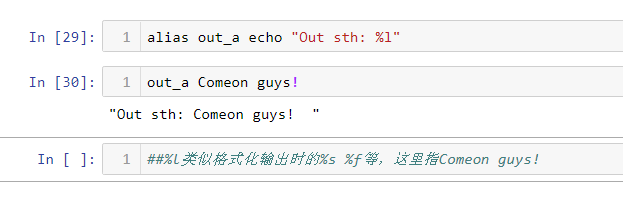
%alias:設(shè)置指令的別名
windows有8個默認的指令,功能和linux下一樣。
#Windows下有8個命令I(lǐng)n [1]: %alias#Total number of aliases: 8Out[1]:[("copy", "copy"), ("ddir", "dir /ad /on"), ("echo", "echo"), ("ldir", "dir /ad /on"),#列出文件夾 ("ls", "dir /on"), ("mkdir", "mkdir"),#創(chuàng)建文件夾 ("ren", "ren"), ("rmdir", "rmdir")]#刪除文件夾Linux下有16個默認指令,感興趣可自己試驗。
In [3]: %aliasTotal number of aliases: 16Out[3]:[("cat", "cat"), ("clear", "clear"), ("cp", "cp"), ("ldir", "ls -F -o --color %l | grep /$"), ("less", "less"), ("lf", "ls -F -o --color %l | grep ^-"), ("lk", "ls -F -o --color %l | grep ^l"), ("ll", "ls -F -o --color"), ("ls", "ls -F --color"), ("lx", "ls -F -o --color %l | grep ^-..x"), ("man", "man"), ("mkdir", "mkdir"), ("more", "more"), ("mv", "mv"), ("rm", "rm"), ("rmdir", "rmdir")]自己設(shè)置指令的別名,個人感覺沒啥意義,介紹一個。
%conda:cell中安裝packageM
%conda install package_names
%dhist:輸出歷史訪問目錄
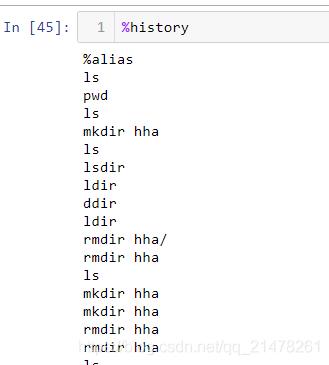
%history:列出歷史輸入的指令
效果類似linux中history。
%magic:輸出所有魔法指令幫助文檔
%matplotlib inline:效果等價于plt.show()
%notebook:導(dǎo)出當(dāng)前notebook所有歷史輸入到一個文件中
%notebook notebook.ipynb將所有歷史輸入導(dǎo)入notebook.ipynb文件中
%pip:在cell中使用pip指令
%pwd:輸出當(dāng)前路徑
%pycat:預(yù)覽文件,類似linux中cat
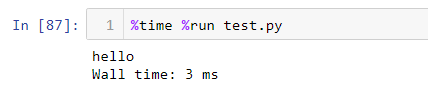
%run:執(zhí)行腳本

%time:執(zhí)行時間
3、Cell magics:Cell魔法指令
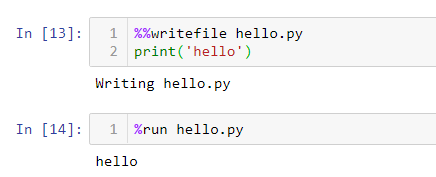
%%writefile:將當(dāng)前cell中內(nèi)容寫入文件中
%%latex:寫Latex公式
%%latex\begin{equation} \int_0^\infty \frac{x^3}{e^x-1}\,dx = \frac{\pi^4}{15} \label{eq:sample}\end{equation}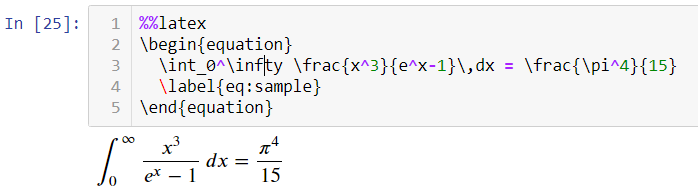
%%script :寫bash、perl、javascript、js 等命令
這個可以使用bash、perl、javascript、js 等等,不過經(jīng)過測試,在jupyter notebook中不友好,在ipython中沒什么問題。
以下在ipython中完成:
寫bash程序
In [9]: %%script bash ...: for i in 1 2 3; do ...: echo $i; ...: done123
寫perl程序
In [11]: %%script perl ...: print "hhn";hhn
寫python2程序
In [12]: %%script python2 ...: print "hhhn" ...: ...:hhhn
參考資料:https://ipython.readthedocs.io/en/stable/interactive/magics.html#
以上就是JupyterNotebook3魔法命令詳解及示例的詳細內(nèi)容,更多關(guān)于JupyterNotebook3魔法命令的資料請關(guān)注其它相關(guān)文章!
相關(guān)文章:
1. Python數(shù)據(jù)分析之pandas讀取數(shù)據(jù)2. 手把手帶你了解Python數(shù)據(jù)分析--matplotlib3. python數(shù)據(jù)分析之DataFrame內(nèi)存優(yōu)化4. Python數(shù)據(jù)分析之繪圖和可視化詳解5. Python數(shù)據(jù)分析之pandas比較操作6. python數(shù)據(jù)分析之用sklearn預(yù)測糖尿病7. Python數(shù)據(jù)分析之pandas函數(shù)詳解8. Python數(shù)據(jù)分析庫pandas高級接口dt的使用詳解9. 基于Python數(shù)據(jù)分析之pandas統(tǒng)計分析
 網(wǎng)公網(wǎng)安備