使用 .NET MAUI 開發(fā) ChatGPT 客戶端的流程
目錄
- 開發(fā)實戰(zhàn)
- 托盤圖標(右鍵點擊有 menu)
- WebView
- 【重點】js 和 csharp 互相調(diào)用
- chatgpt 的開放 api 調(diào)用
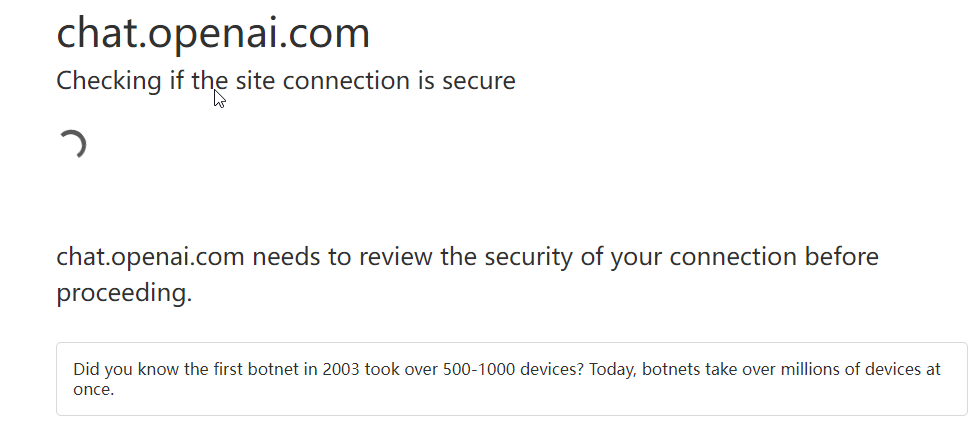
最近 chatgpt 很火,由于網(wǎng)頁版本限制了 ip,還得必須開代理,用起來比較麻煩,所以我嘗試用 maui 開發(fā)一個聊天小應用,結合 chatgpt 的開放 api 來實現(xiàn)(很多客戶端使用網(wǎng)頁版本接口用 cookie 的方式,有很多限制(如下圖)總歸不是很正規(guī))。
效果如下

mac 端由于需要升級 macos13 才能開發(fā)調(diào)試,這部分我還沒有完成,不過 maui 的控件是跨平臺的,放在后續(xù)我升級系統(tǒng)再說。
開發(fā)實戰(zhàn)
我是設想開發(fā)一個類似 jetbrains 的 ToolBox 應用一樣,啟動程序在桌面右下角出現(xiàn)托盤圖標,點擊圖標彈出應用(風格在 windows mac 平臺保持一致)
需要實現(xiàn)的功能一覽
- 托盤圖標(右鍵點擊有 menu)
- webview(js 和 csharp 互相調(diào)用)
- 聊天 SPA 頁面(react 開發(fā),build 后讓 webview 展示)
新建一個 maui 工程(vs2022)
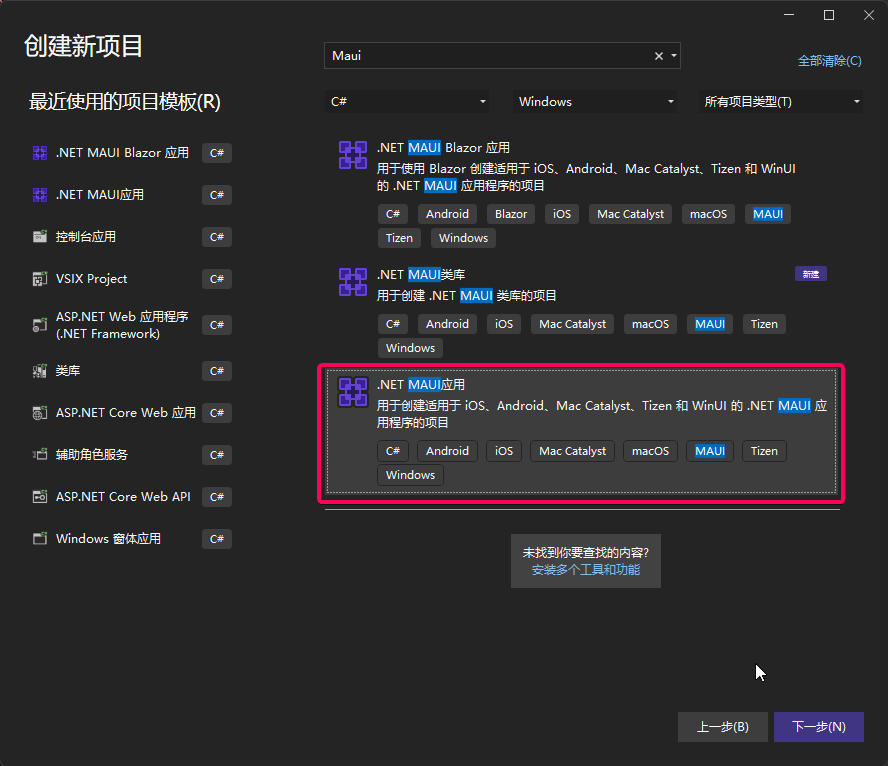
坑一:默認編譯出來的 exe 是直接雙擊打不開的
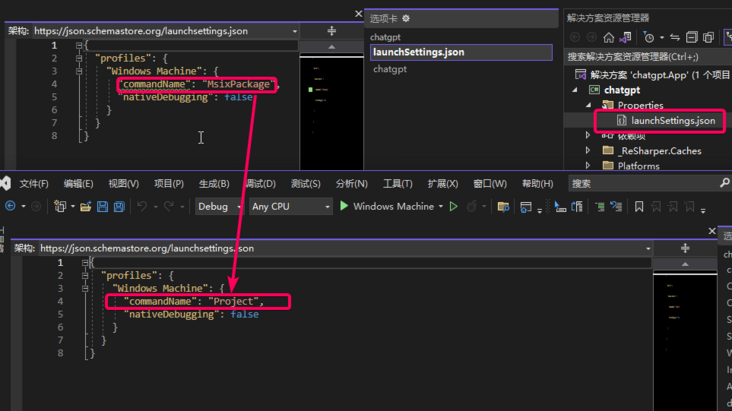
工程文件加上這個配置
<WindowsPackageType>None</WindowsPackageType><WindowsAppSDKSelfContained Condition=""$(IsUnpackaged)" == "true"">true</WindowsAppSDKSelfContained><SelfContained Condition=""$(IsUnpackaged)" == "true"">true</SelfContained>
以上修改后,編譯出來的 exe 雙擊就可以打開了
托盤圖標(右鍵點擊有 menu)
啟動時設置窗口不能改變大小,隱藏 titlebar, 讓 Webview 控件占滿整個窗口
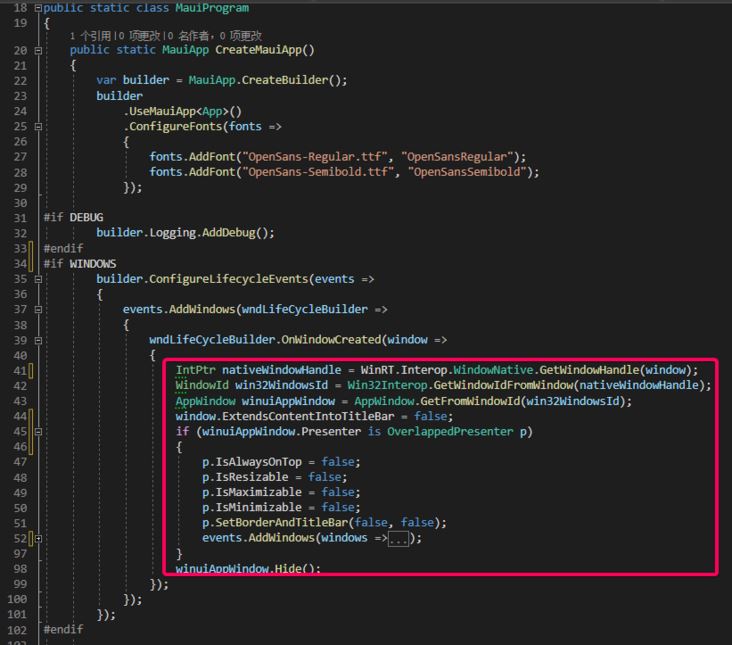
這里要根據(jù)平臺不同實現(xiàn)不同了,windows 平臺采用 winAPI 調(diào)用,具體看工程代碼吧!
WebView
在 MainPage.xaml 添加控件
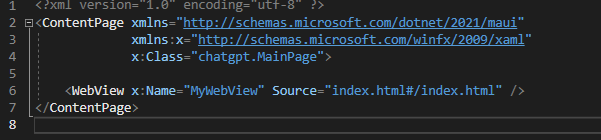
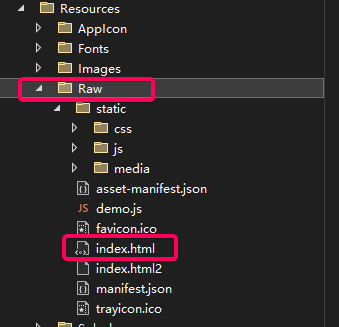
對應的靜態(tài) html 等文件放在工程的 Resource\Raw 文件夾下 (整個文件夾里面默認是作為內(nèi)嵌資源打包的,工程文件里面的如下配置起的作用)
<!-- Raw Assets (also remove the "Resources\Raw" prefix) --><MauiAsset Include="Resources\Raw\**" LogicalName="%(RecursiveDir)%(Filename)%(Extension)" />
【重點】js 和 csharp 互相調(diào)用
這部分我找了很多資料,最終參考了這個 demo,然后改進了下。
主要原理是:
- js 調(diào)用 csharp 方法前先把數(shù)據(jù)存儲在 localstorage 里
- 然后 windows.location 切換特定的 url 發(fā)起調(diào)用,返回一個 promise,等待 csharp 的事件
- csharp 端監(jiān)聽 webview 的 Navigating 事件,異步進行下面處理
- 根據(jù) url 解析出來 localstorage 的 key
- 然后 csharp 端調(diào)用 excutescript 根據(jù) key 拿到 localstorage 的 value
- 進行邏輯處理后返回通過事件分發(fā)到 js 端
js 的調(diào)用封裝如下:
// 調(diào)用csharp的方法封裝export default class CsharpMethod { constructor(command, data) { this.RequestPrefix = "request_csharp_"; this.ResponsePrefix = "response_csharp_"; // 唯一 this.dataId = this.RequestPrefix + new Date().getTime(); // 調(diào)用csharp的命令 this.command = command; // 參數(shù) this.data = { command: command, data: !data ? "" : JSON.stringify(data), key: this.dataId } } // 調(diào)用csharp 返回promise call() { // 把data存儲到localstorage中 目的是讓csharp端獲取參數(shù) localStorage.setItem(this.dataId, this.utf8_to_b64(JSON.stringify(this.data))); let eventKey = this.dataId.replace(this.RequestPrefix, this.ResponsePrefix); let that = this; const promise = new Promise(function (resolve, reject) { const eventHandler = function (e) {window.removeEventListener(eventKey, eventHandler);let resp = e.newValue;if (resp) { // 從base64轉換 let realData = that.b64_to_utf8(resp); if (realData.startsWith("err:")) { reject(realData.substr(4)); } else { resolve(realData); }} else { reject("unknown error :" + eventKey);} }; // 注冊監(jiān)聽回調(diào)(csharp端處理完發(fā)起的) window.addEventListener(eventKey, eventHandler); }); // 改變location 發(fā)送給csharp端 window.location = "/api/" + this.dataId; return promise; } // 轉成base64 解決中文亂碼 utf8_to_b64(str) { return window.btoa(unescape(encodeURIComponent(str))); } // 從base64轉過來 解決中文亂碼 b64_to_utf8(str) { return decodeURIComponent(escape(window.atob(str))); } }前端的使用方式
import CsharpMethod from "../../services/api" // 發(fā)起調(diào)用csharp的chat事件函數(shù)const method = new CsharpMethod("chat", {msg: message});method.call() // call返回promise.then(data =>{ // 拿到csharp端的返回后展示 onMessageHandler({ message: data, username: "Robot", type: "chat_message" });}).catch(err => { alert(err);});csharp 端的處理:
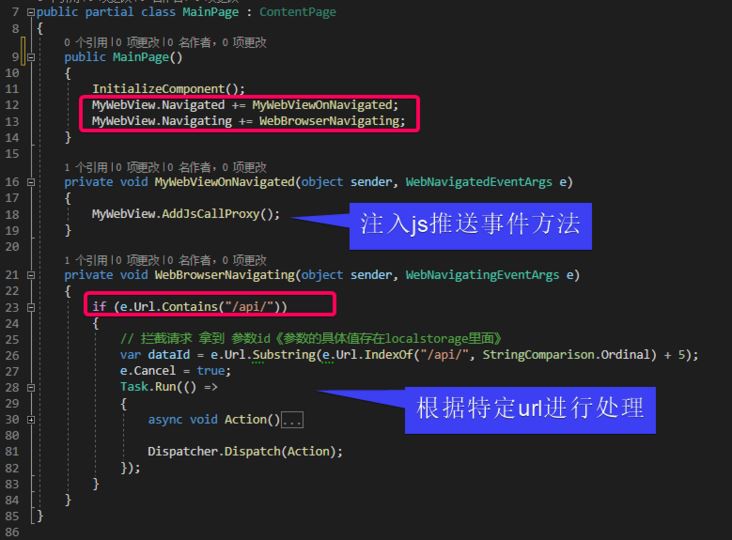
這么封裝后,js 和 csharp 的互相調(diào)用就很方便了。
chatgpt 的開放 api 調(diào)用
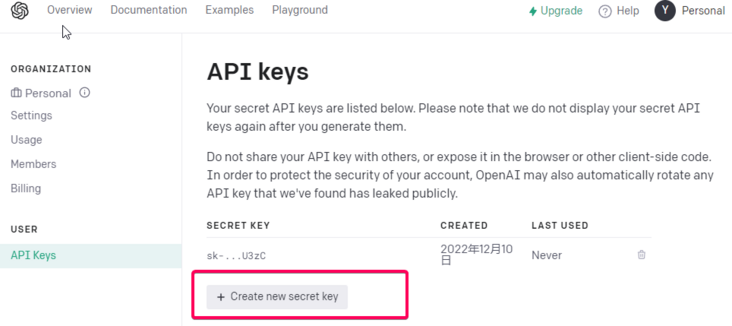
注冊好 chatgpt 后可以申請一個 APIKEY。
API 封裝:
public static async Task<CompletionsResponse> GetResponseDataAsync(string prompt){ // Set up the API URL and API key string apiUrl = "https://api.openai.com/v1/completions"; // Get the request body JSON decimal temperature = decimal.Parse(Setting.Temperature, CultureInfo.InvariantCulture); int maxTokens = int.Parse(Setting.MaxTokens, CultureInfo.InvariantCulture); string requestBodyJson = GetRequestBodyJson(prompt, temperature, maxTokens); // Send the API request and get the response data return await SendApiRequestAsync(apiUrl, Setting.ApiKey, requestBodyJson);} private static string GetRequestBodyJson(string prompt, decimal temperature, int maxTokens){ // Set up the request body var requestBody = new CompletionsRequestBody {Model = "text-davinci-003",Prompt = prompt,Temperature = temperature,MaxTokens = maxTokens,TopP = 1.0m,FrequencyPenalty = 0.0m,PresencePenalty = 0.0m,N = 1,Stop = "[END]", }; // Create a new JsonSerializerOptions object with the IgnoreNullValues and IgnoreReadOnlyProperties properties set to true var serializerOptions = new JsonSerializerOptions {IgnoreNullValues = true,IgnoreReadOnlyProperties = true, }; // Serialize the request body to JSON using the JsonSerializer.Serialize method overload that takes a JsonSerializerOptions parameter return JsonSerializer.Serialize(requestBody, serializerOptions);} private static async Task<CompletionsResponse> SendApiRequestAsync(string apiUrl, string apiKey, string requestBodyJson){ // Create a new HttpClient for making the API request using HttpClient client = new HttpClient(); // Set the API key in the request headers client.DefaultRequestHeaders.Add("Authorization", "Bearer " + apiKey); // Create a new StringContent object with the JSON payload and the correct content type StringContent content = new StringContent(requestBodyJson, Encoding.UTF8, "application/json"); // Send the API request and get the response HttpResponseMessage response = await client.PostAsync(apiUrl, content); // Deserialize the response var responseBody = await response.Content.ReadAsStringAsync(); // Return the response data return JsonSerializer.Deserialize<CompletionsResponse>(responseBody);}調(diào)用方式
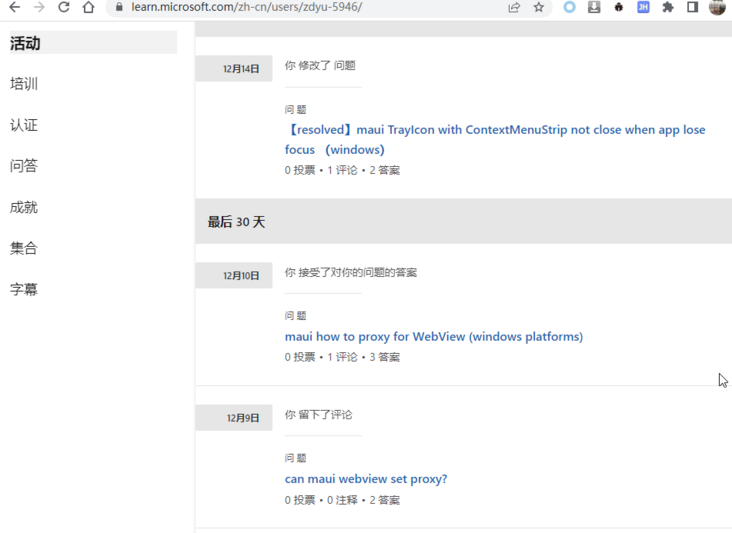
var reply = await ChatService.GetResponseDataAsync("xxxxxxxxxx");在學習 maui 的過程中,遇到問題我在 Microsoft Learn 提問,回答的效率很快,推薦大家試試看!
到此這篇關于使用 .NET MAUI 開發(fā) ChatGPT 客戶端的文章就介紹到這了,更多相關.NET MAUI 開發(fā) ChatGPT 內(nèi)容請搜索以前的文章或繼續(xù)瀏覽下面的相關文章希望大家以后多多支持!
 網(wǎng)公網(wǎng)安備